
Note: This lets your site visitors book appointments on your website without having to select any service. This is mostly useful in cases where the patient doesn’t know which service I should book the appointment for?
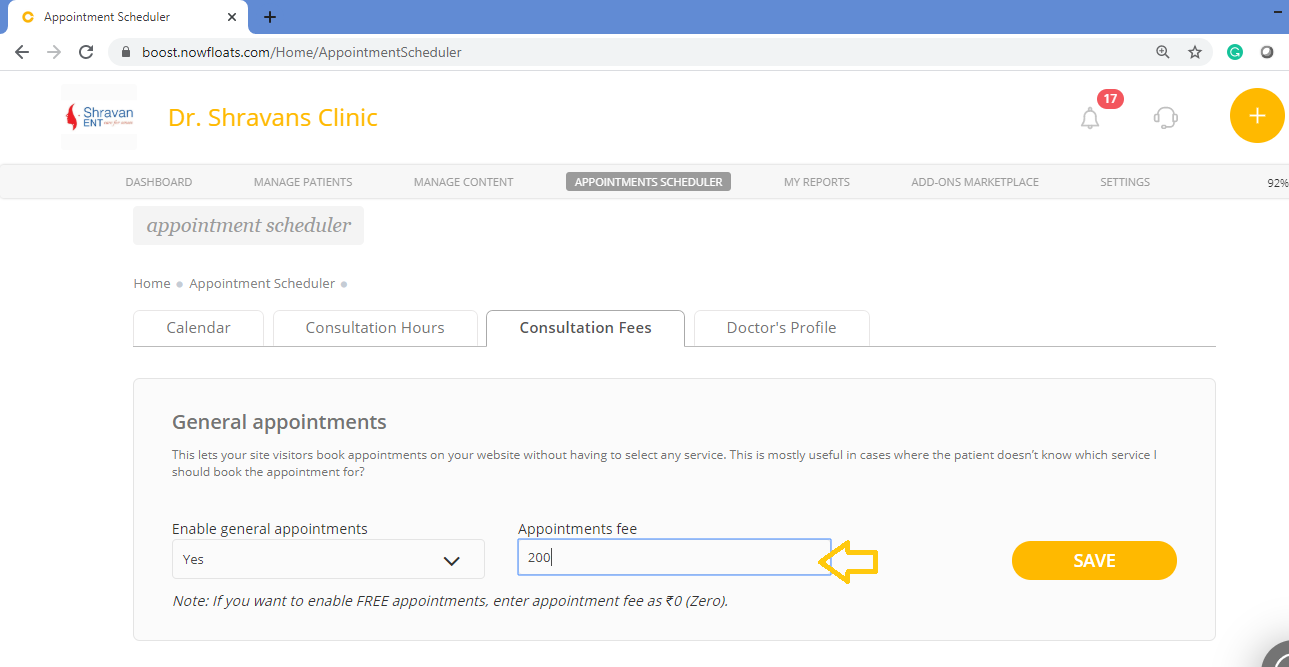
To set up consultation fee of general appointments:
1. Go to your dashboard.
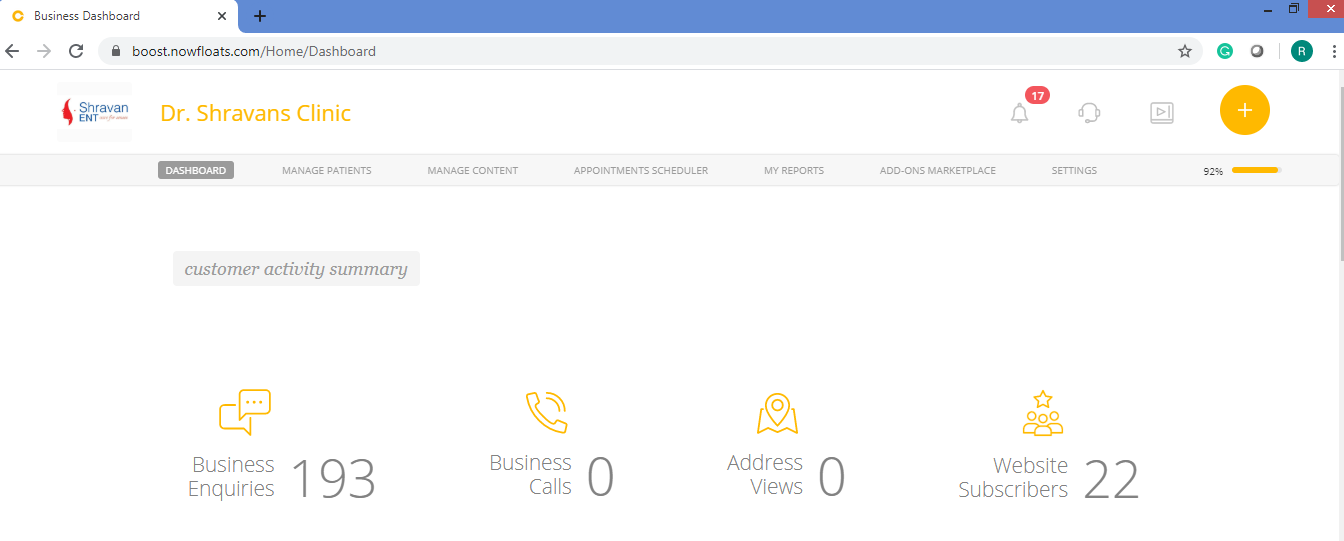
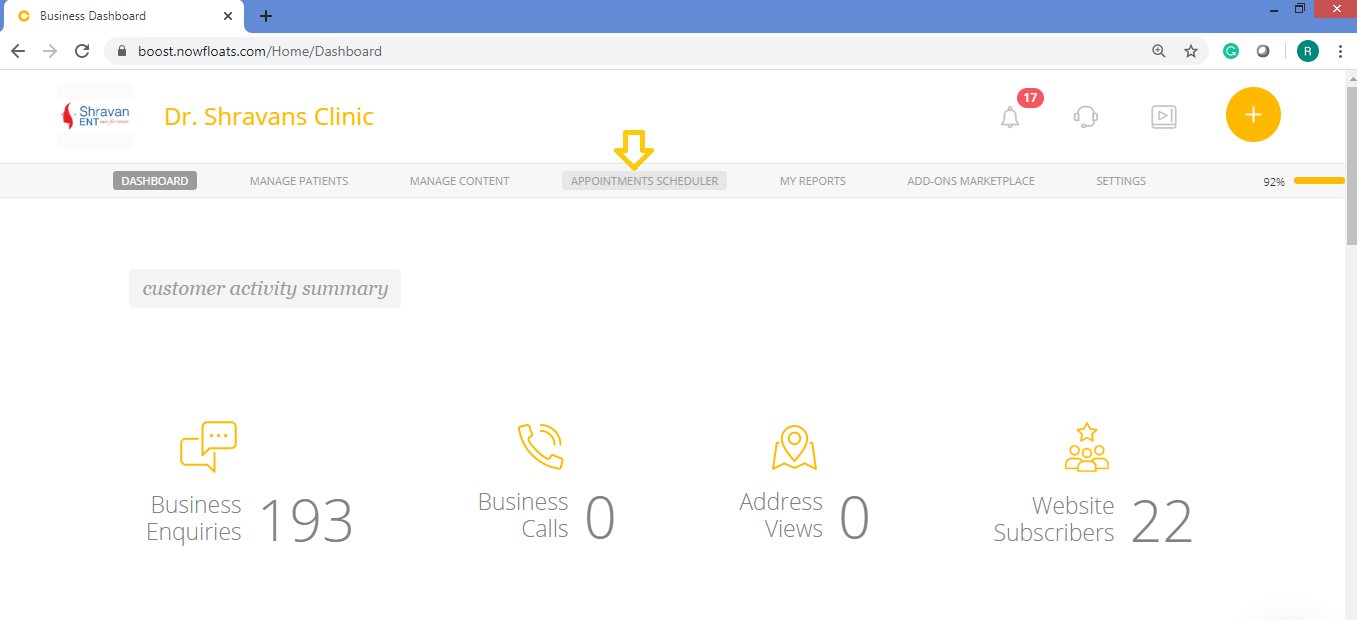
2. Click Appointment Scheduler in the header menu.
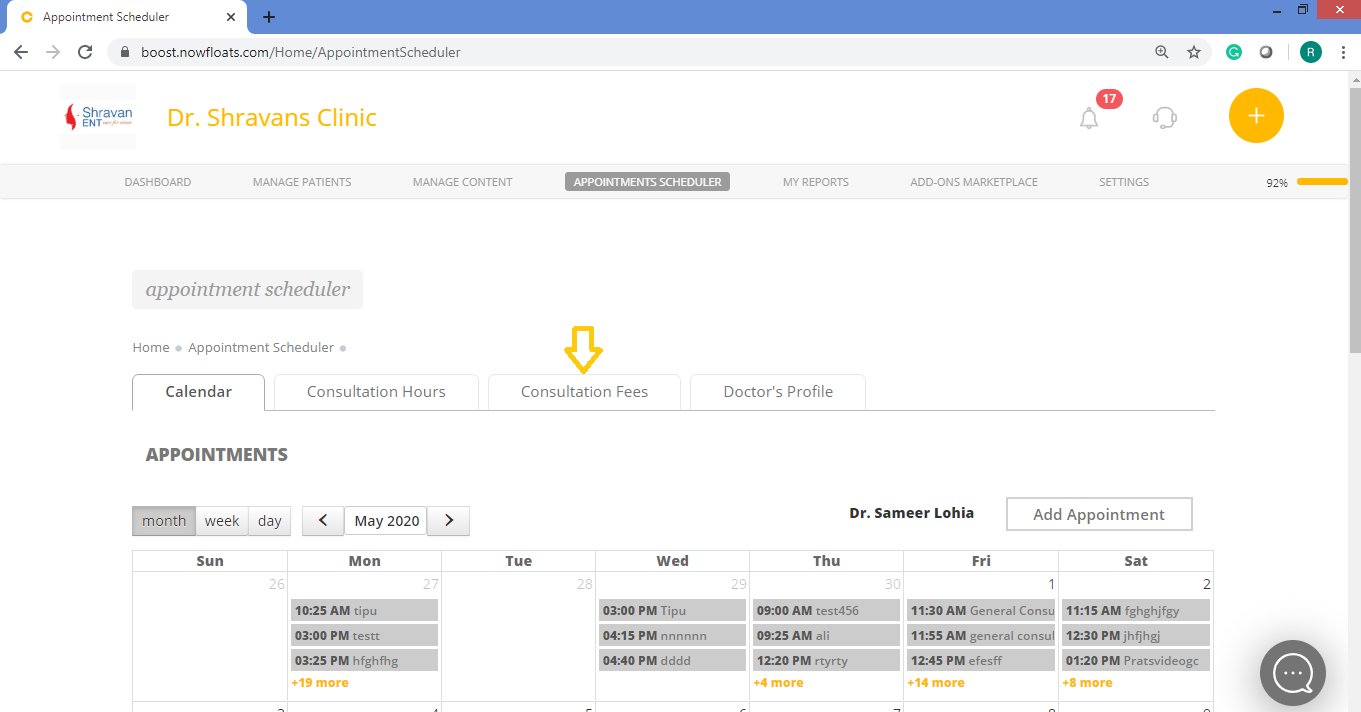
3. Click on Consultation Fees.
4. Select Yes to enable general appointment from drop down.
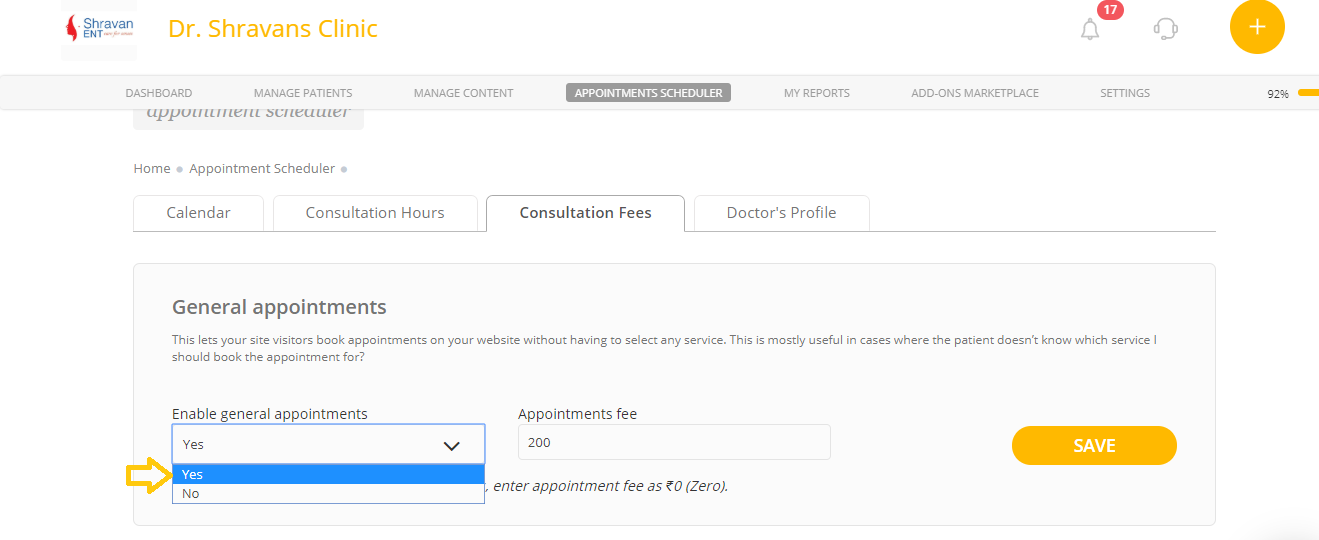
5. In the Appointment Fee box, enter amount for general consultation.
Note: If you want to enable FREE appointments, enter appointment fee as ₹0 (Zero).
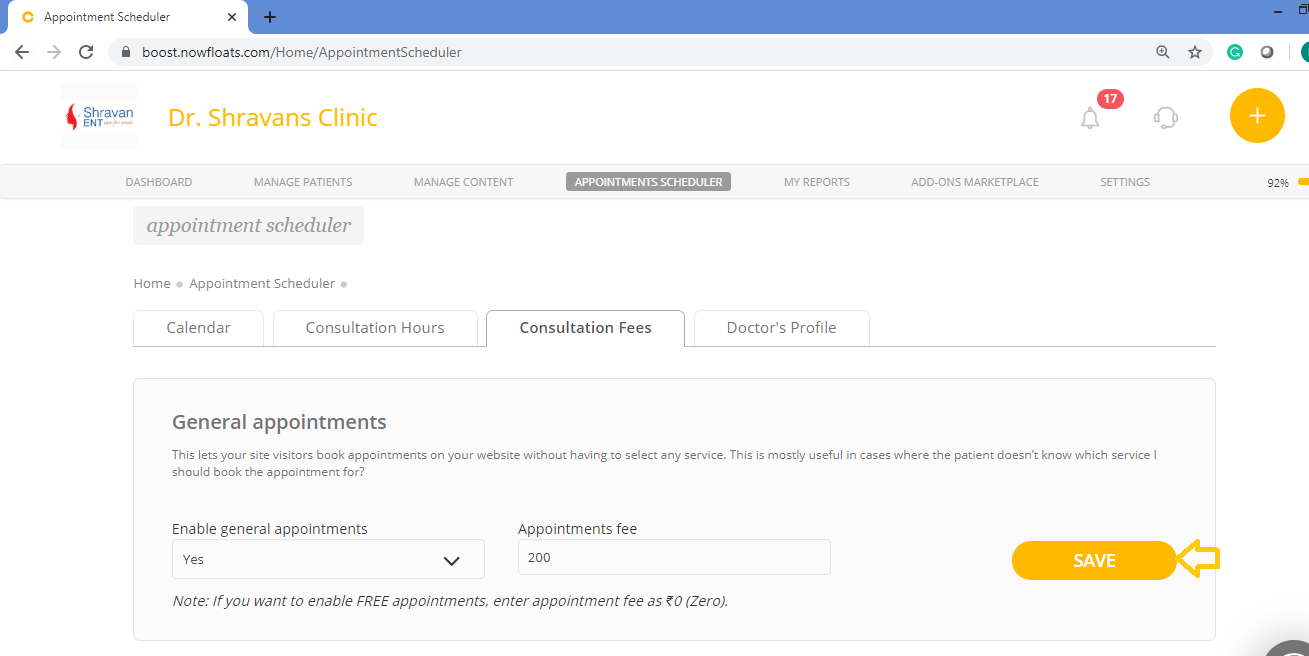
6. Click Save.
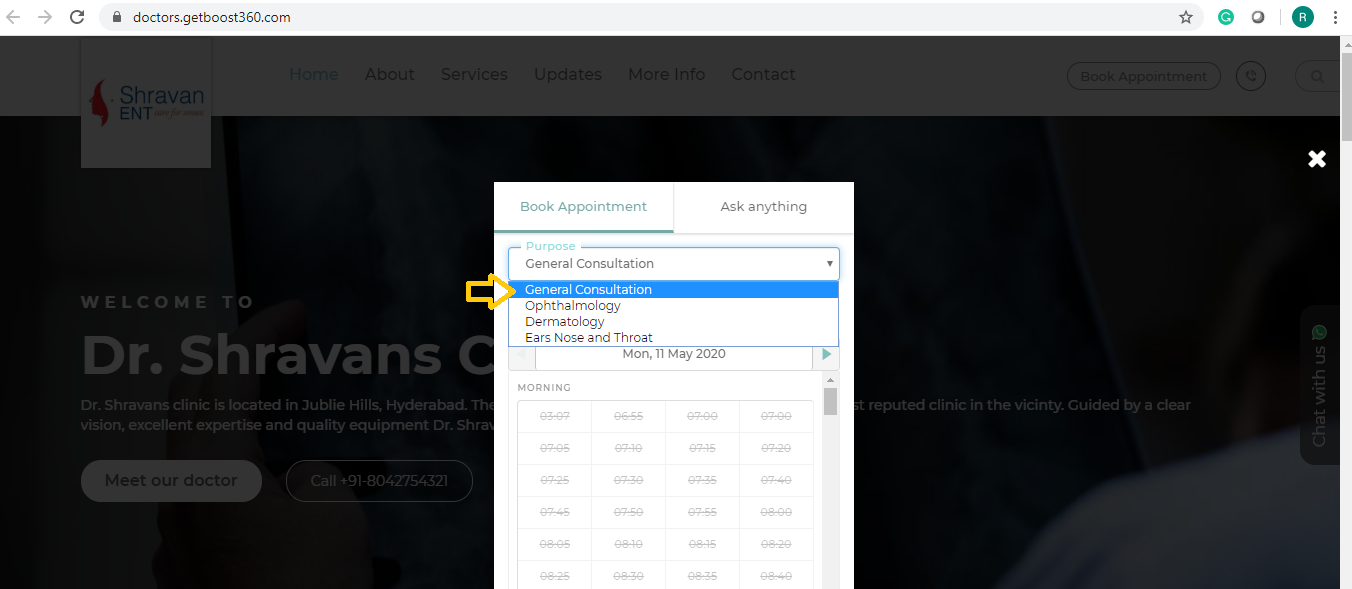
Once this is saved, you can able to see General Consultation service on the website.
Comments
0 comments
Please sign in to leave a comment.