
If you're no longer wish for sync website products to Facebook Shop.
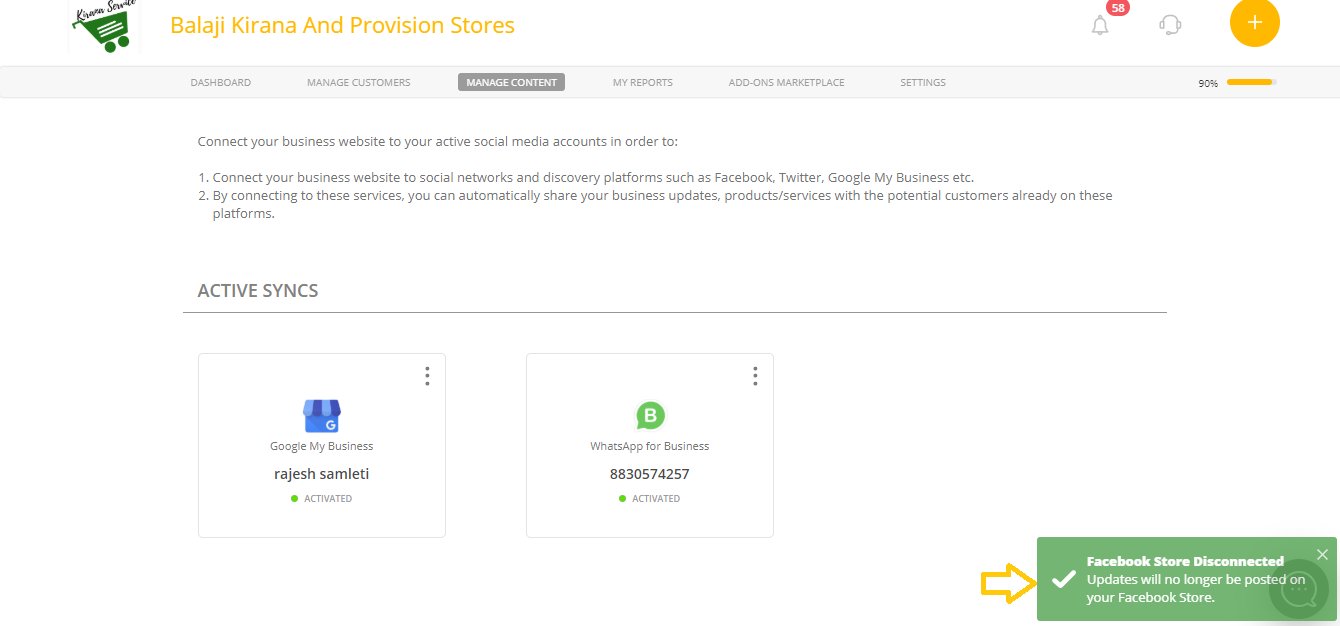
To disconnect Facebook Shop:
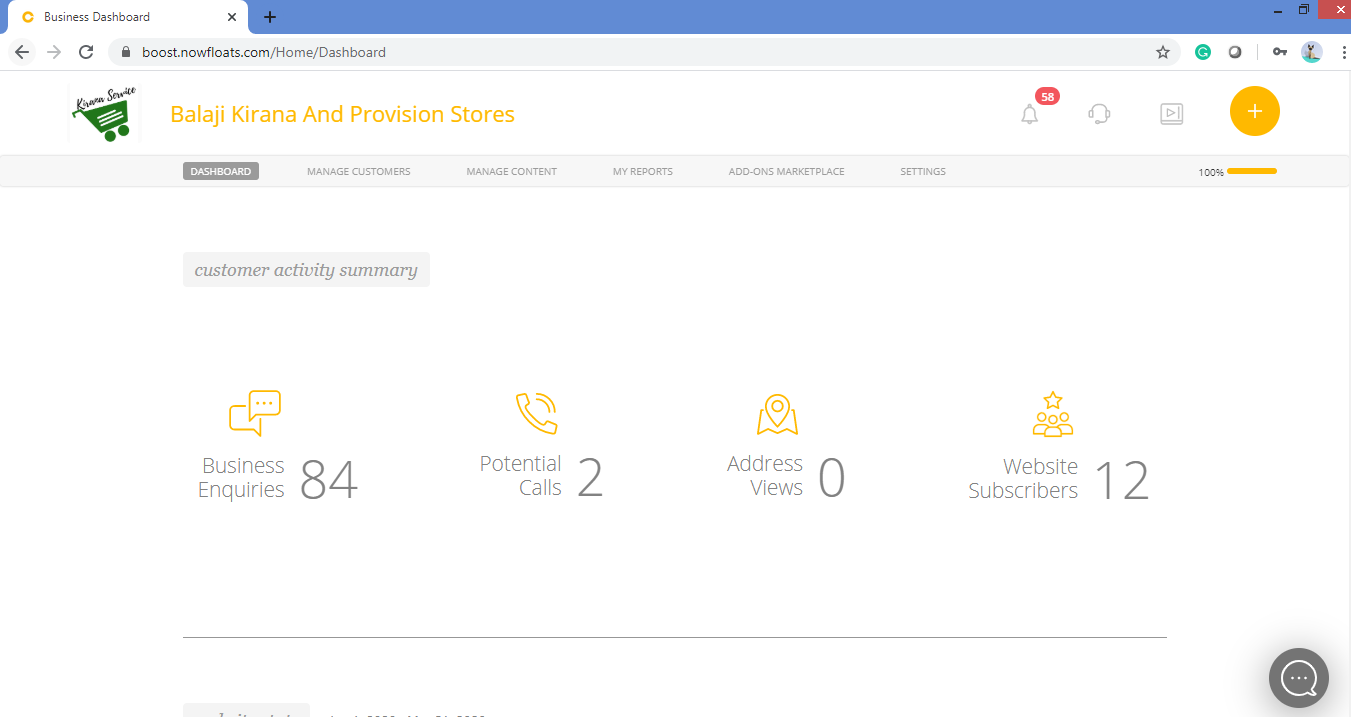
1. Go to your dashboard.
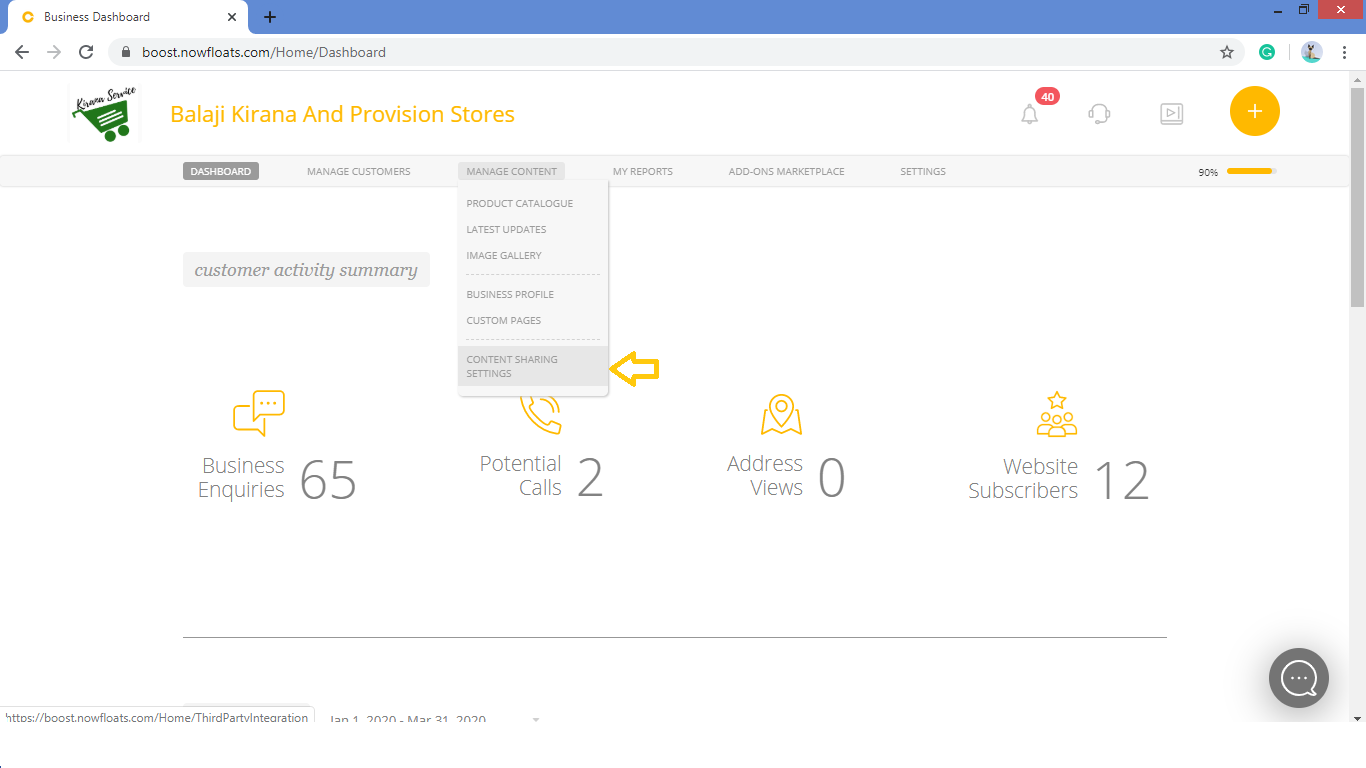
2. Go to Manage Content in the header menu and click on Content Sharing Settings.
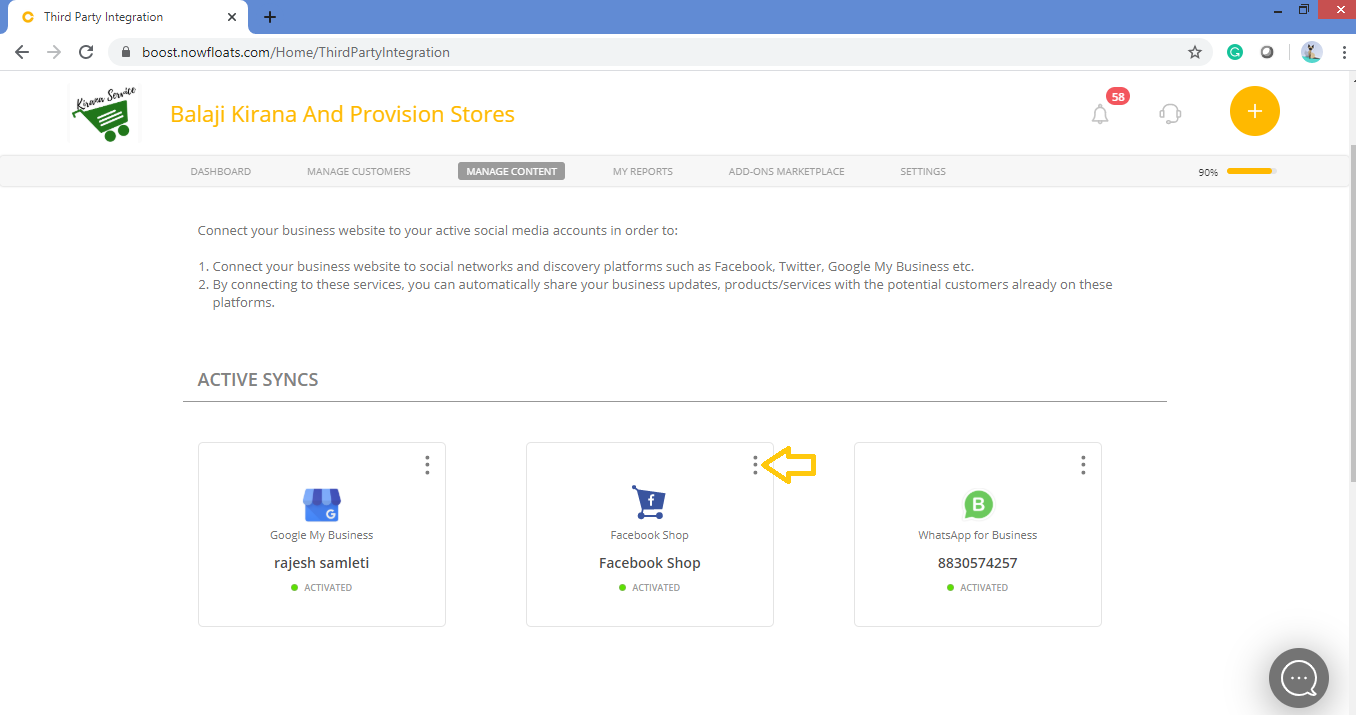
3. Look for the Facebook Shop card in the Active Syncs section and click on More Options icon  .
.
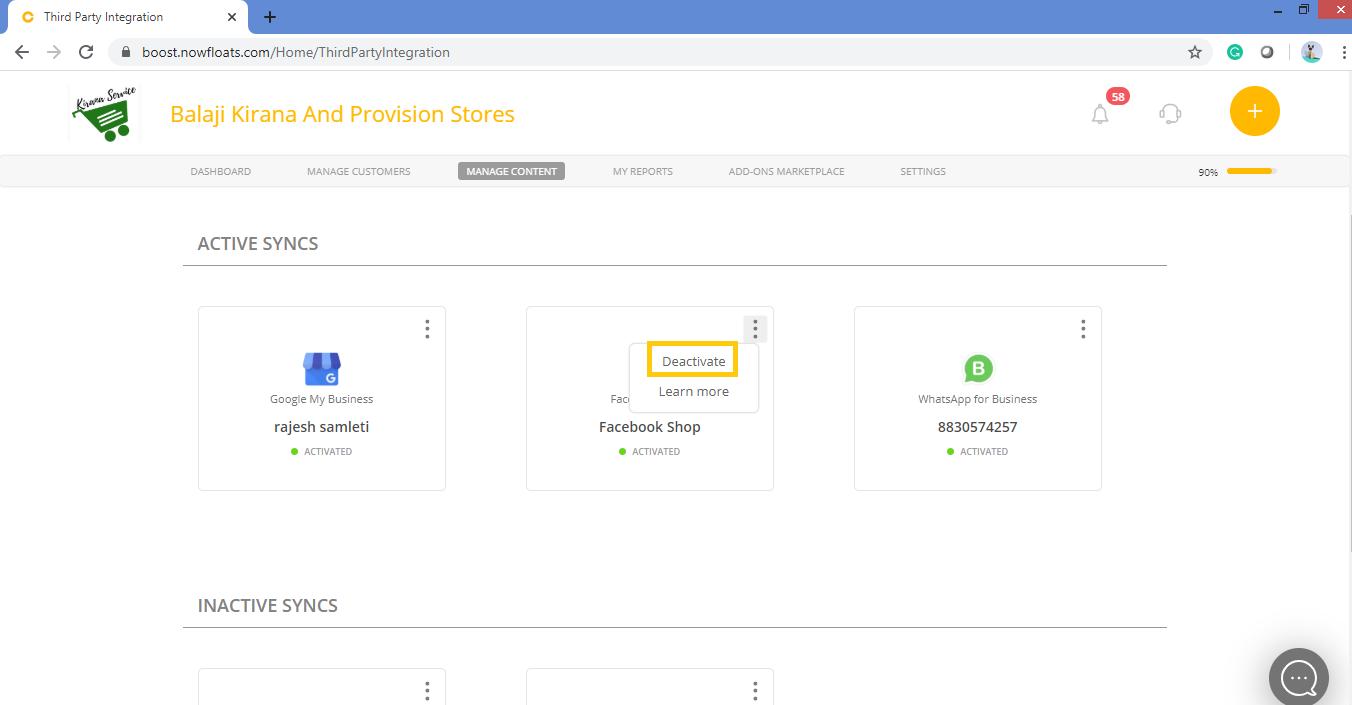
4. Click Deactivate.
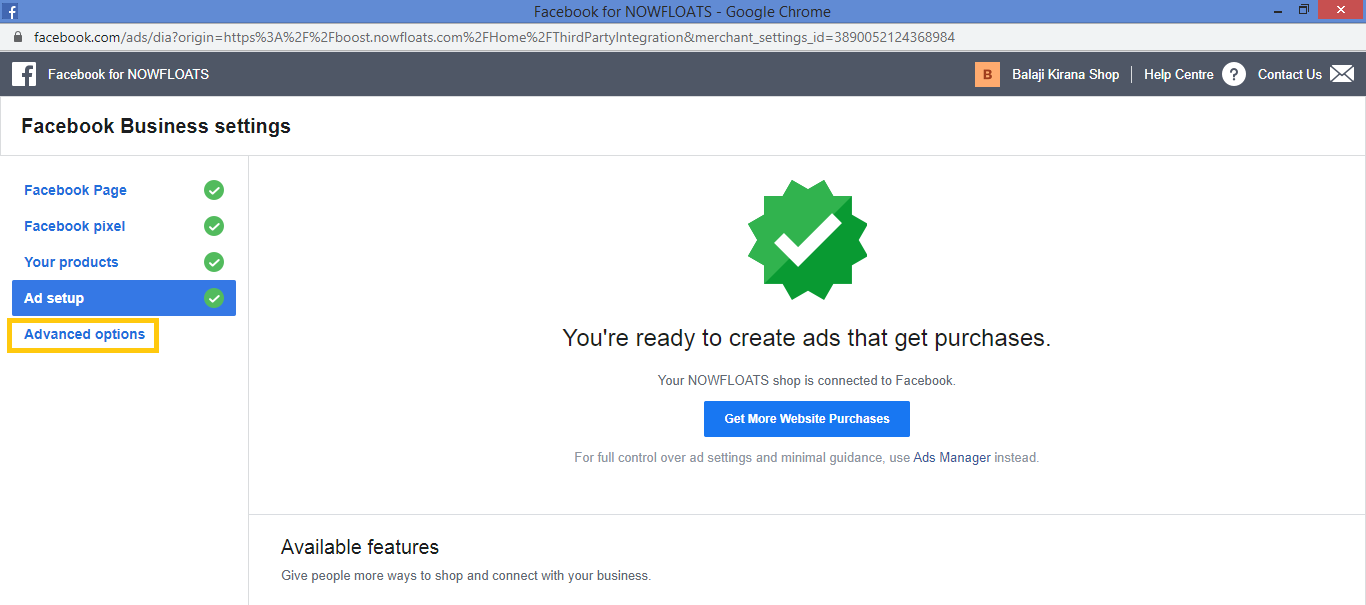
4. Click Advanced options in the pop up window.
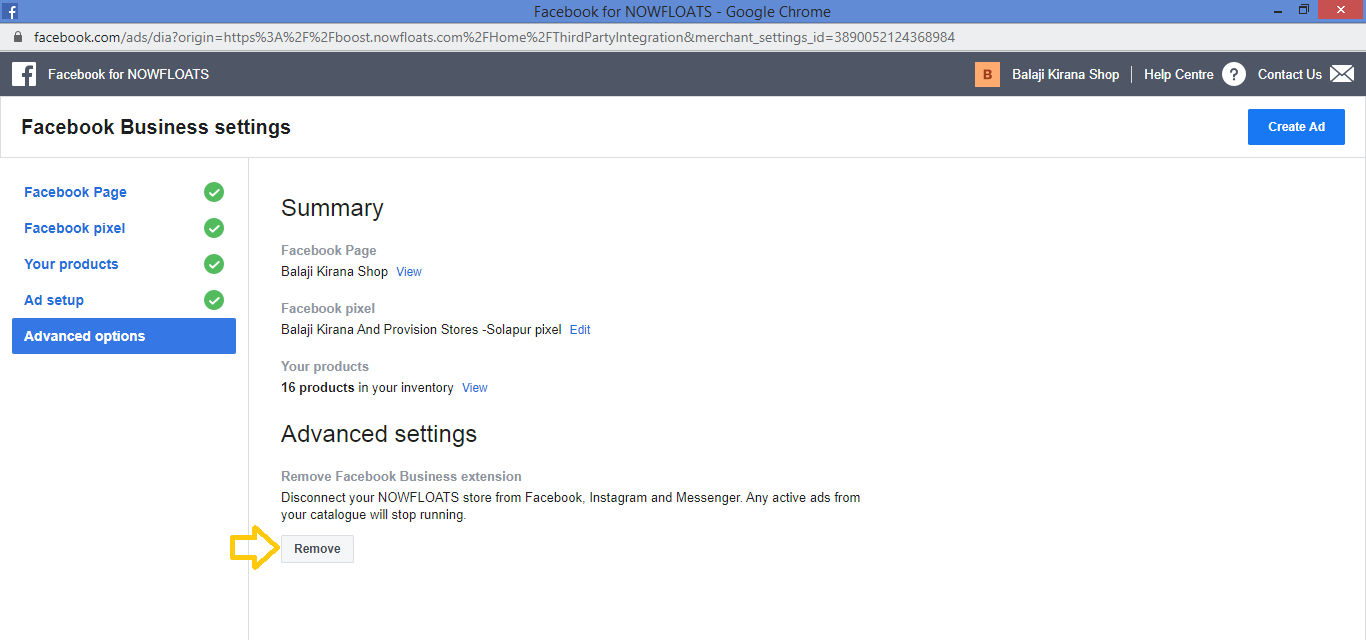
5. Click Remove.
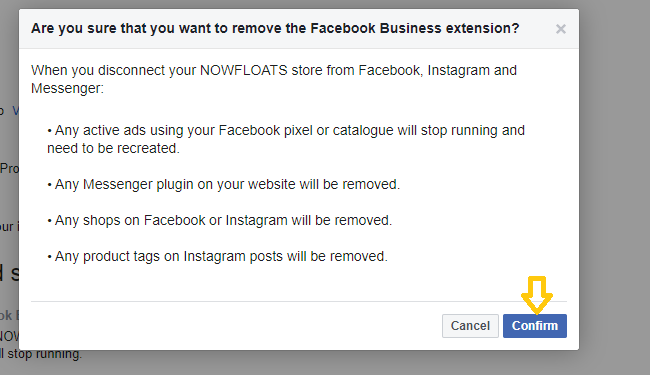
6. Click Confirm.
Comments
0 comments
Please sign in to leave a comment.