
To Connect your Facebook Account with Boost to Login via Facebook:
1. Go to your dashboard.
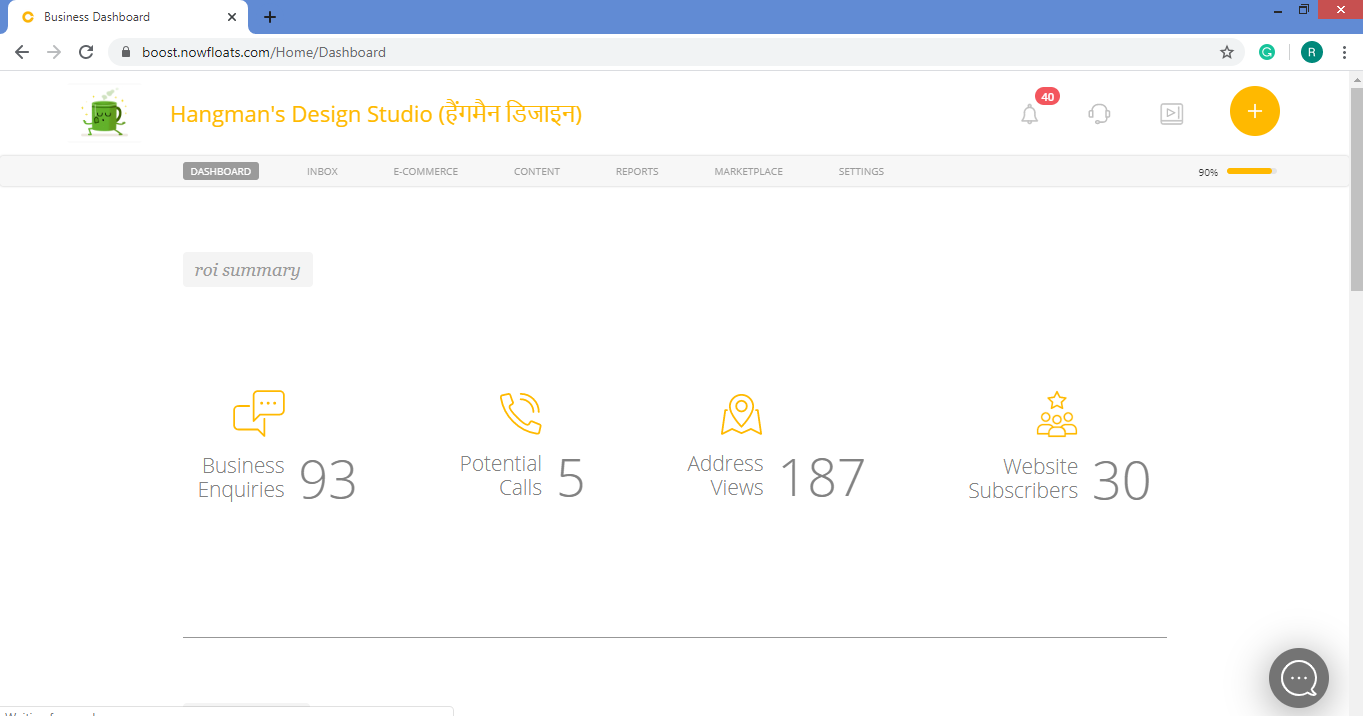
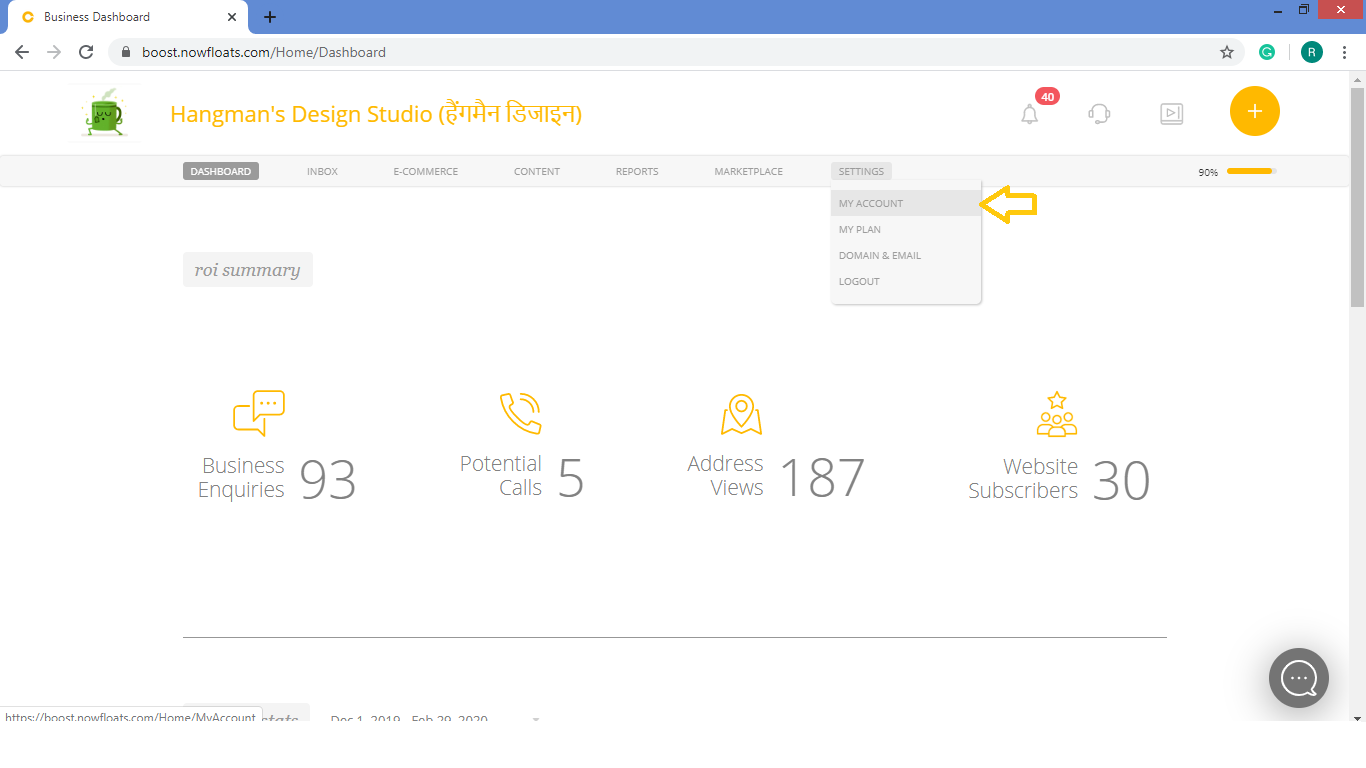
2. Go to Settings in the header menu and click on My Account.
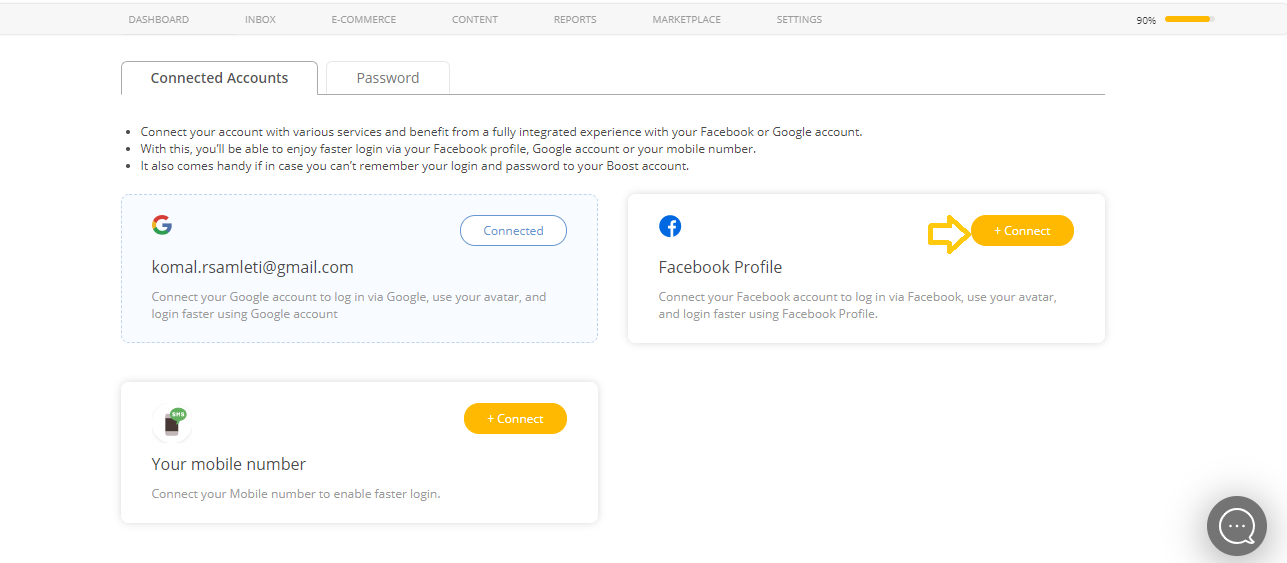
3. Look for the Facebook Profile card and connect it by clicking on +Connect.
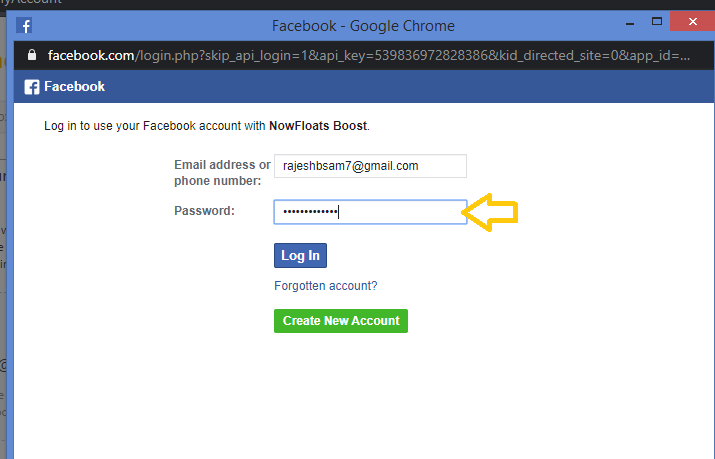
4. Simply enter your Facebook Account credentials to connect it with the Boost.
a. Enter your Email id or Phone number registered with your Facebook Account.
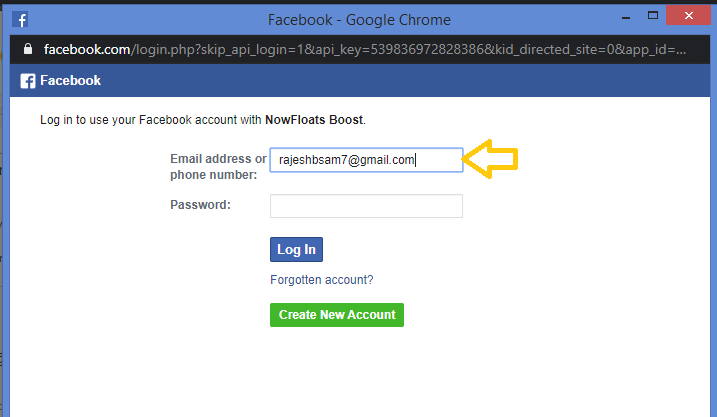
b. Enter password of your Facebook Account and click Log In.
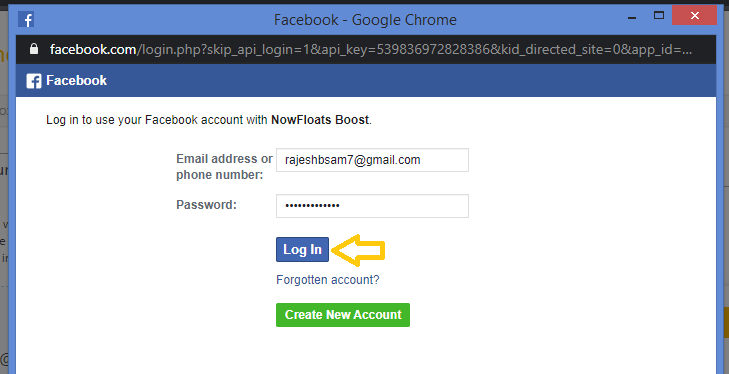
5. Once the Authentication is done, your Facebook Account is connected with the Boost.
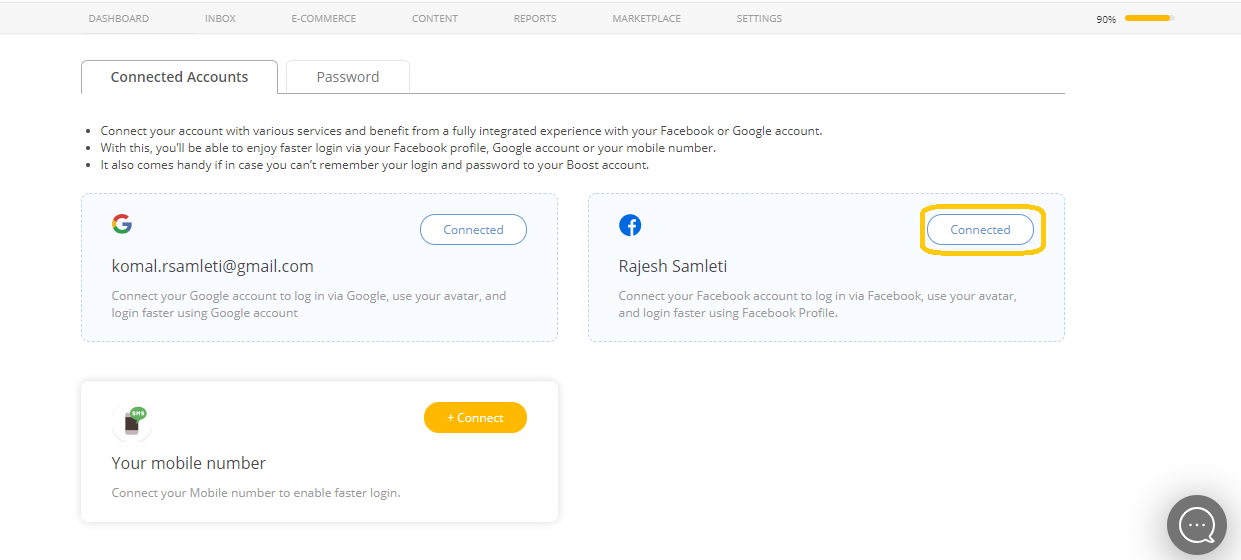
With this, you'll be able to enjoy faster login to your Boost Account Via Facebook.
Comments
0 comments
Please sign in to leave a comment.