
To add additional tab on menu bar of your Hotel website:
1. Go to your dashboard.
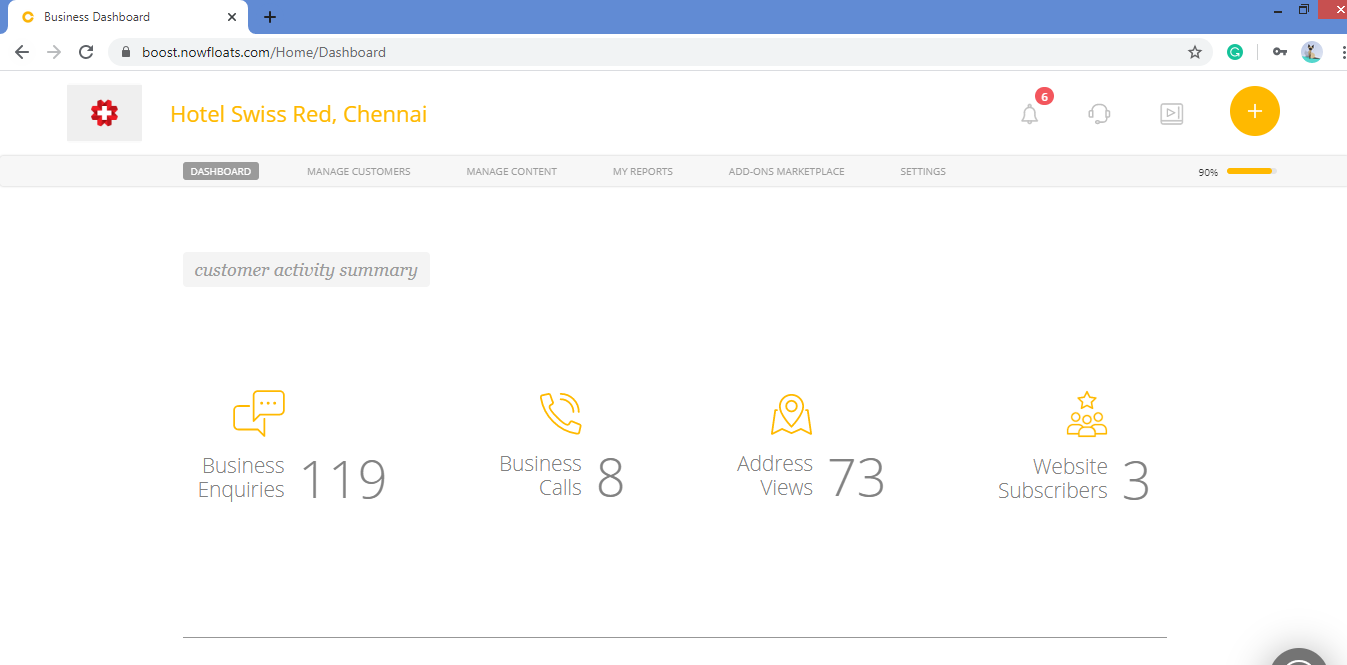
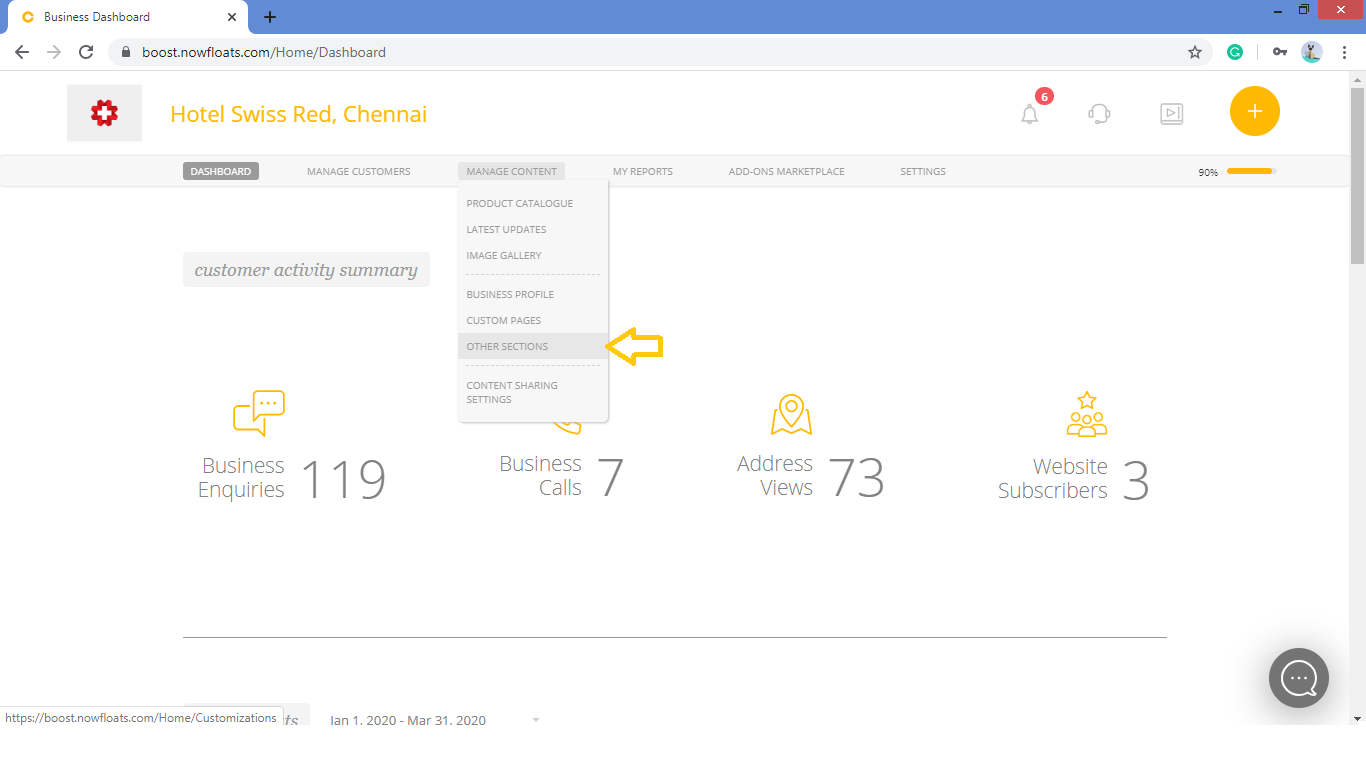
2. Go to Manage Content in the header menu and click on Other Sections.
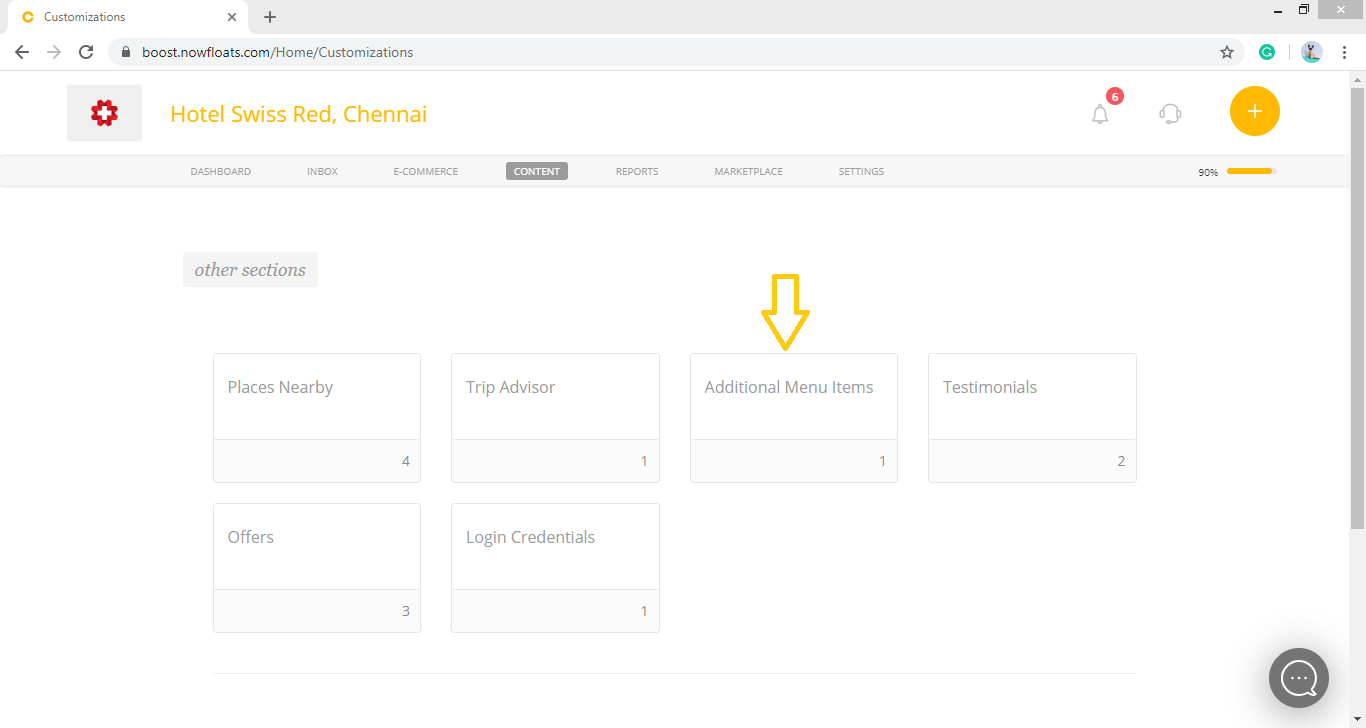
3. Look for the Additional Menu items card and click on it.
4. Scroll down to see Additional Menu items section.
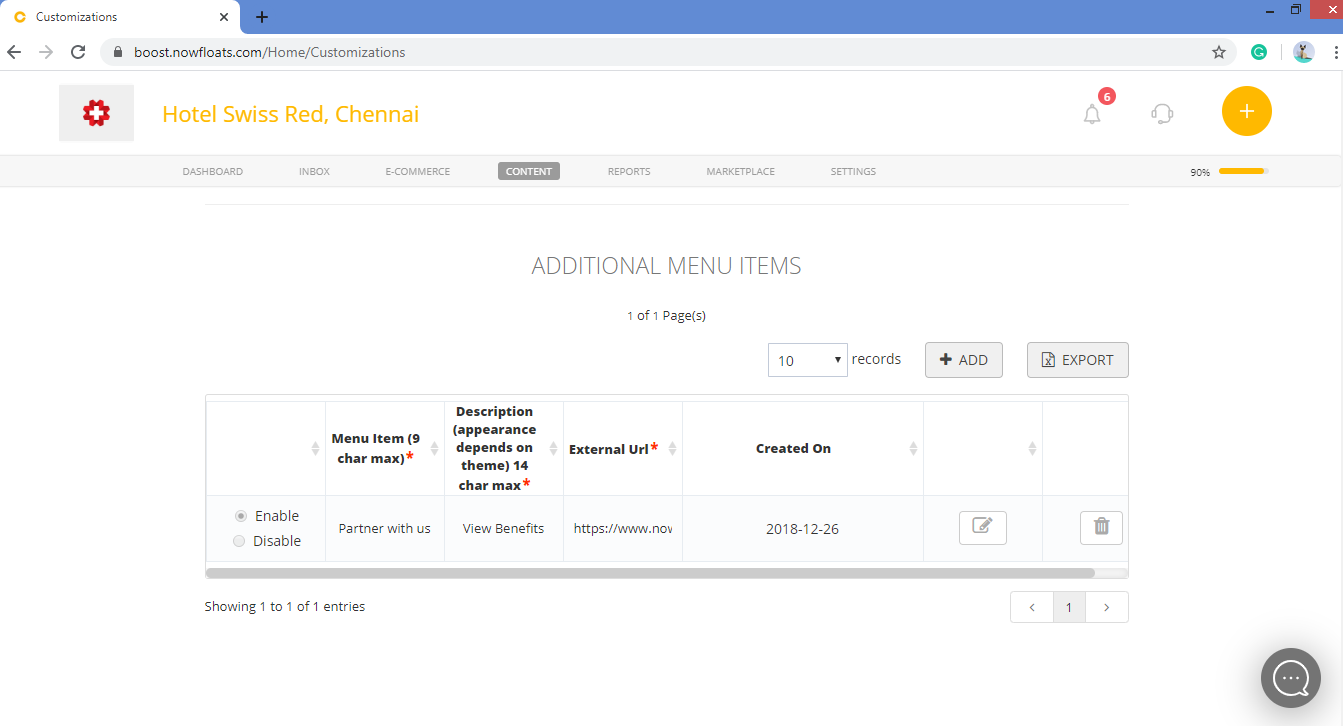
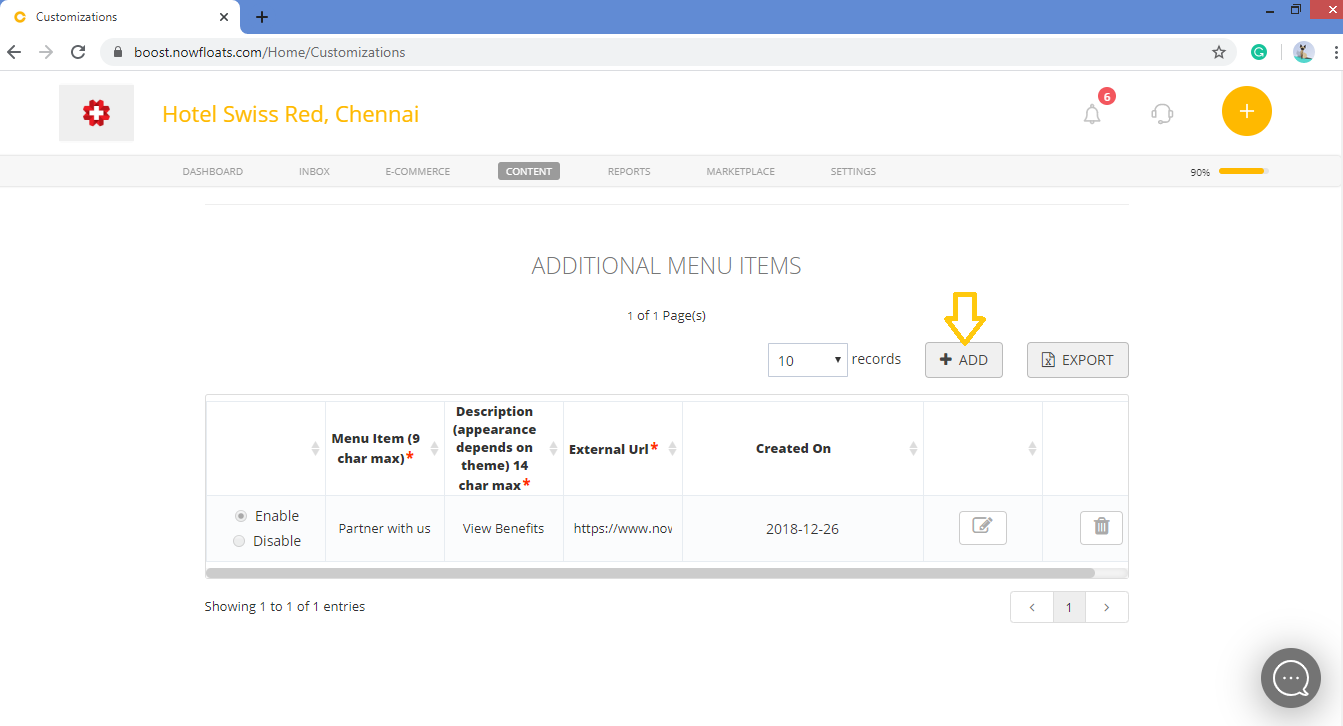
5. Click +ADD.
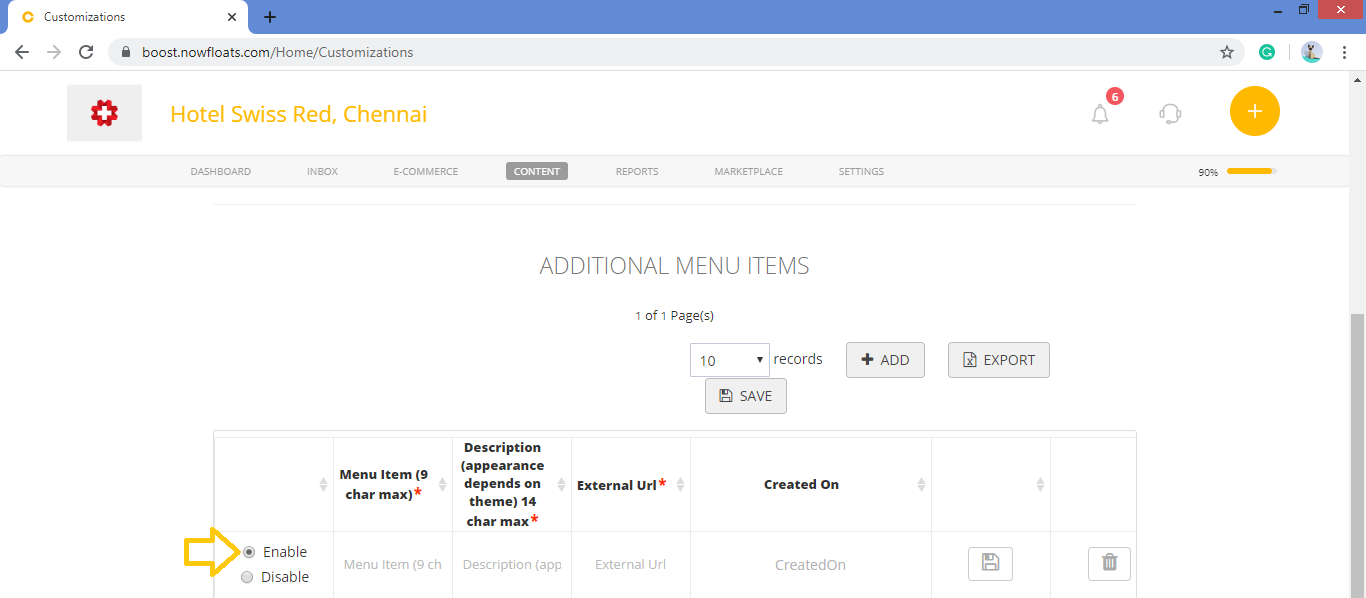
6. Click on radio button of the enable which will show this item on your website.
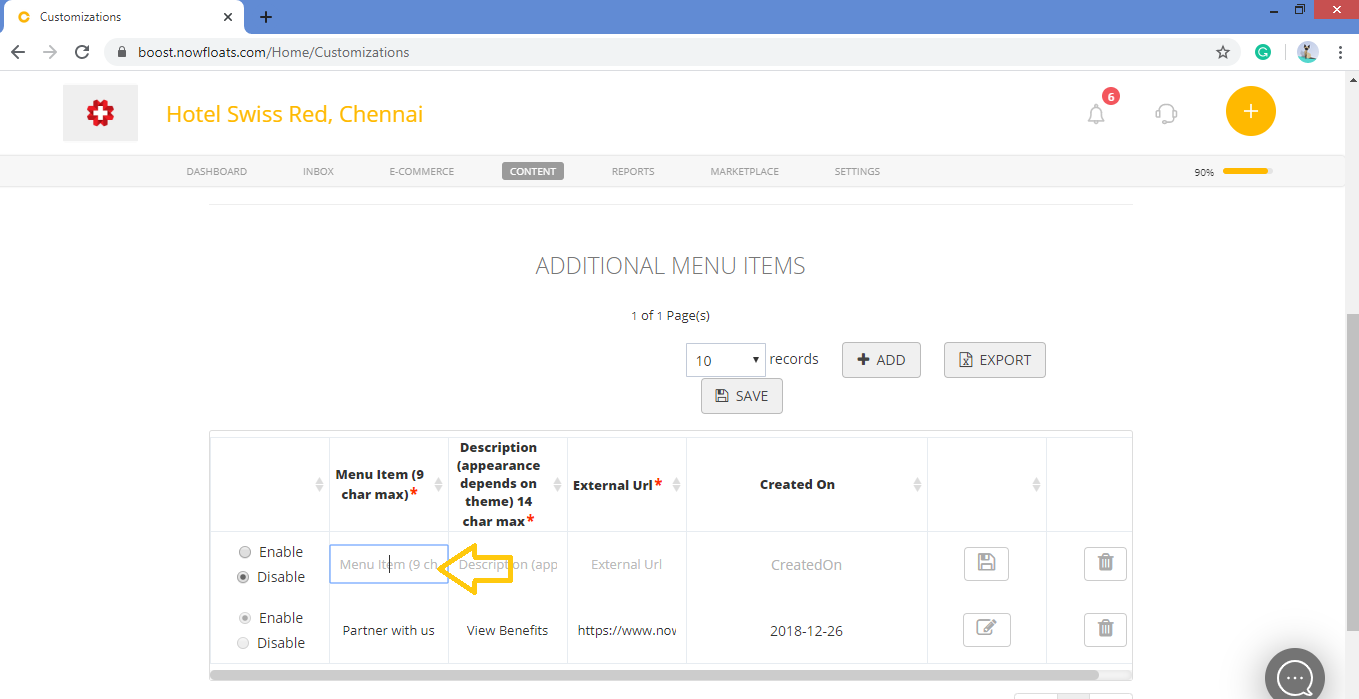
7. In the Menu Item box, enter the menu item name of max 9 character's.
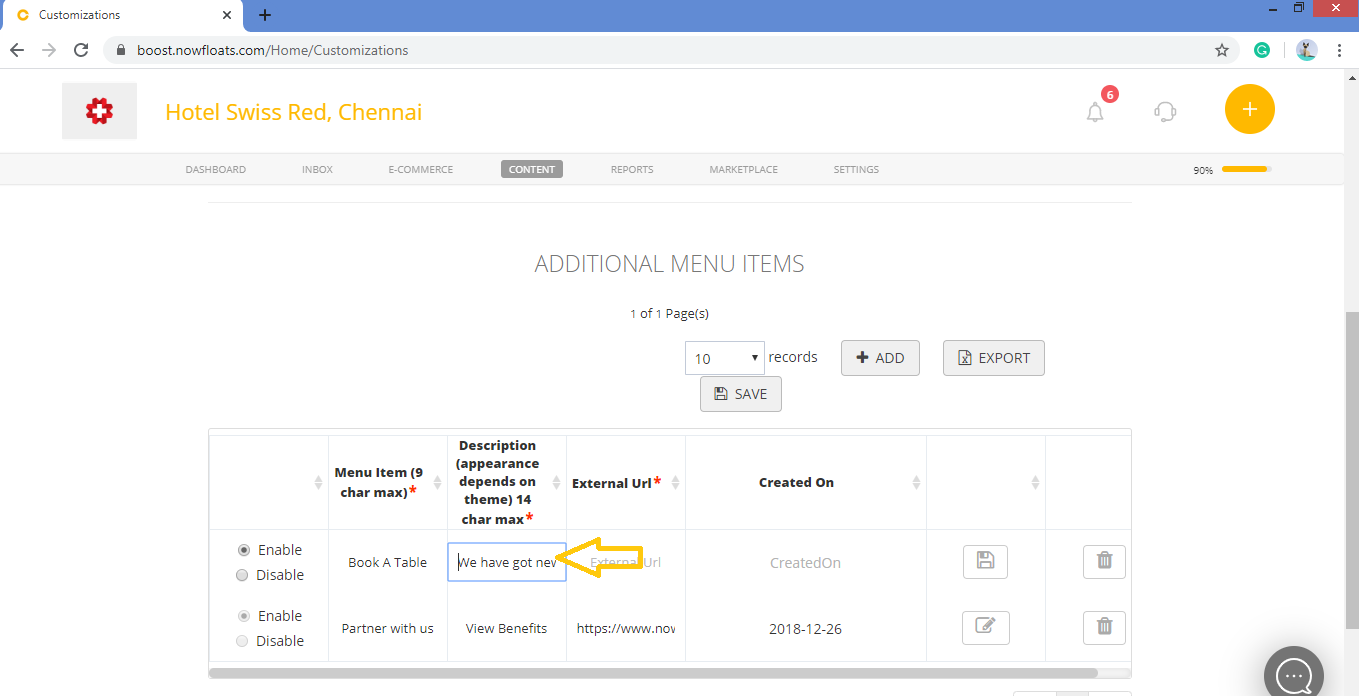
8. In the Description box, enter the description of menu item in 14 character max.
9. In the External URL box, enter the link of menu item.
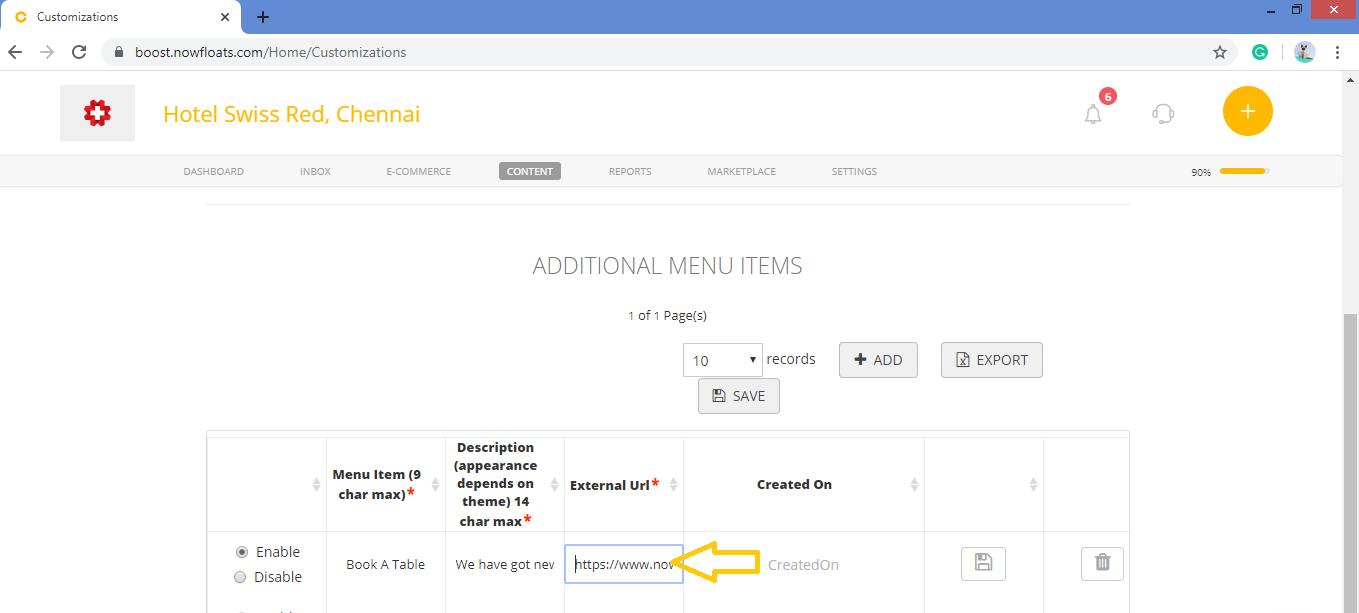
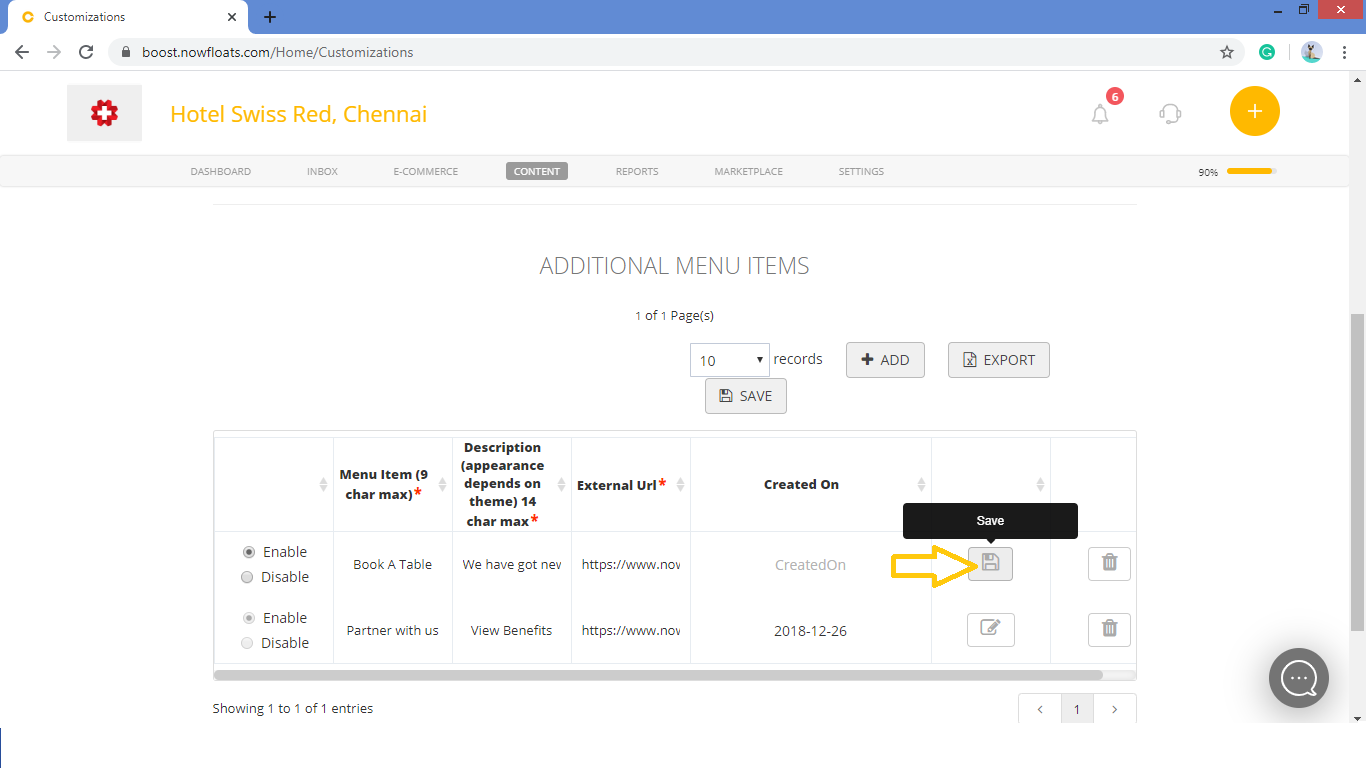
10. Click on Save button.
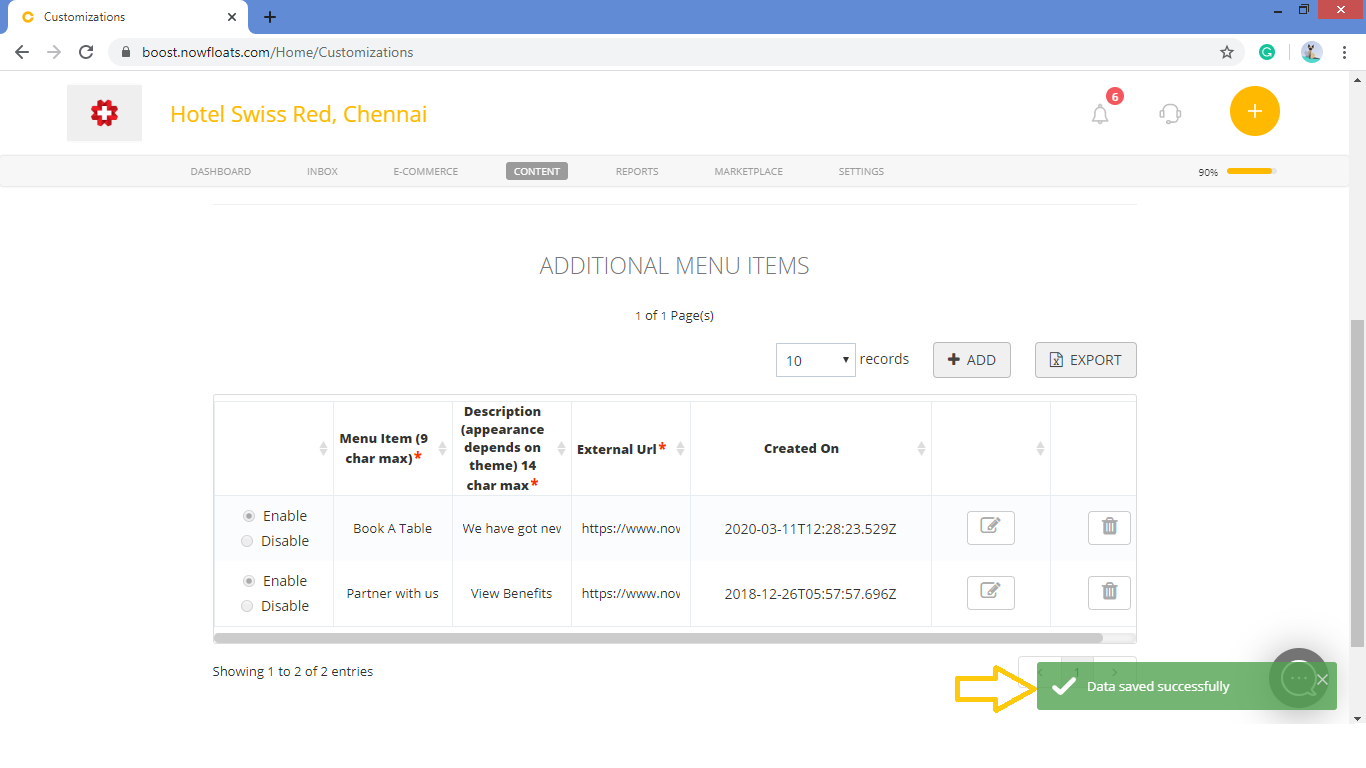
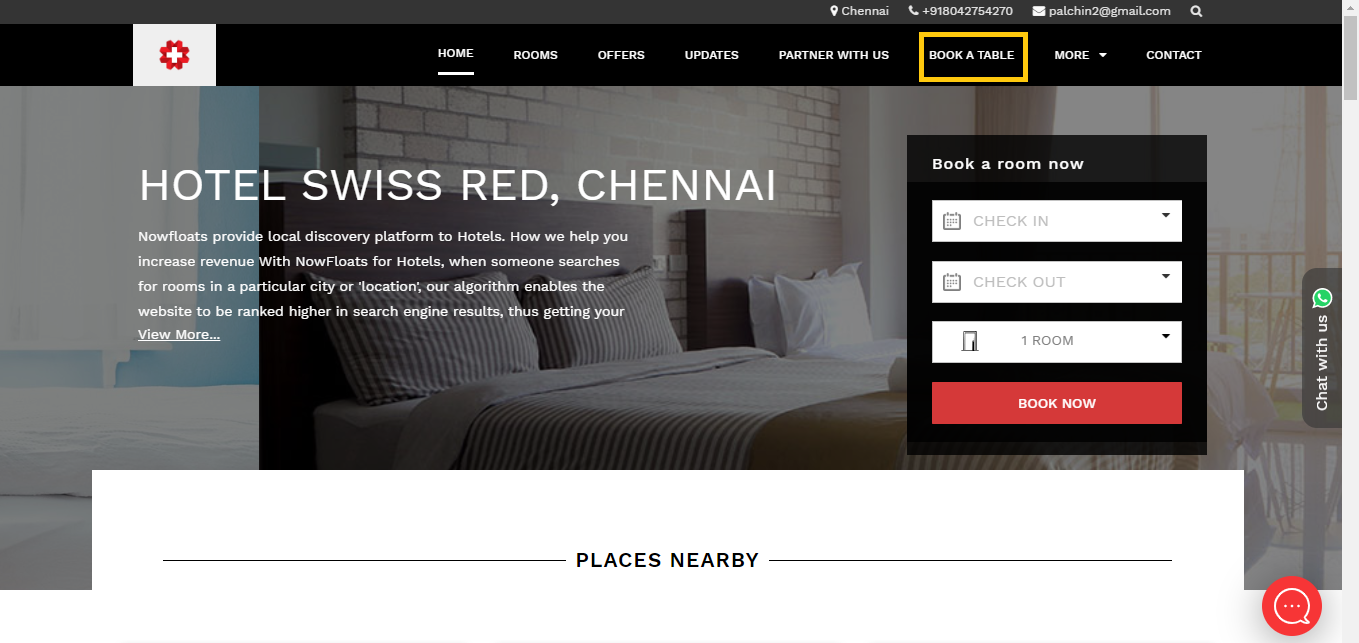
Once the data is saved you can see tab will be added on the menu bar of your website.
Comments
0 comments
Please sign in to leave a comment.