
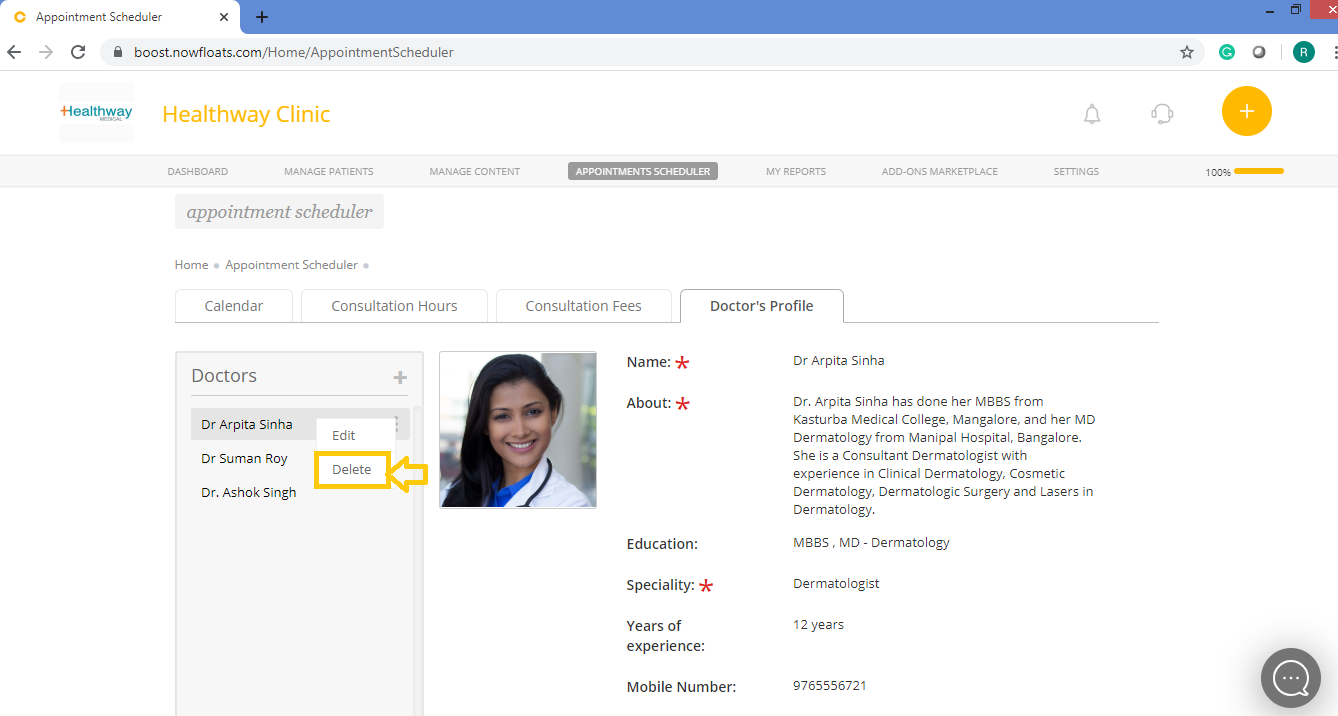
To delete doctor's profile from your clinic's website:
1. Go to your dashboard.
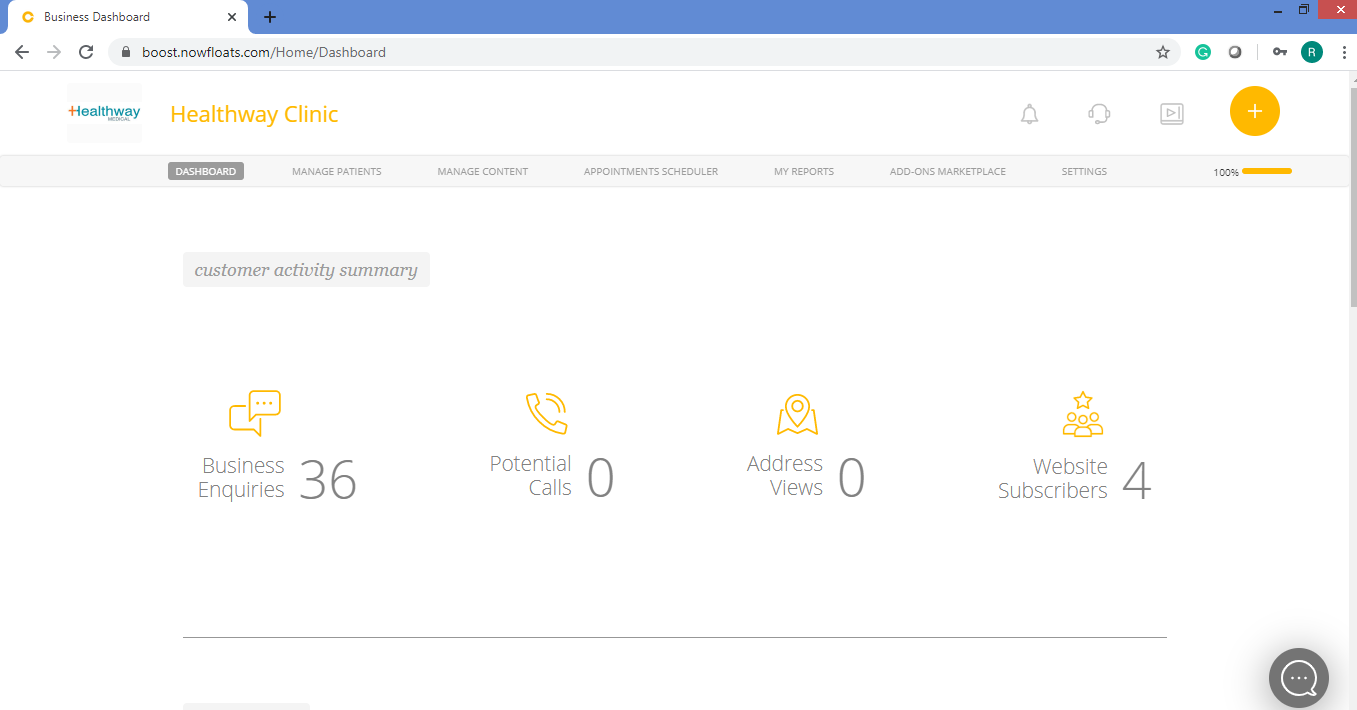
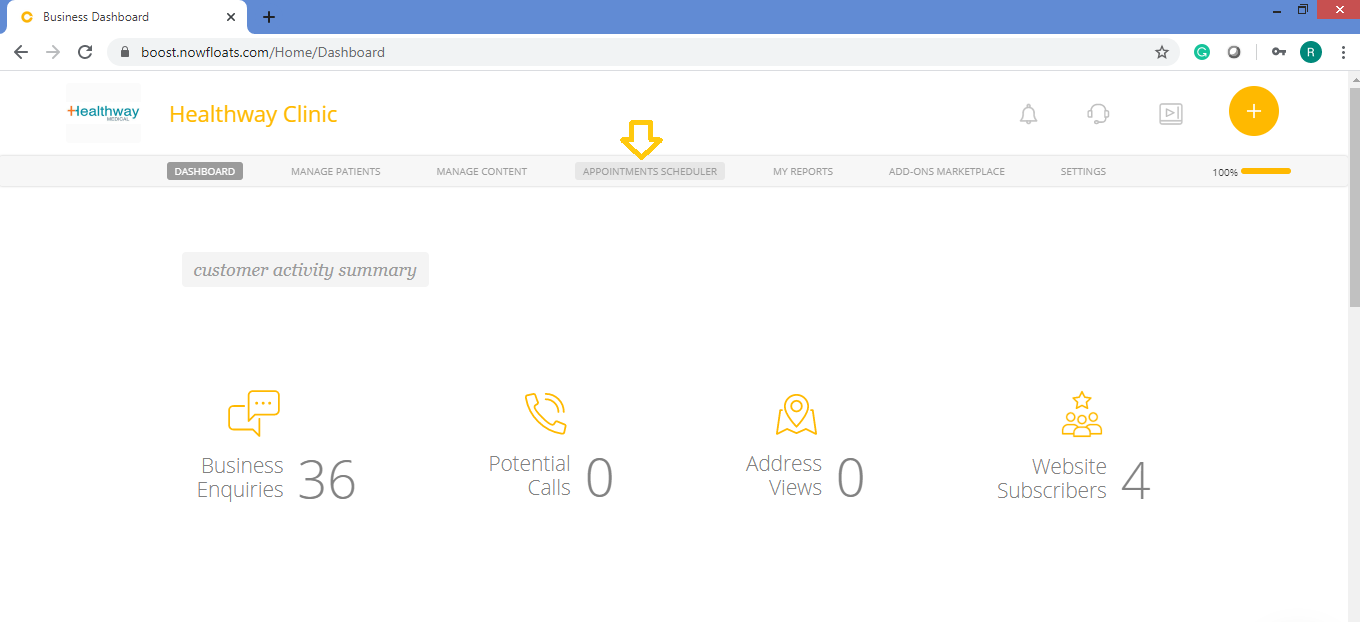
2. Click Appointments Scheduler in the header menu.
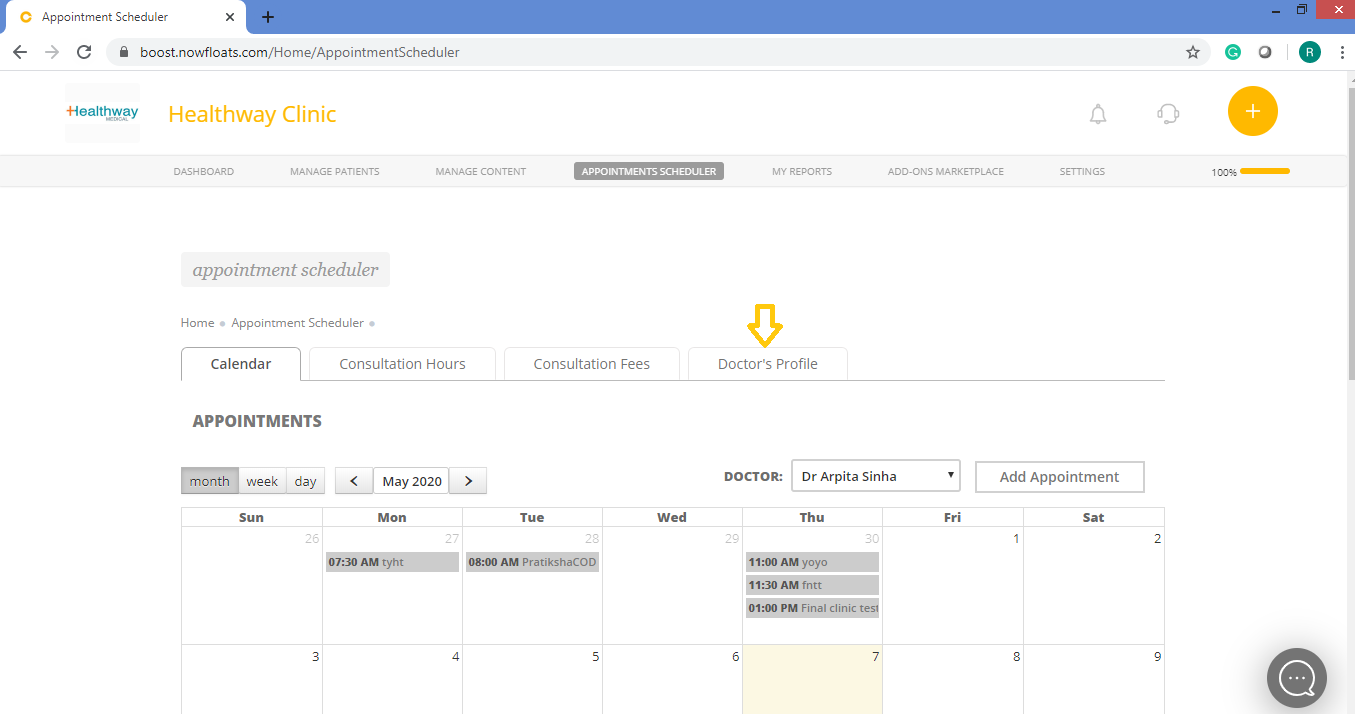
3. Click on Doctor's Profile tab.
4. Click the Show More icon  next to the doctor name which you want to change .
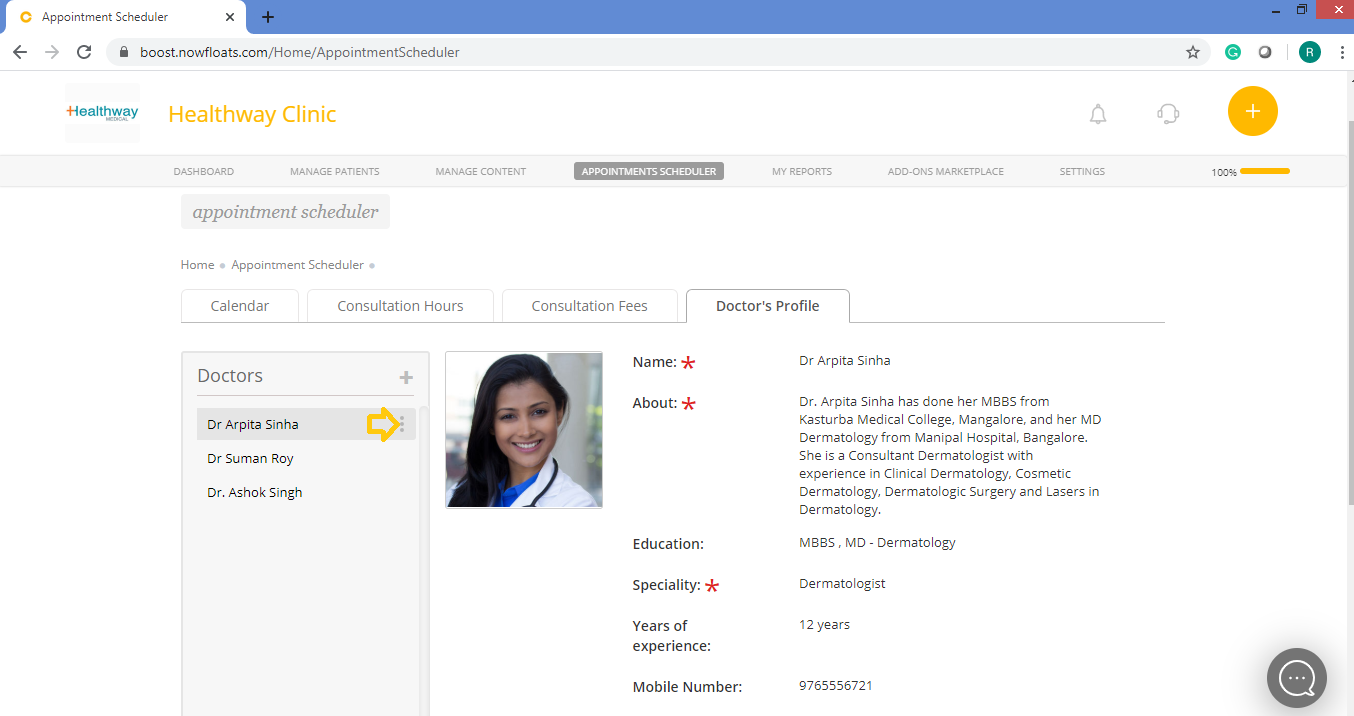
5. Click Delete.
5. Click Yes to confirm.

Comments
0 comments
Please sign in to leave a comment.