
To Book a Appointment for doctor's in clinics website:
1. Go to your dashboard.
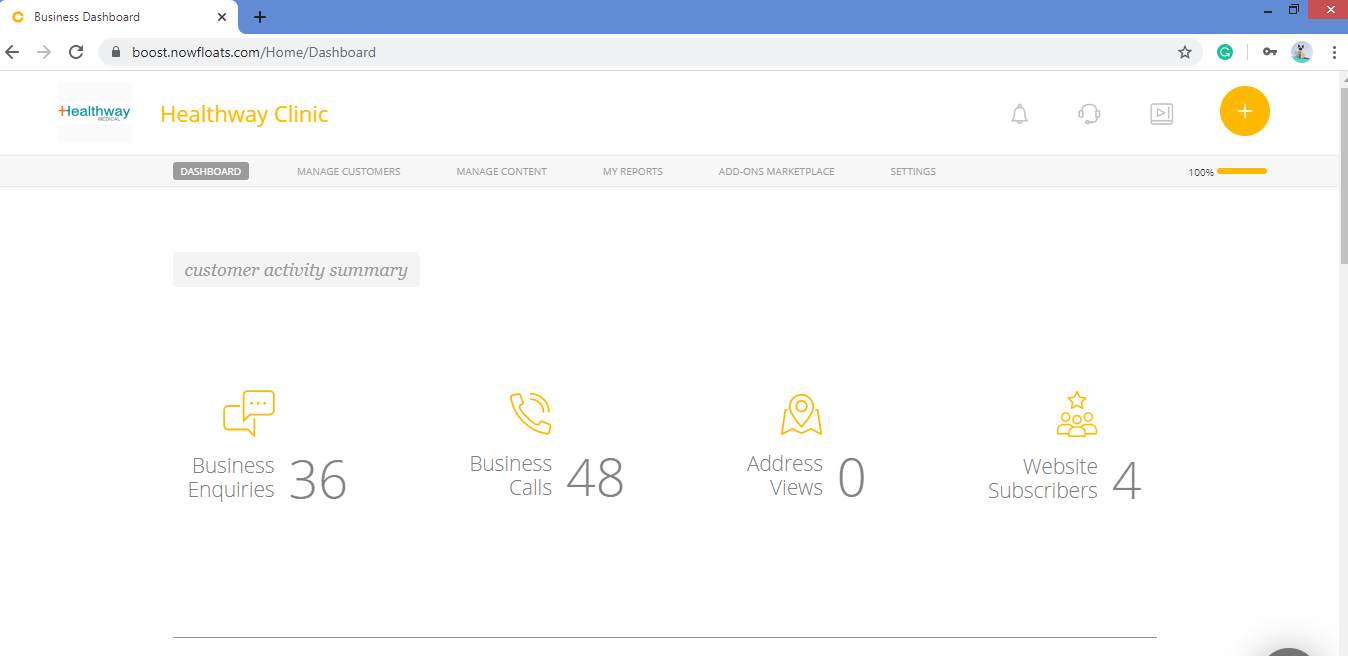
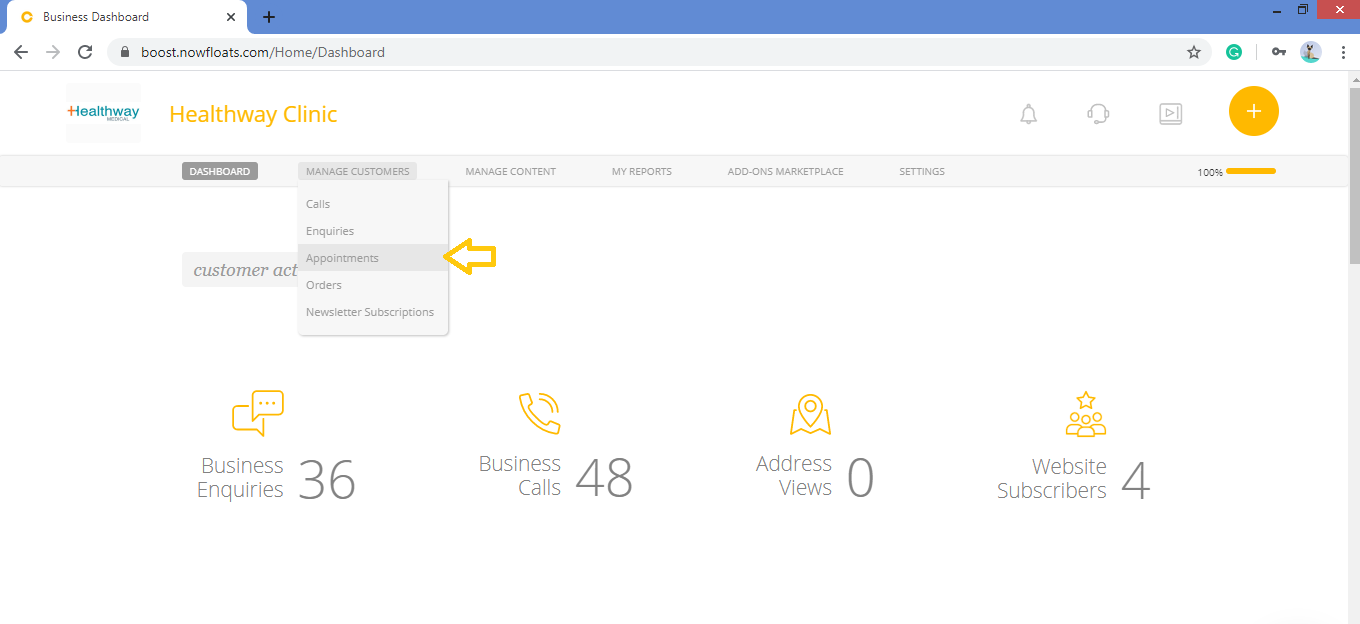
2. Go to Manage Customers in the header menu and click Appointments.
3. Two ways to Book an Appointment.
a. From Schedule section.

b. From Calendar section.
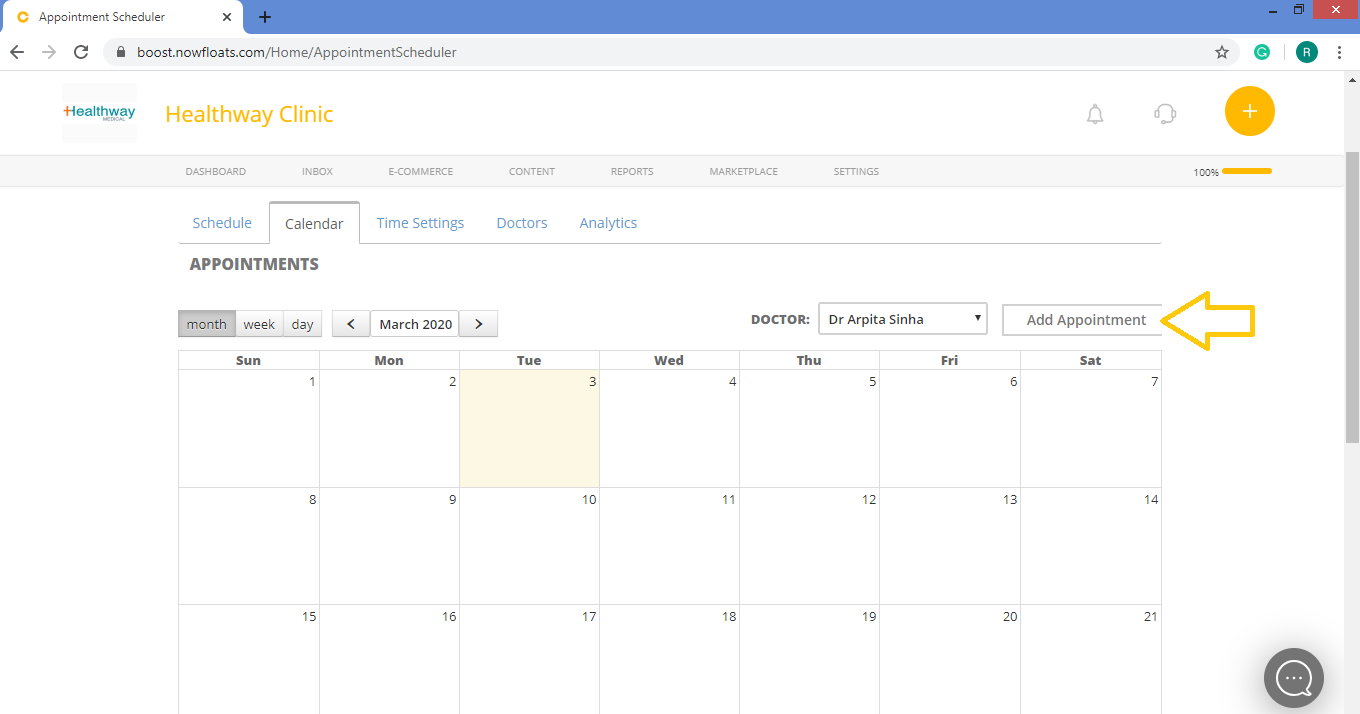
4. Click Add Appointment.
5. Select the Doctor from the drop down.
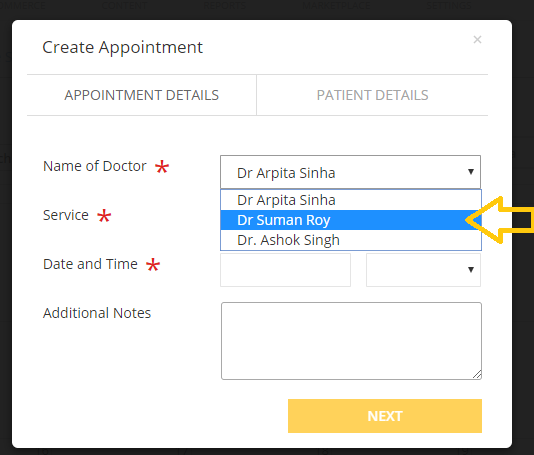
6. Select Service from the drop down.
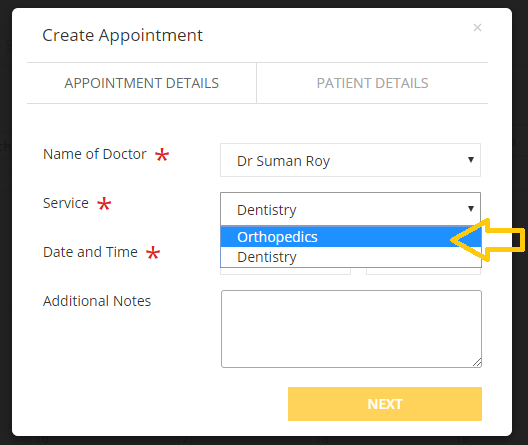
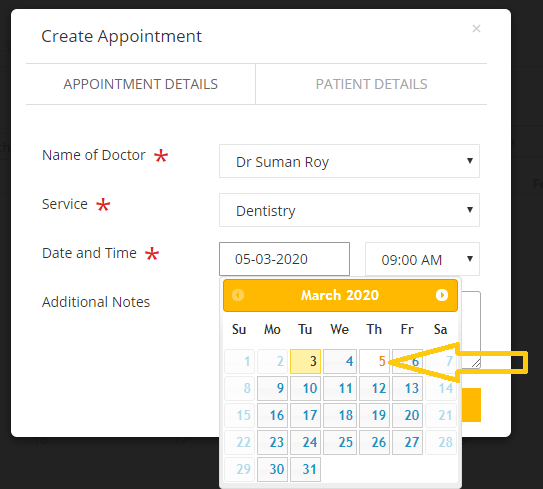
7. Select Date and Time for appointment.

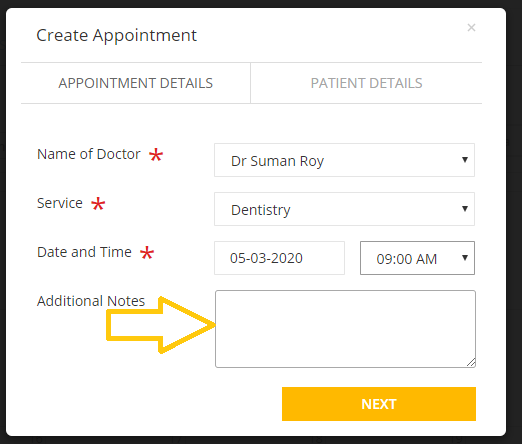
8. In the Additional Notes box, enter message or any notes about this appointment.
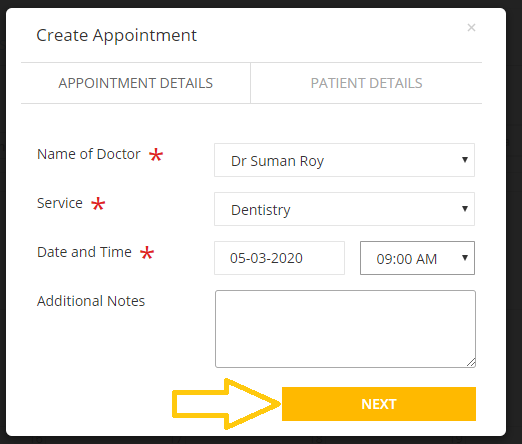
9. Click Next.
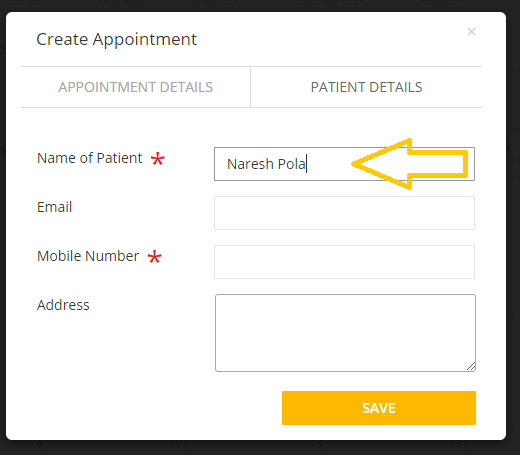
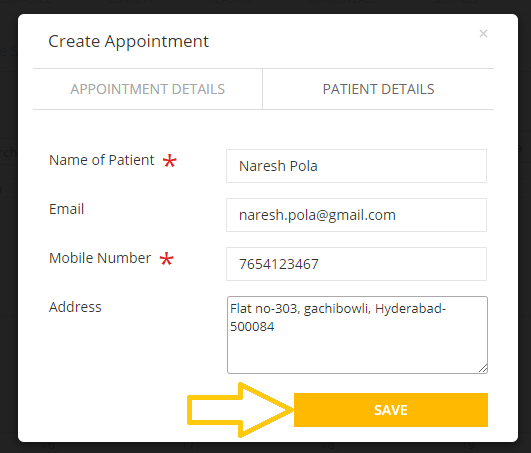
10. In the Name of Patient box, enter the patient name.
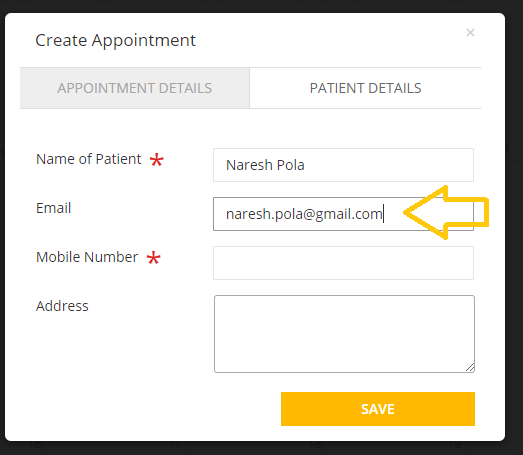
11. In the Email box, enter email id of the patient.
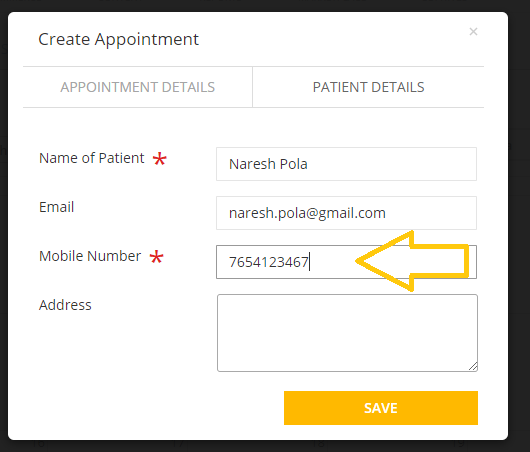
12. In the Mobile Number box, type mobile number of the patient.
13. In the Address box, enter address of the patient.
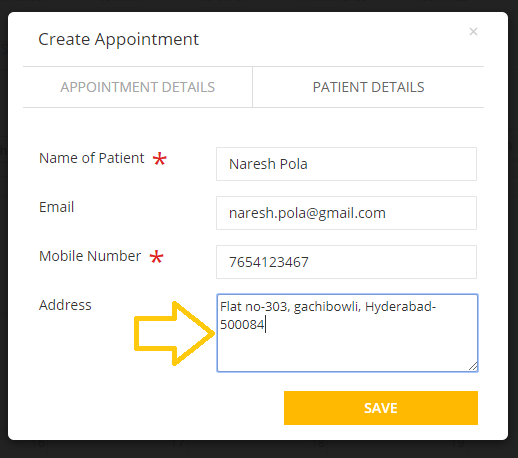
14. Click Save.
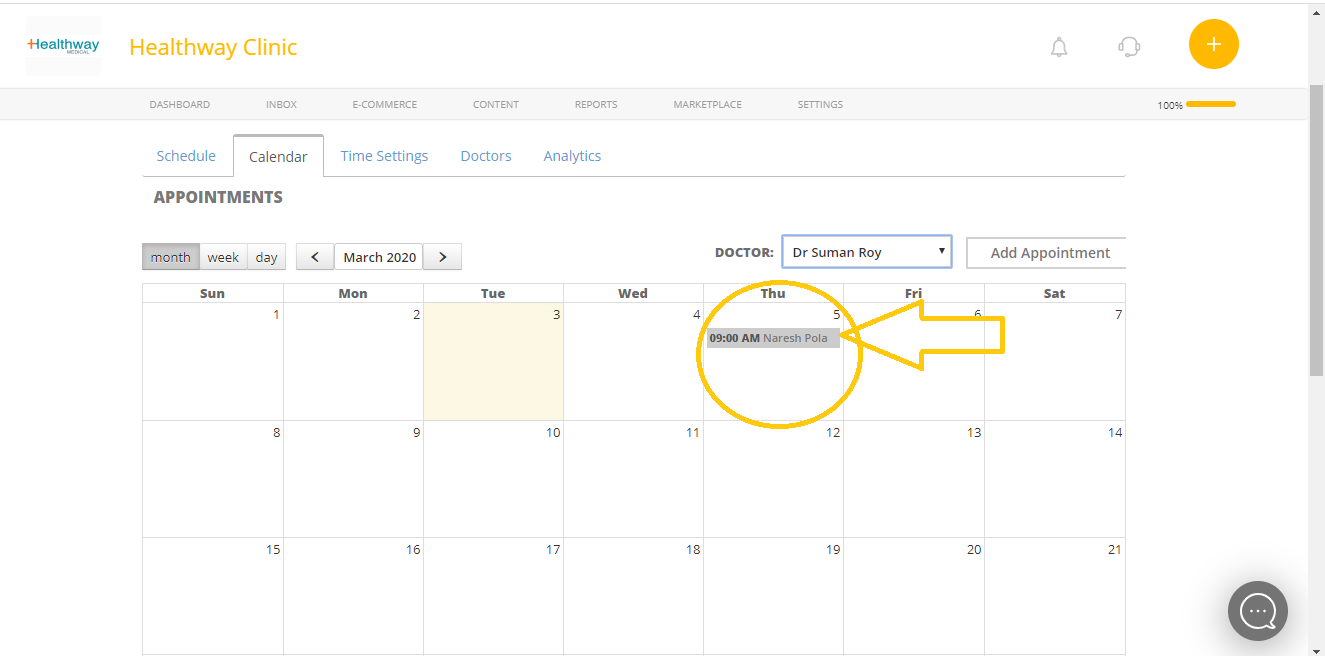
Once the appointment is created you can see the record in your calendar.
Comments
0 comments
Please sign in to leave a comment.