
To Submit Campaign Preferences in Wildfire : Google Ad word's:
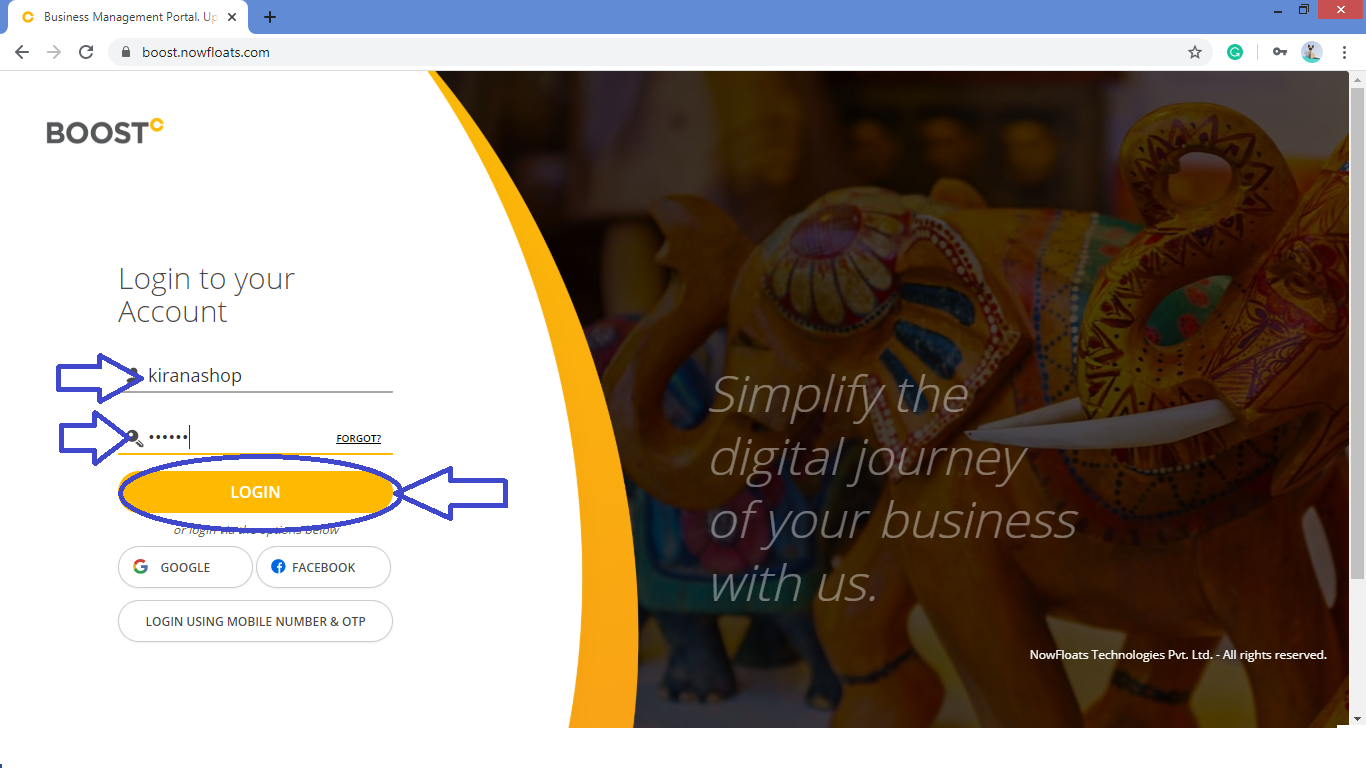
Step 1- Open https://boost.nowfloats.com in your browser which will navigate to login page of Boost.

Step 2- Enter your Boost "Username" and "Password" click on "Login" button.
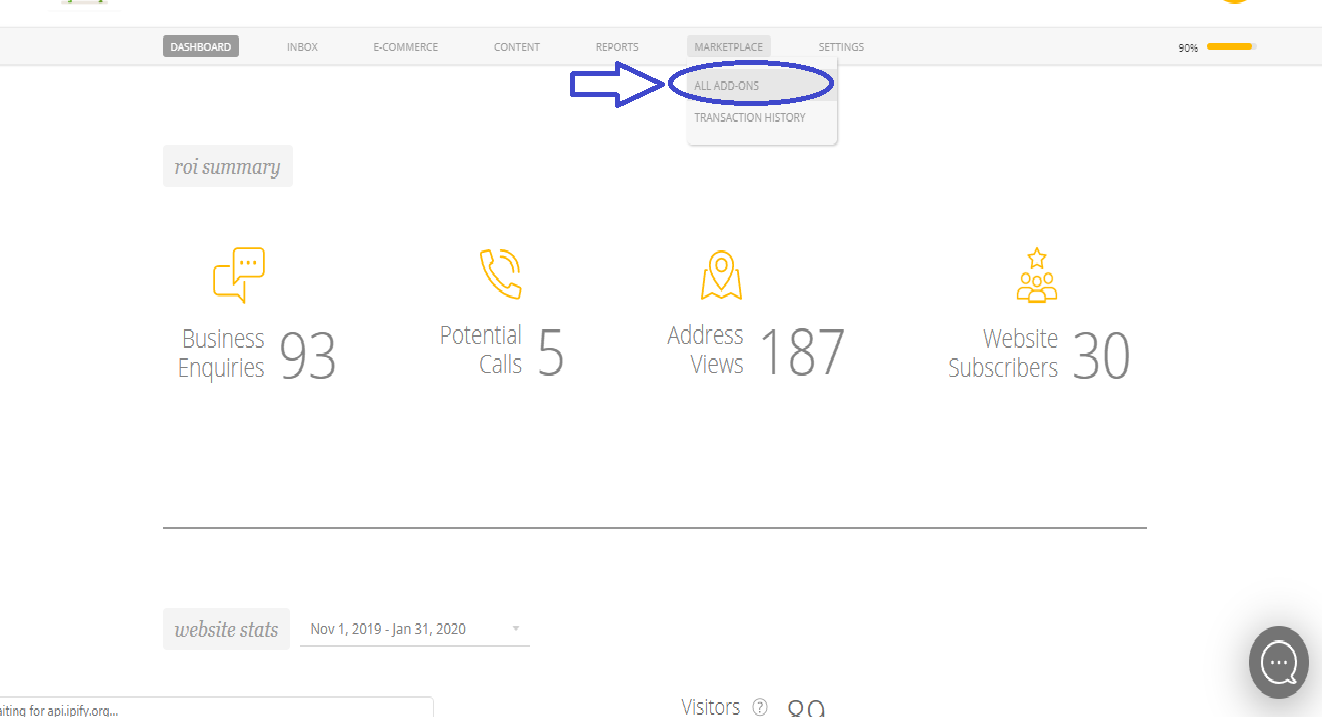
Step 3- You will be navigated to the dashboard of the Boost. Go to "Marketplace" in the Header Menu and click on "Add-Ons"
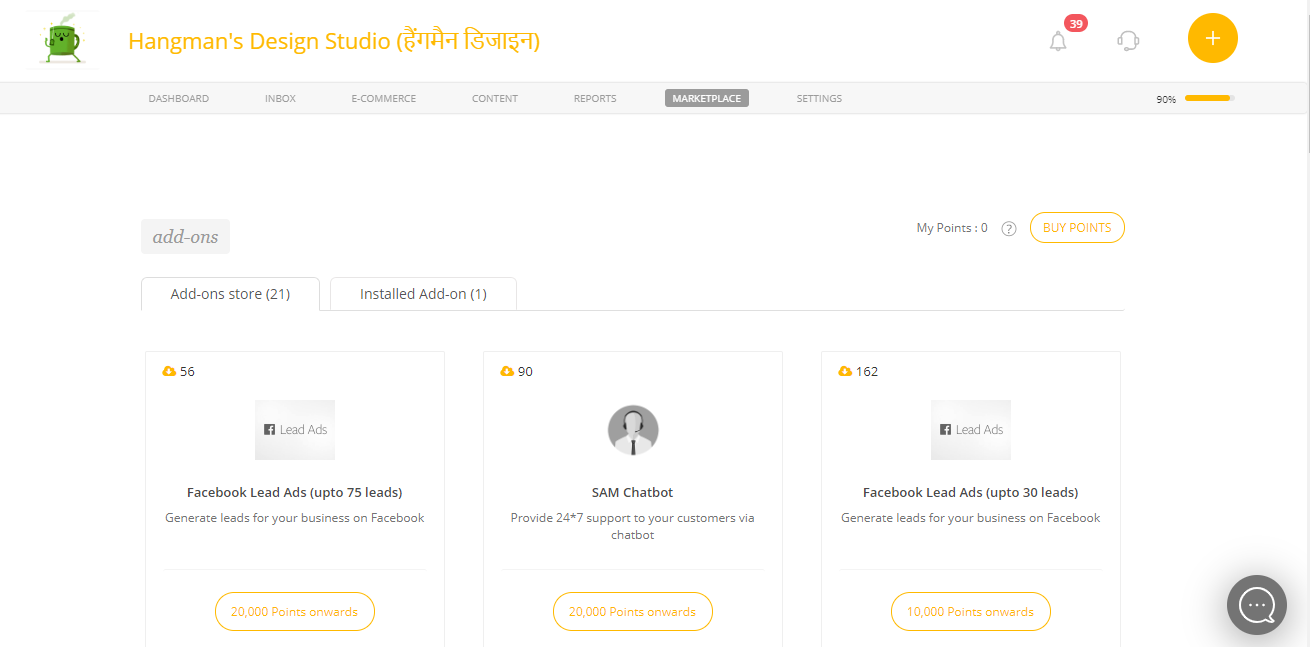
Step 4- You will be navigated to the "Marketplace Add-Ons" Page.
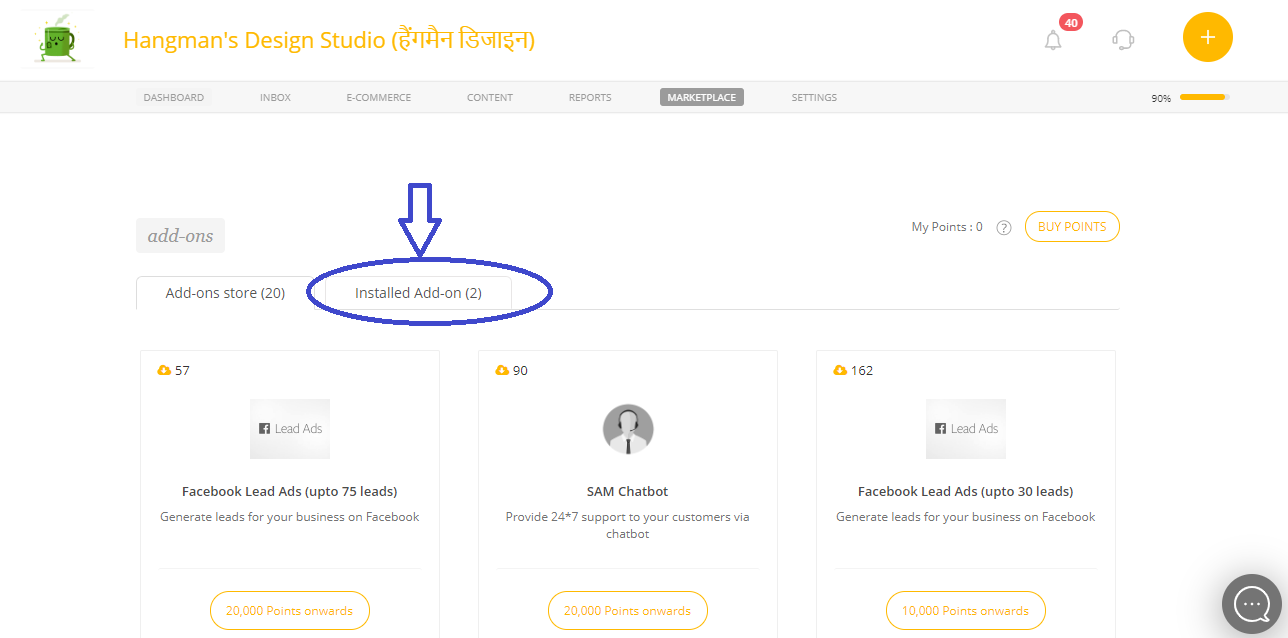
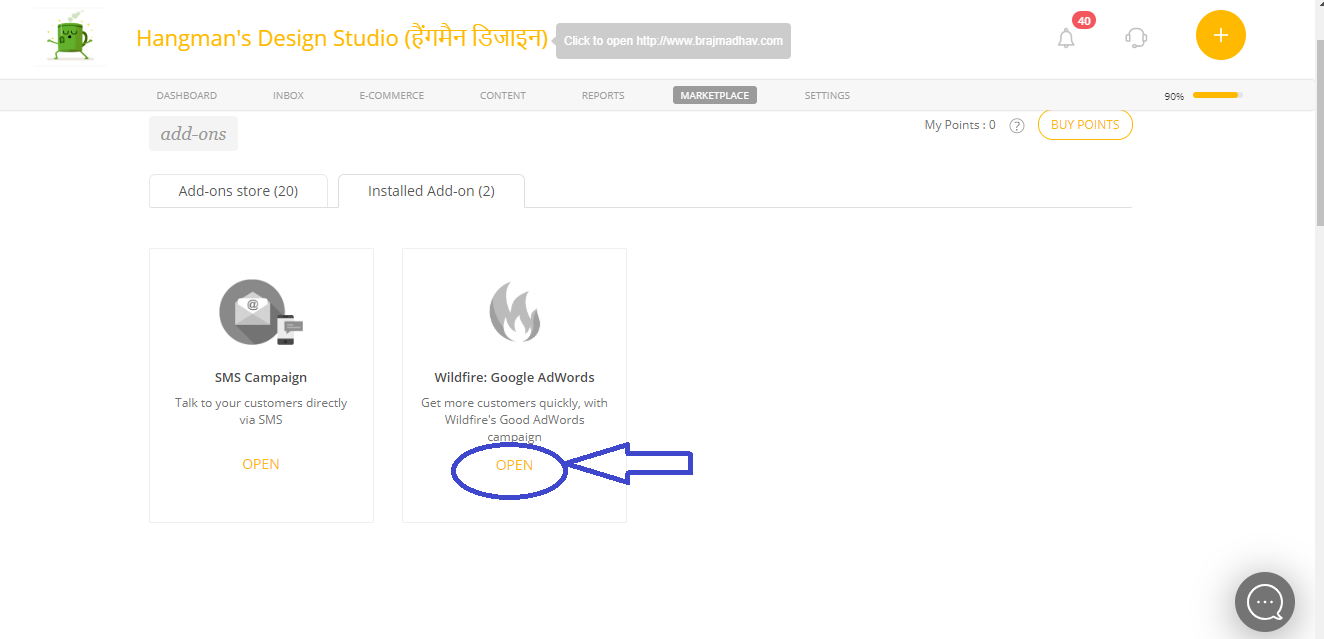
Step 5- Click on "Installed Add-on" tab.
Step 6-Click on "Open" of the Wildfire: Google Adwords Application.
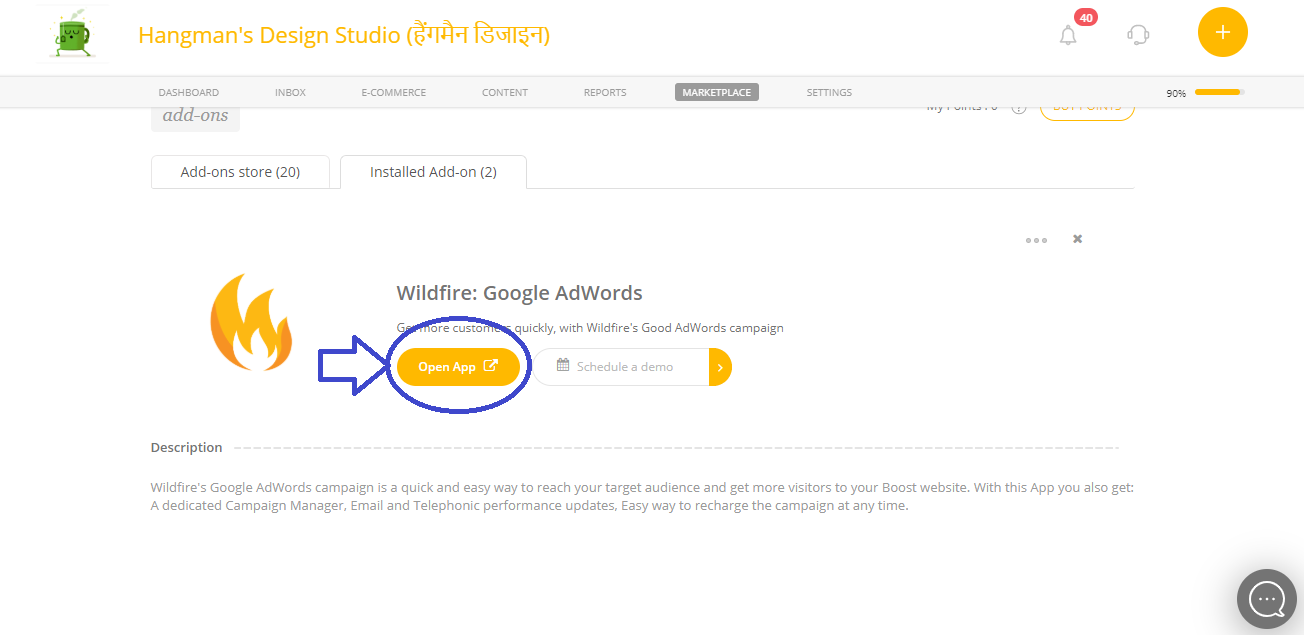
Step 7- Click on "Open App" which will navigate you to the campaign manager.
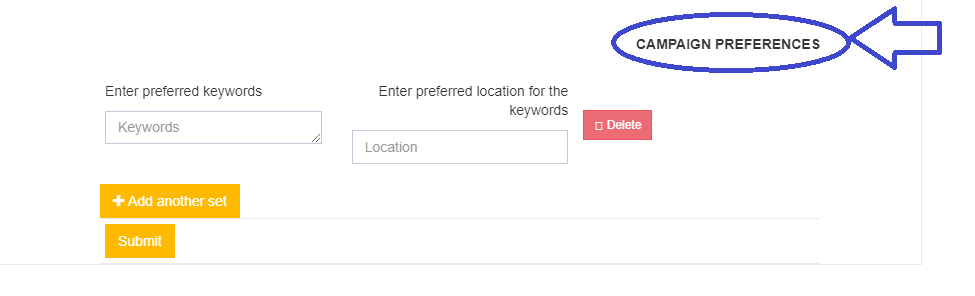
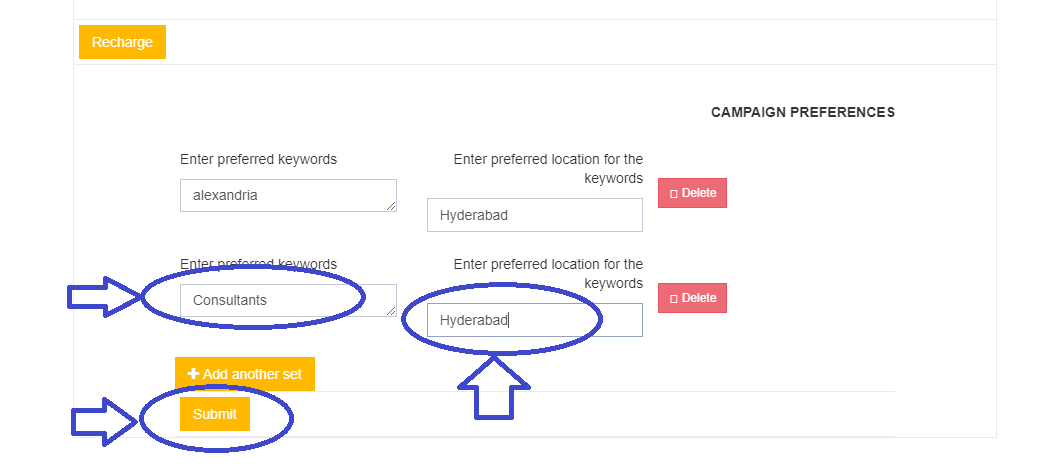
Step 8- Under "Google Ads Campaign Manager" section you will find "Campaign Preferences".
Step 9- Enter "Preferred Keyword".
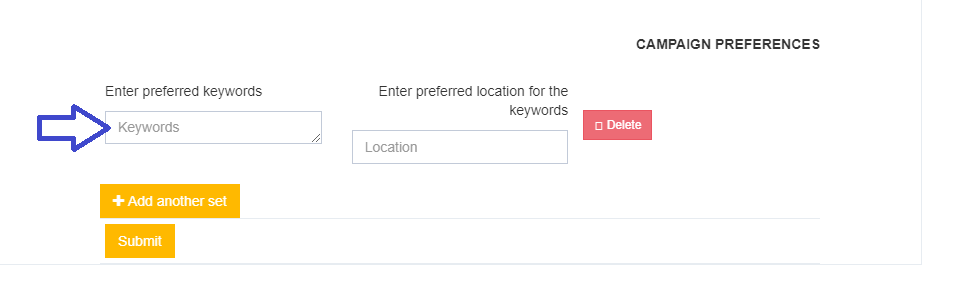
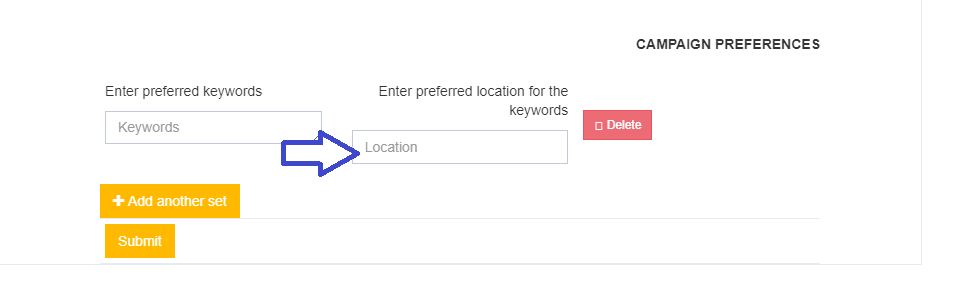
Step 10- Enter "Preferred location for the Keyword"
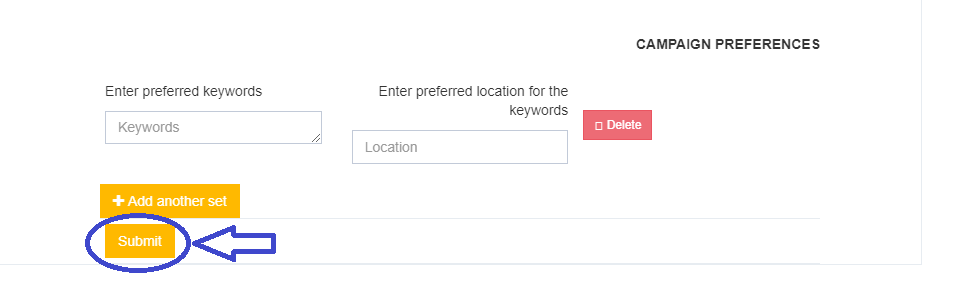
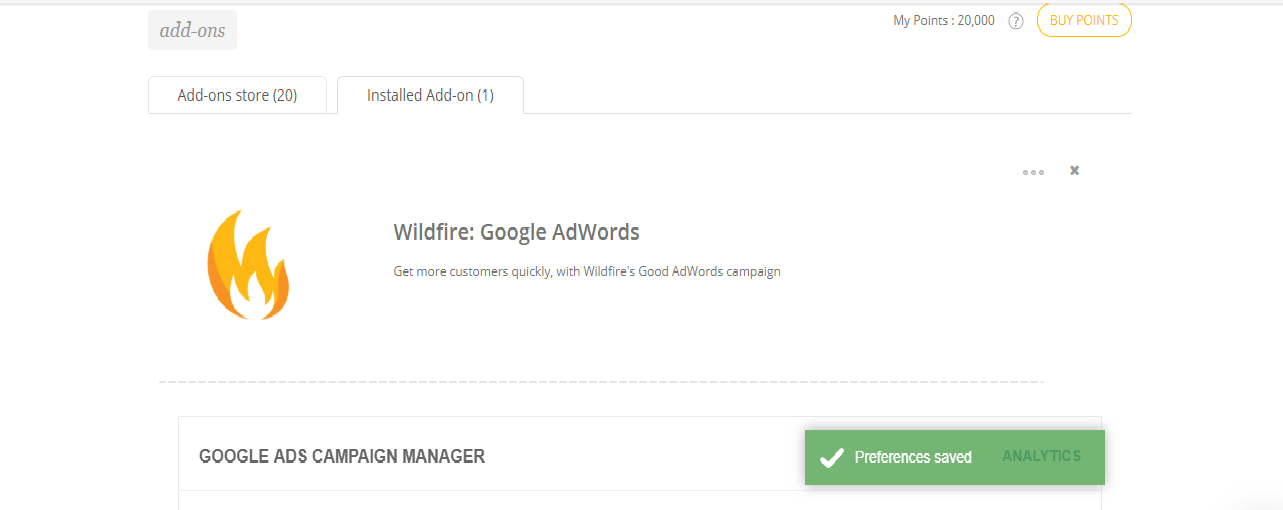
Step 11- Click on "Submit" which will saves your first preference to the campaign.
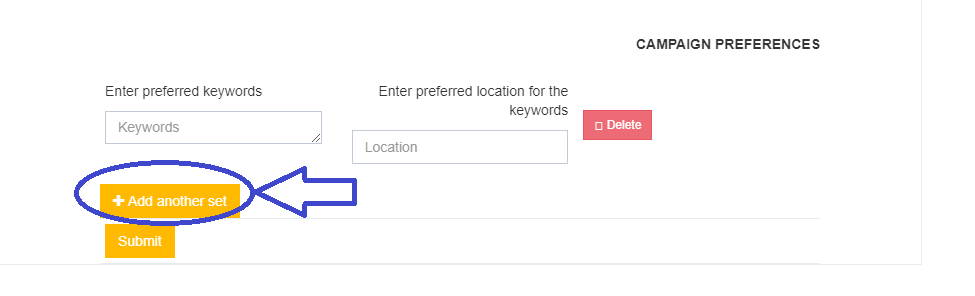
Step 12- Click on "Add another set" to add second keyword and preferred location.
Step 13- Enter Keyword and Preferred location for the Keywords Click on "Submit".
Comments
0 comments
Please sign in to leave a comment.