
Note: To recharge your account you should install wildfire applications from add-ons section with valid points in Boost Wallet.If not then no worries click here to learn more about how to install wildfire add-ons.
To recharge your boost account to run wildfire campaigns:
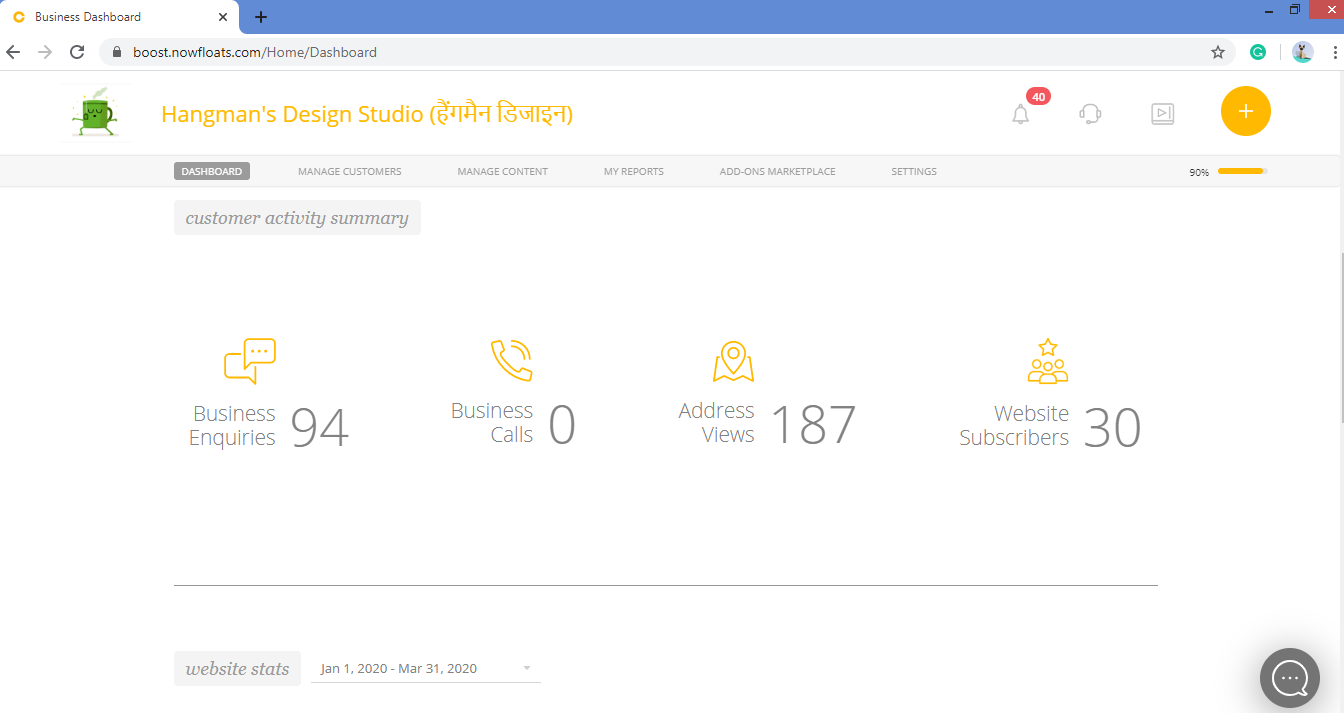
1. Go to your dashboard.
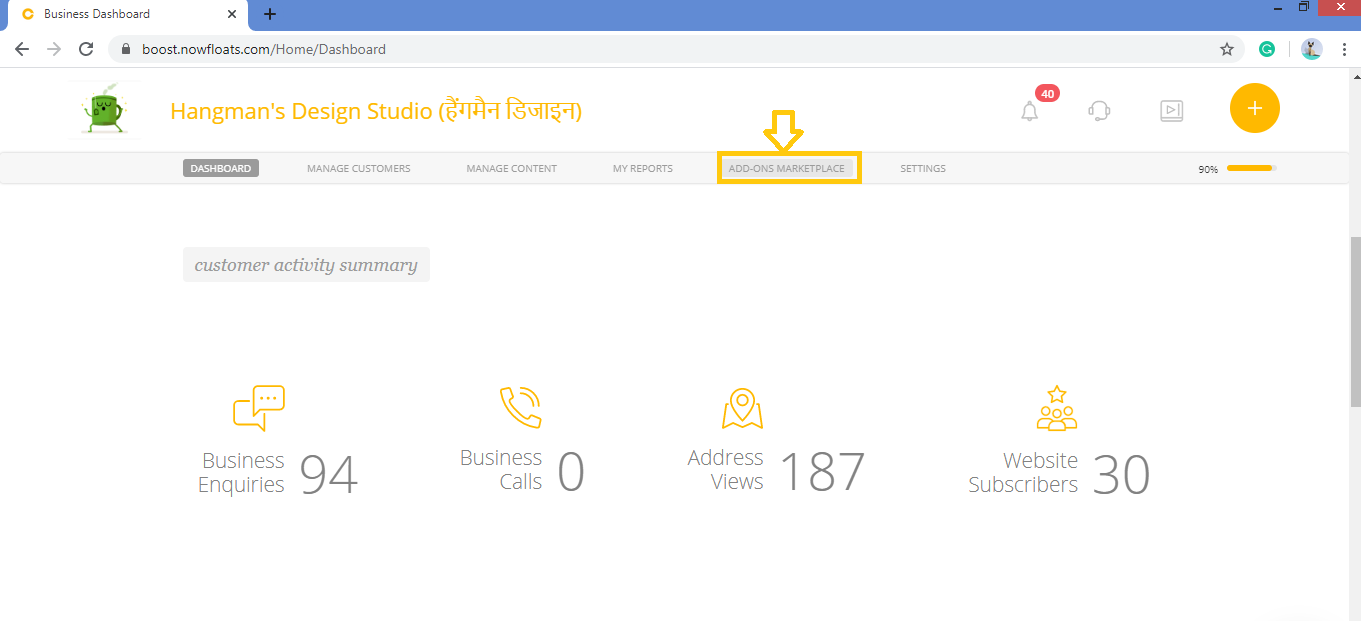
2. Click on Add-Ons Marketplace in the header menu.
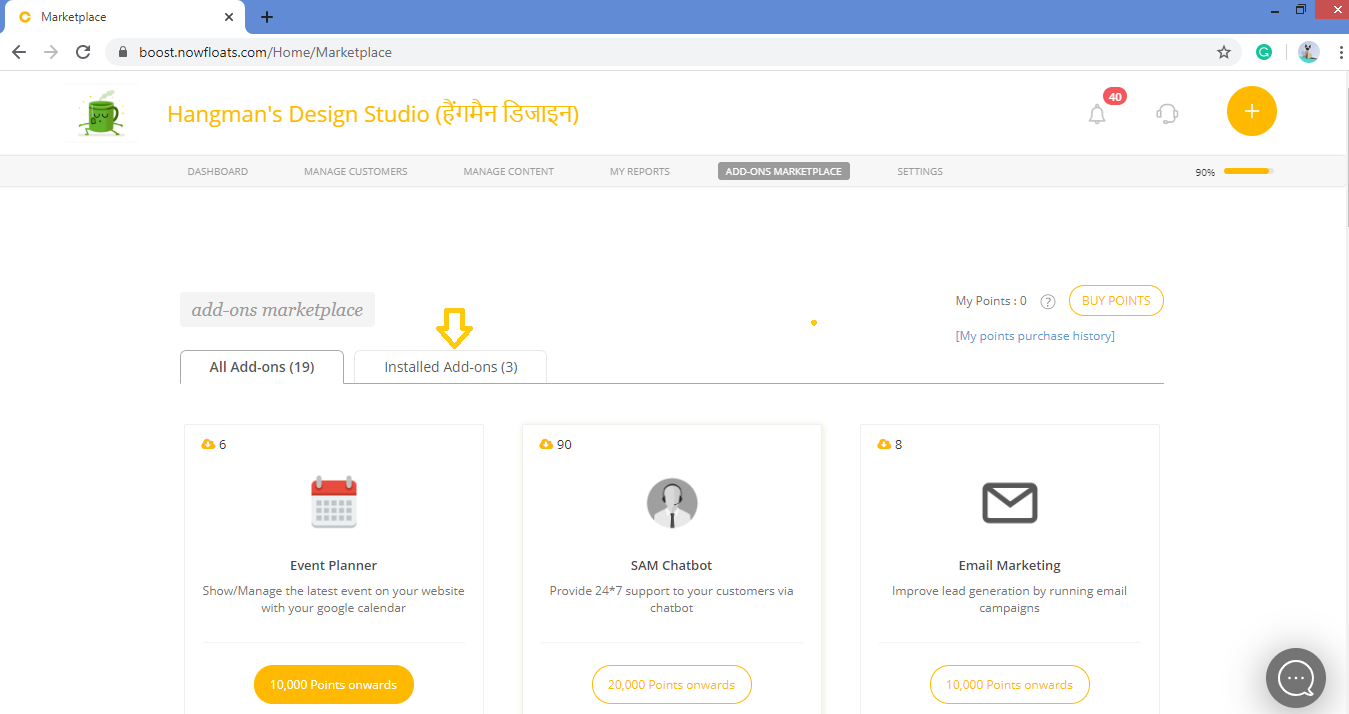
3. Click on Installed Add-on tab.
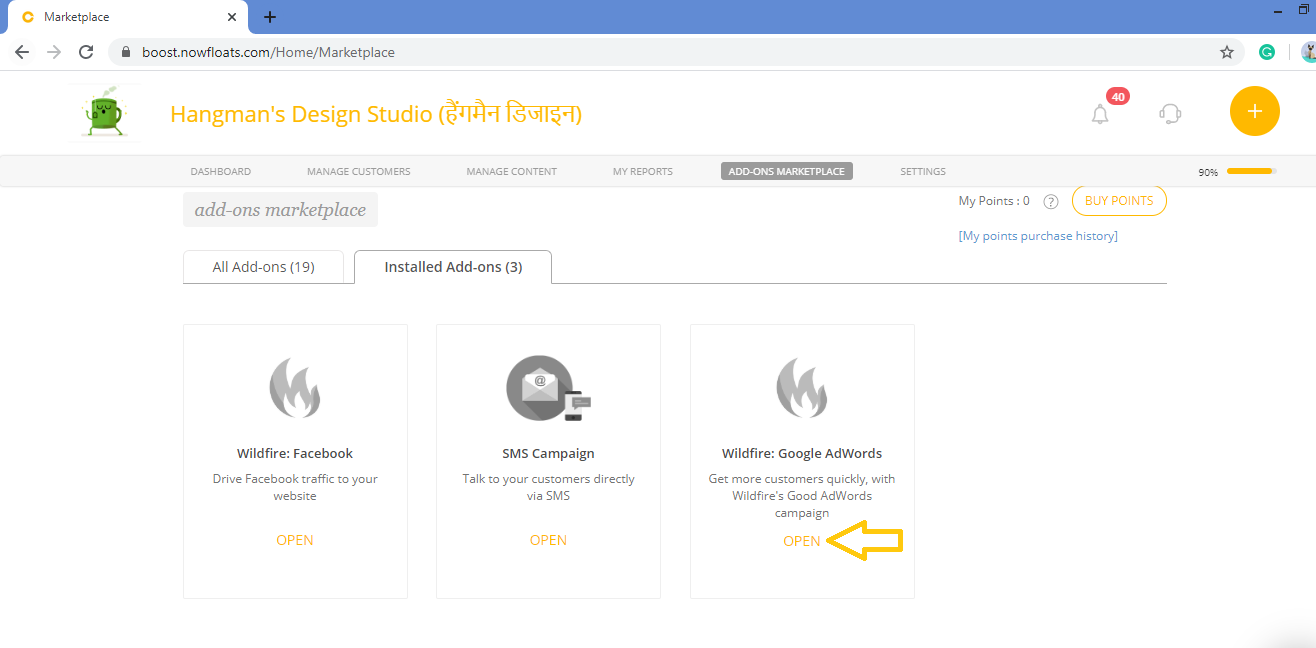
4. Click Open of Wildfire: Google Adwords Card.
5. Click Open App.
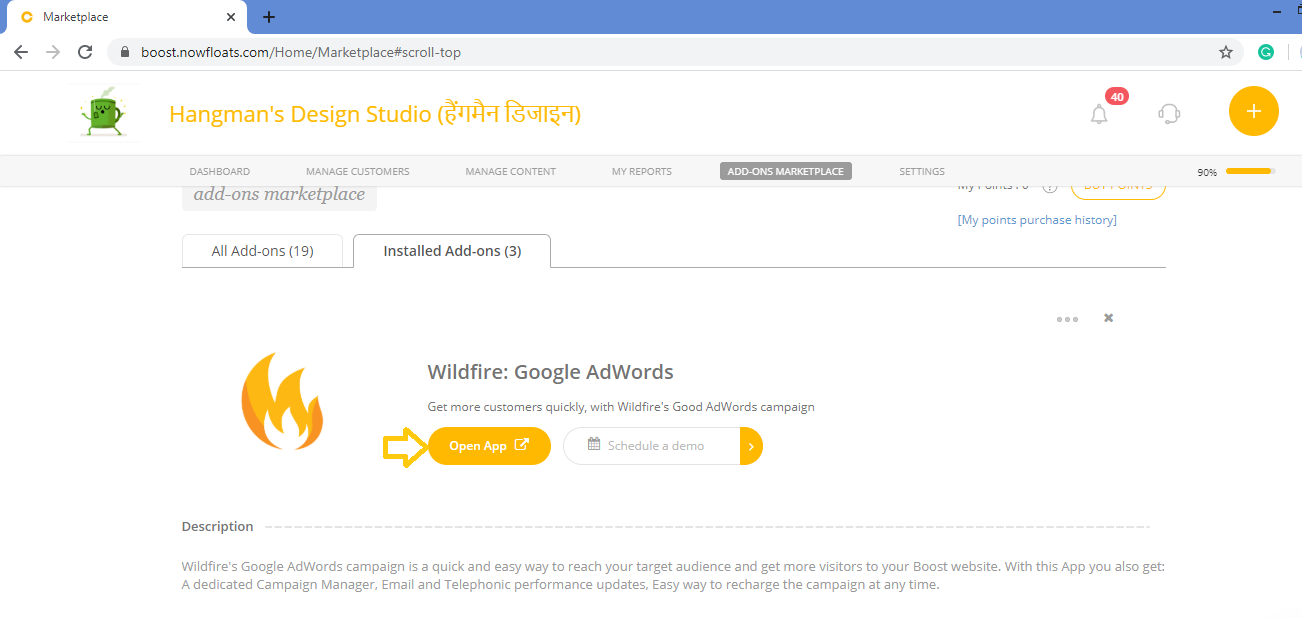
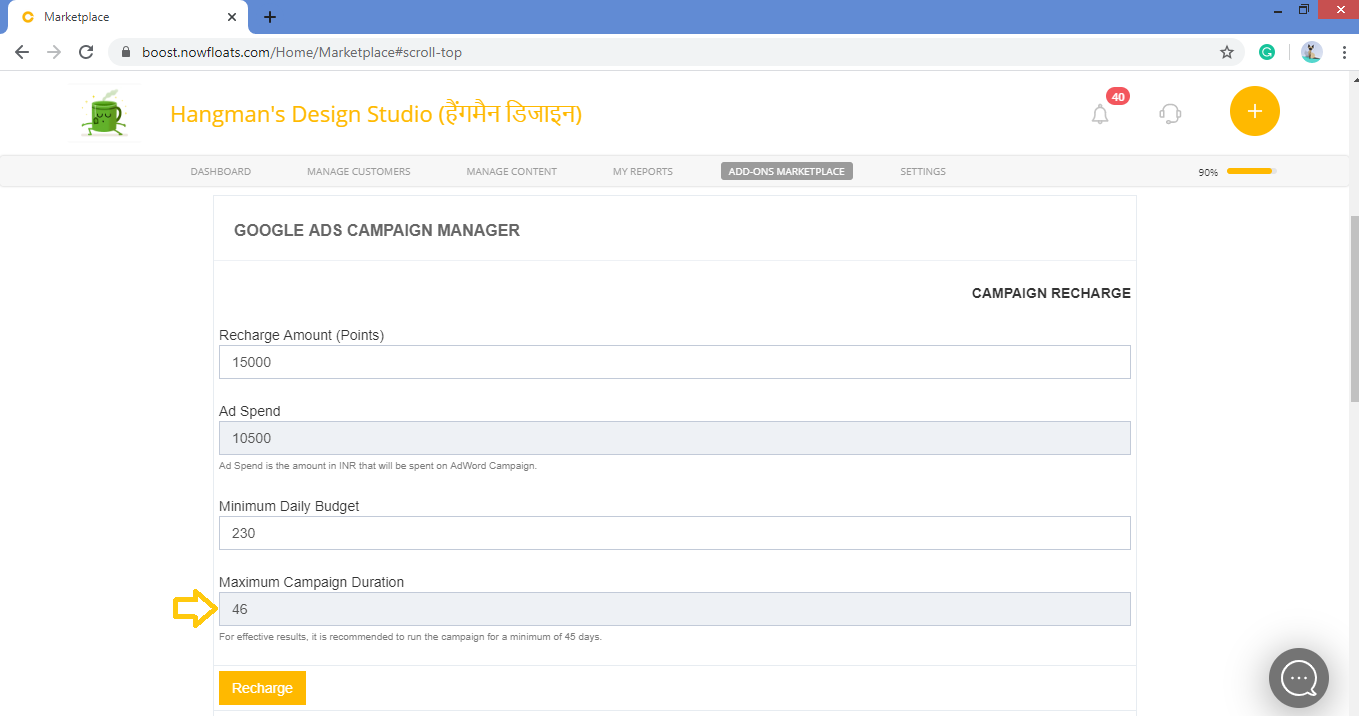
6. In the Recharge Amount box, enter the Recharge Amount (Points) mentioned in the box for minimum recharge amount (points).
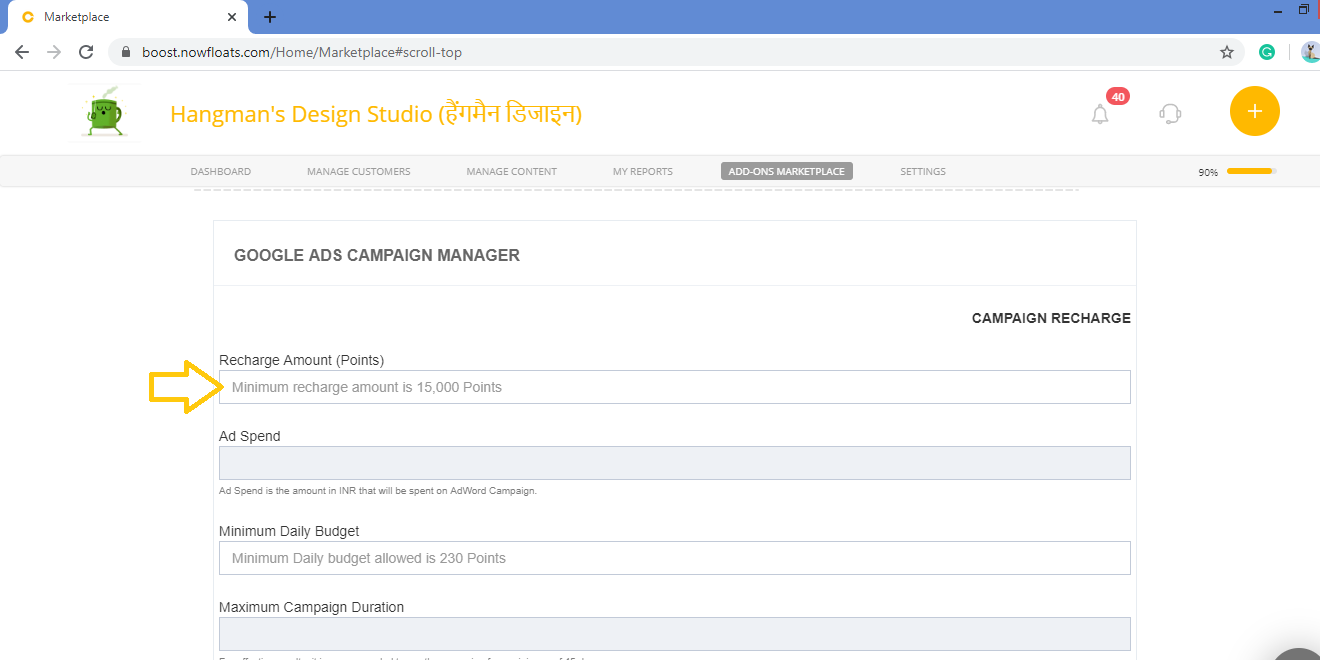
7. Ad Spend Amount is amount which will spent on your paid campaign.30% of the recharge amount will be deducted for the campaign charges.
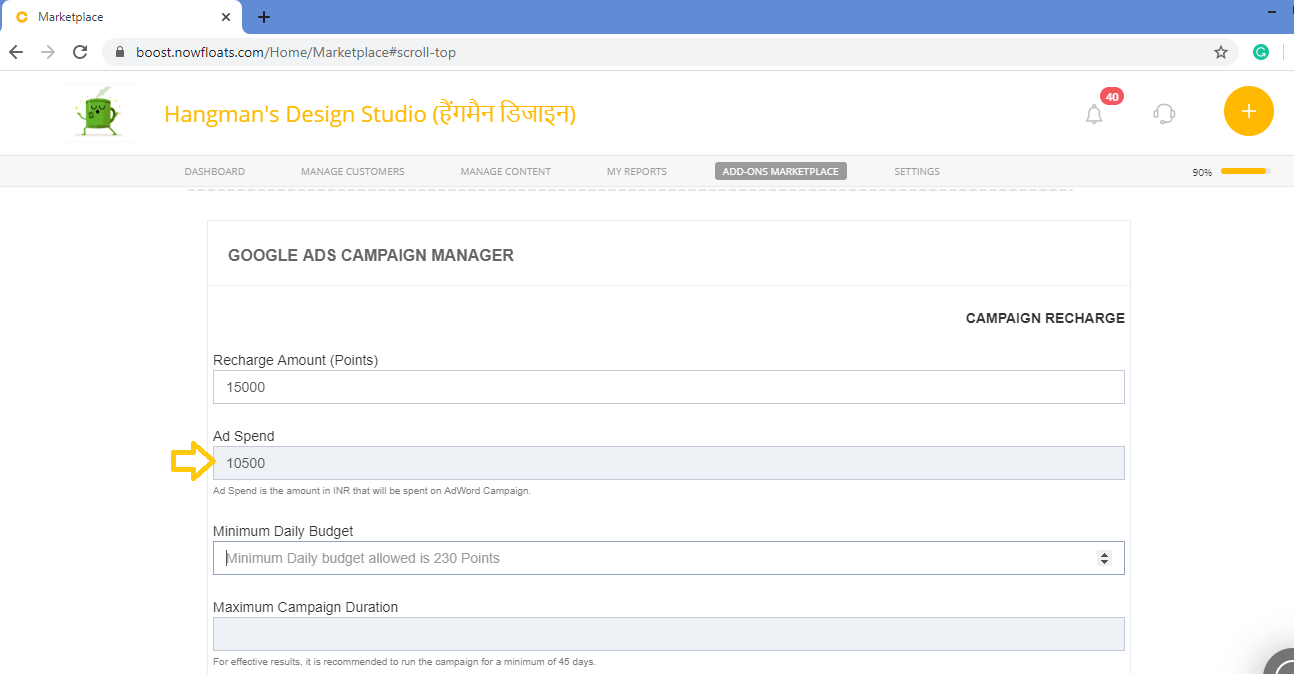
8. In the Minimum Daily Budget box, we recommend you to enter 230 points for effective results.
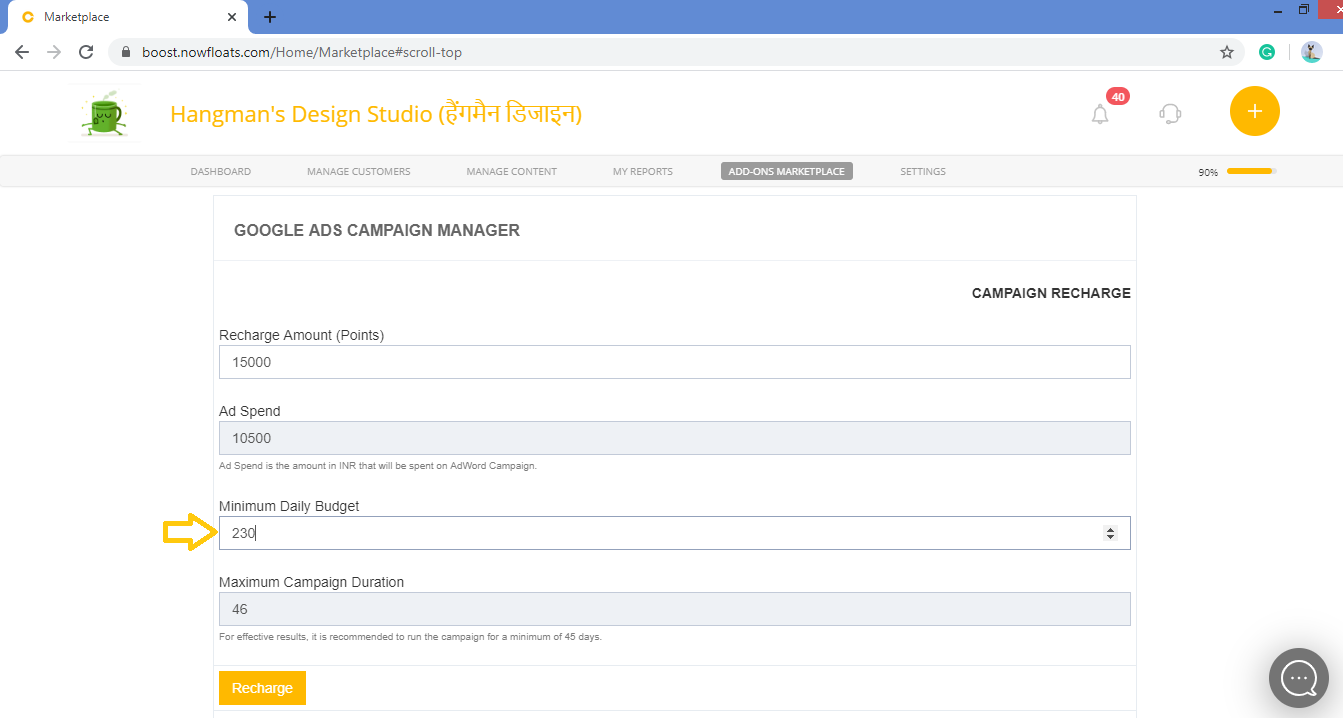
9. Maximum Campaign Duration will be automatically set to the 46 days for effective results of the campaign.
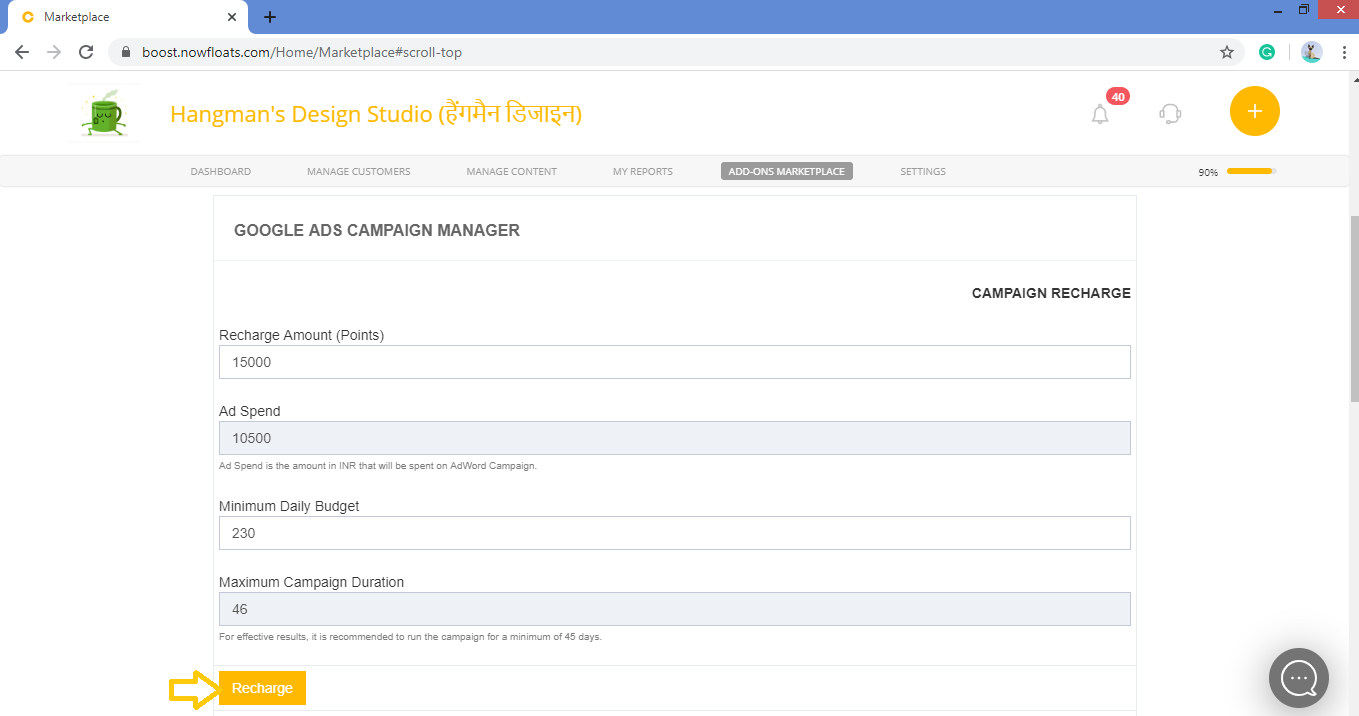
10. Click Recharge.
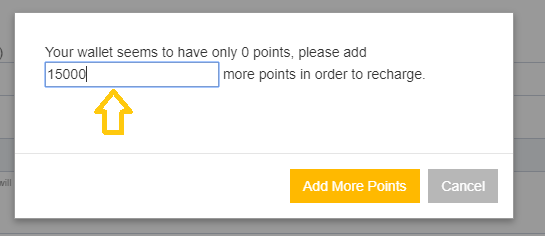
11. In the points box, enter points which needs to be added and click Add More Points.
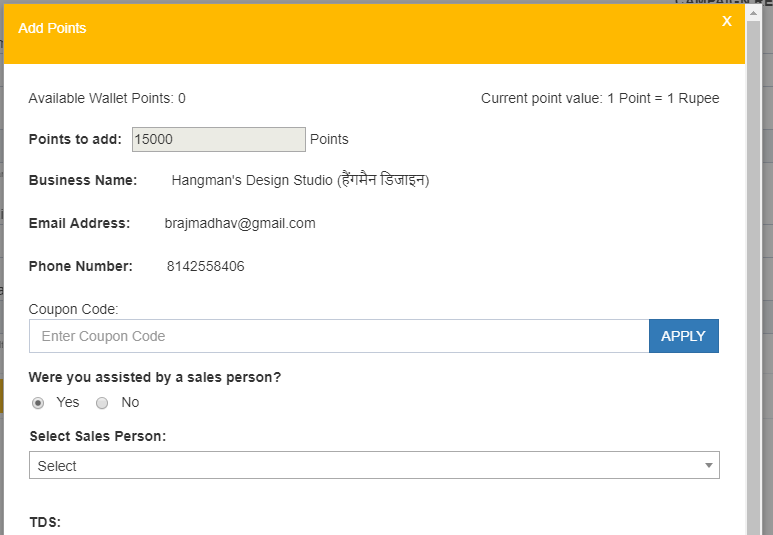
Click here to learn more about how to add points to your Boost wallet.
Comments
0 comments
Please sign in to leave a comment.