
To add points to your Boost Wallet:
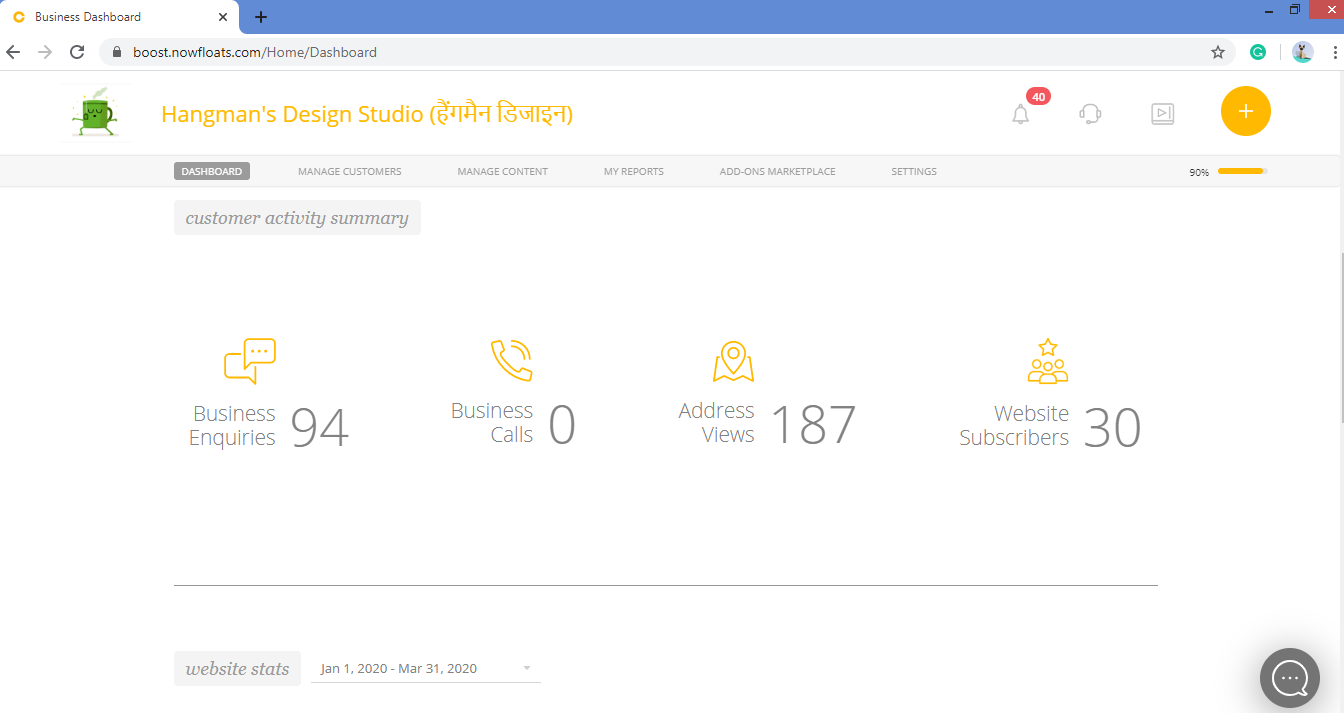
1. Go to your dashboard.
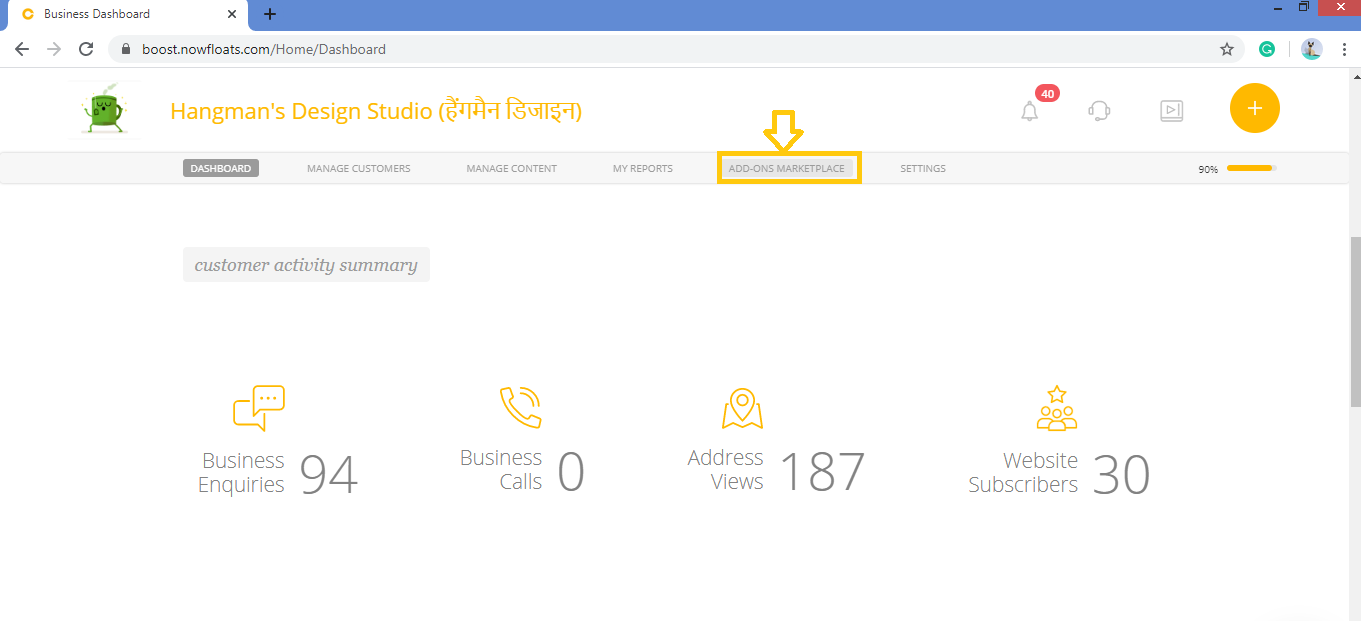
2. Click on Add-Ons Marketplace in the header menu.
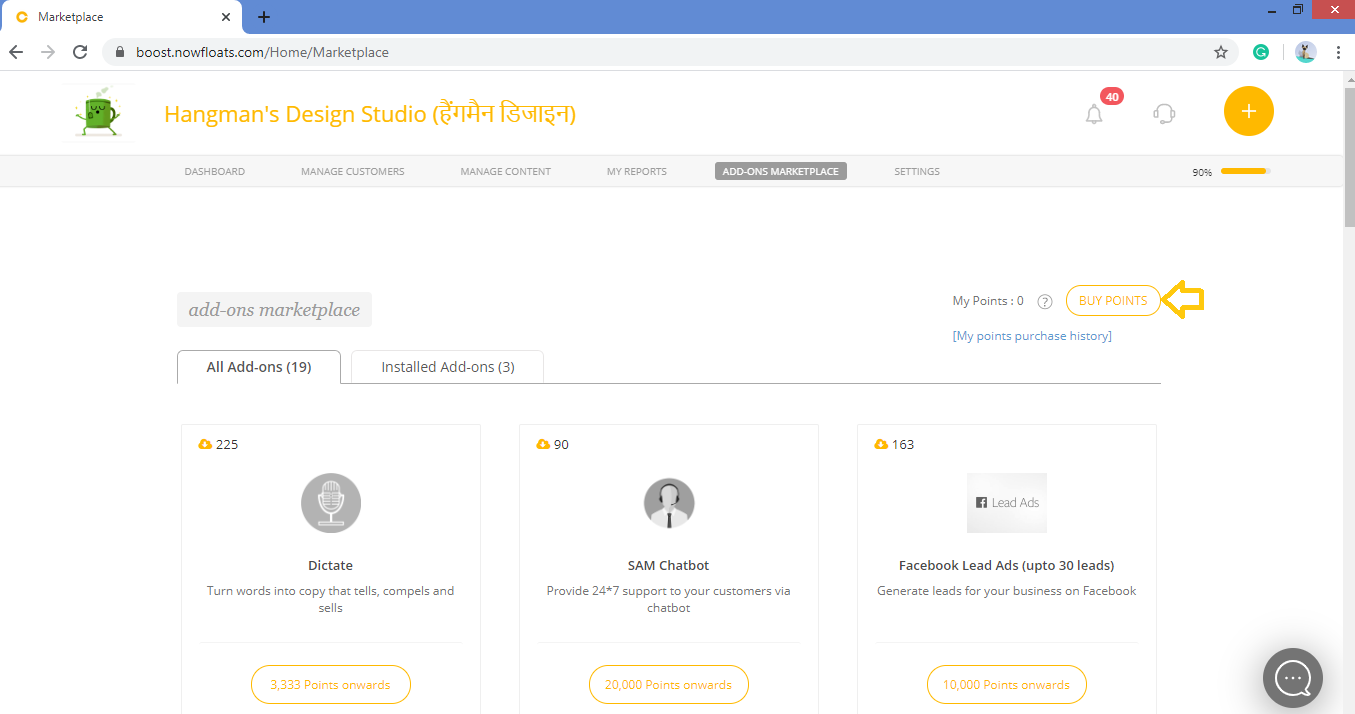
3. Click Buy Points.
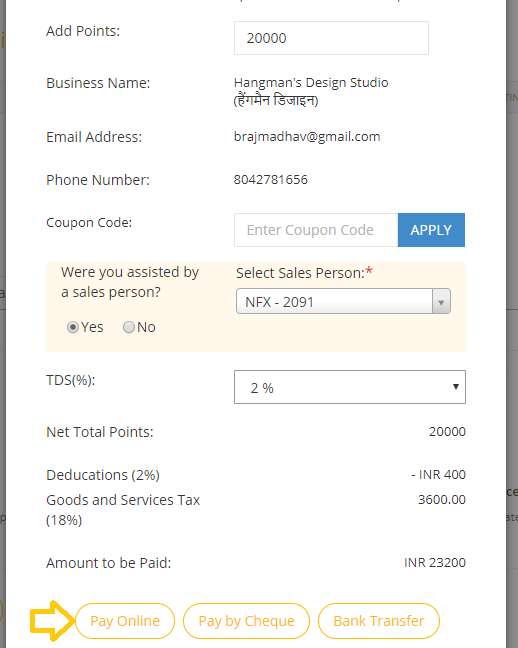
4. In the Add points box, enter the points which you want add.
Note: 1 Point= 1 Rupee
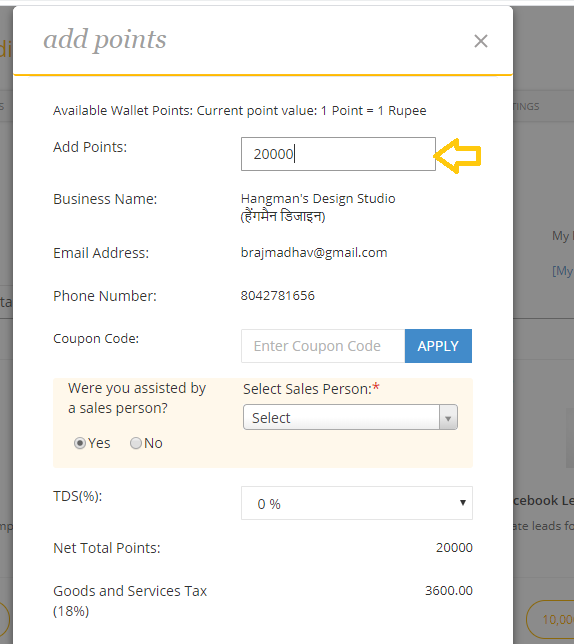
5. In the Coupon Code box, enter the valid coupon code if you have any or skip.
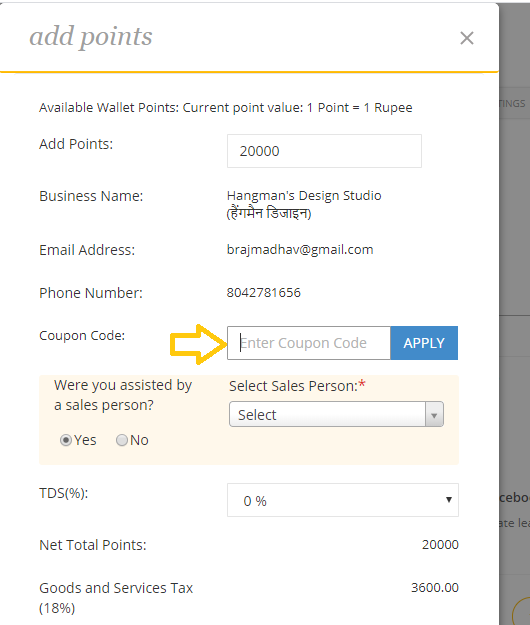
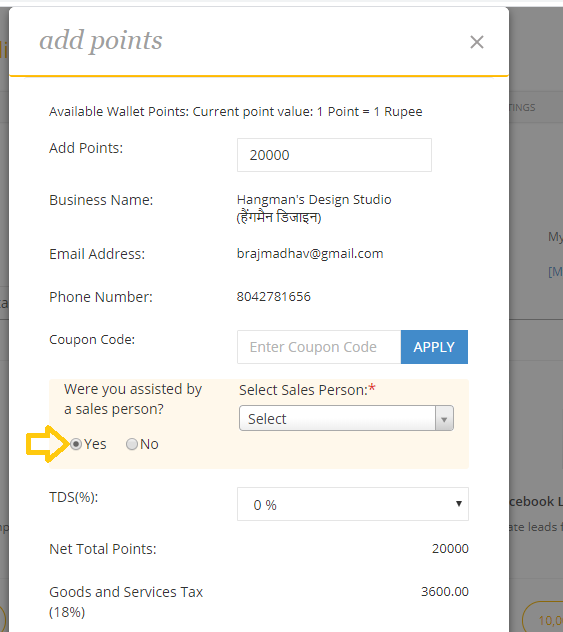
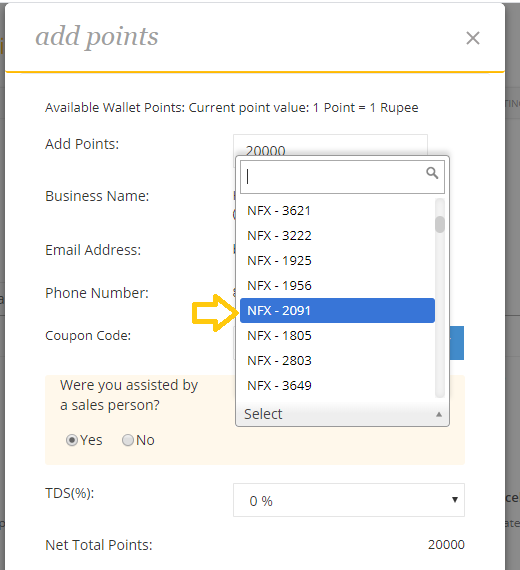
6. If you assisted by the sales person then select Yes radio button else No. If your answer is yes then select Employee Id from drop down.
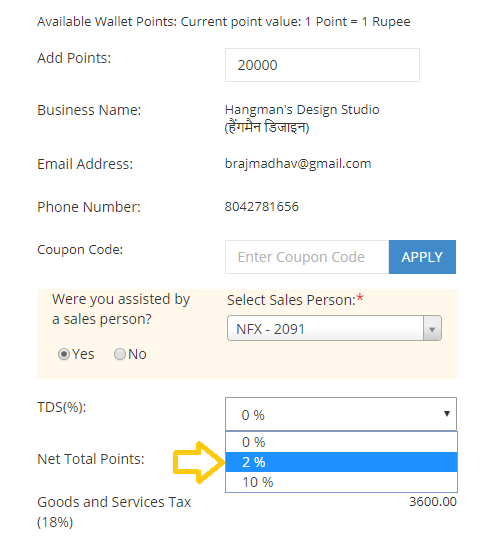
7. Select TDS Percentage from the drop down.
8. Choose Pay Online payment option to complete payment which will add points to your wallet once the payment is successful.
Comments
0 comments
Please sign in to leave a comment.