
Step by Step guide to check Social Analytics.
Step 1- Open https://boost.nowfloats.com in your browser which will navigate to login page of Boost.
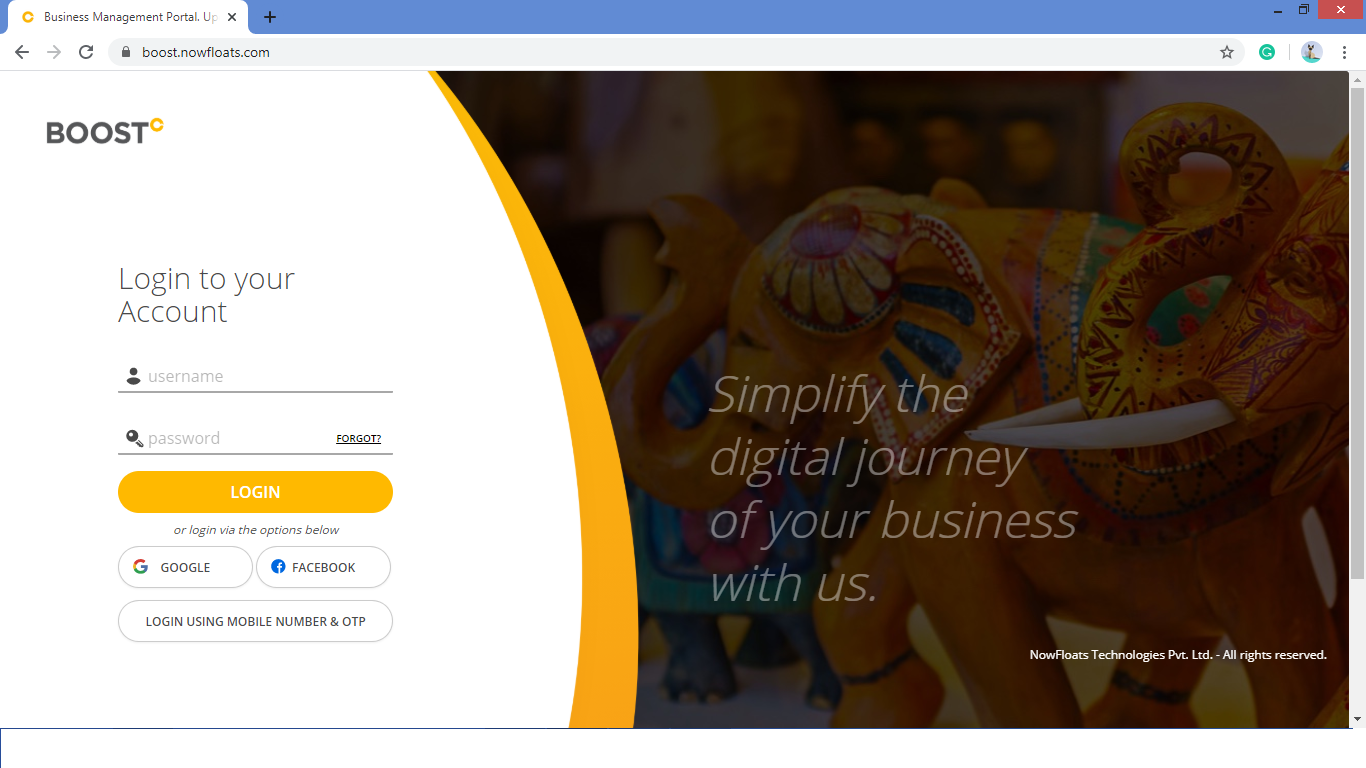
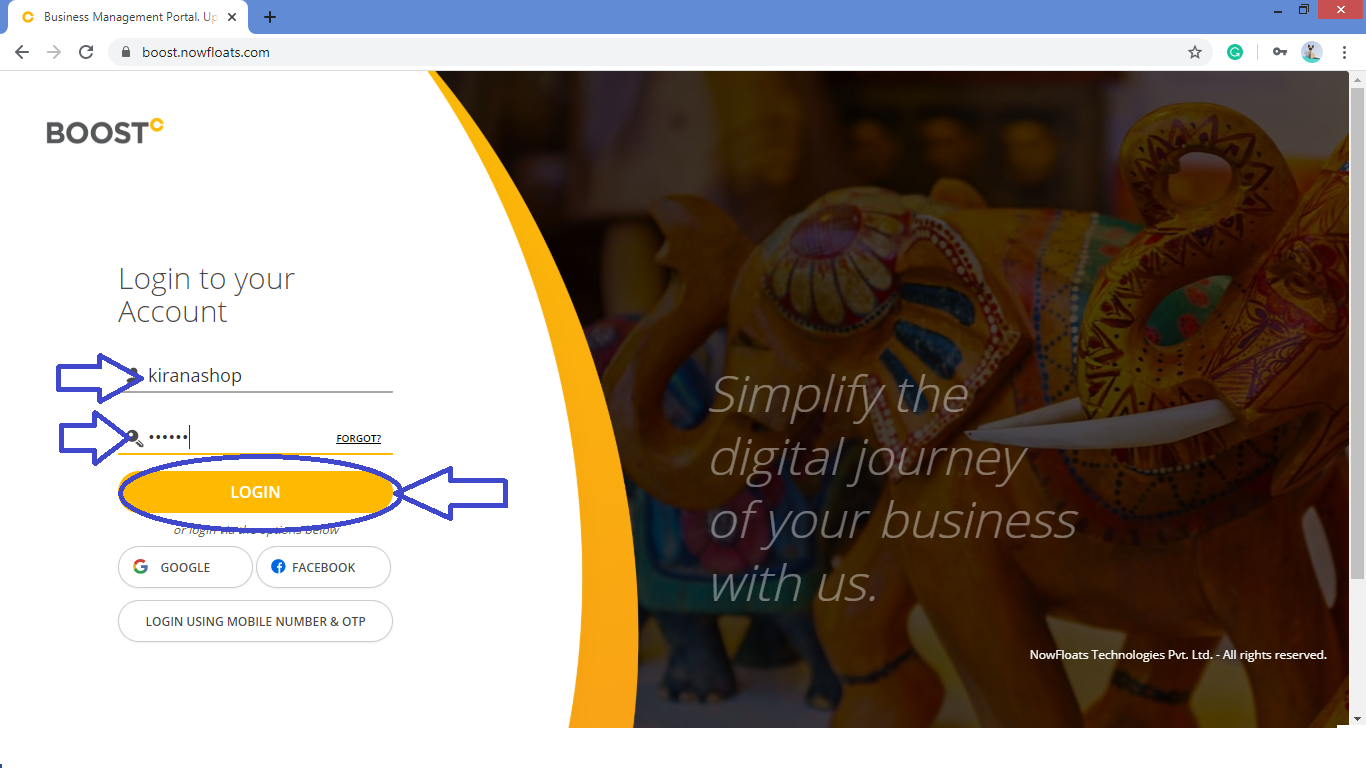
Step 2- Enter your Boost "Username" and "Password" click on "Login" button.
Step 3- You will be navigated to the dashboard of the Boost.Scroll down the dashboard page in third section you will find "Social Analytics".
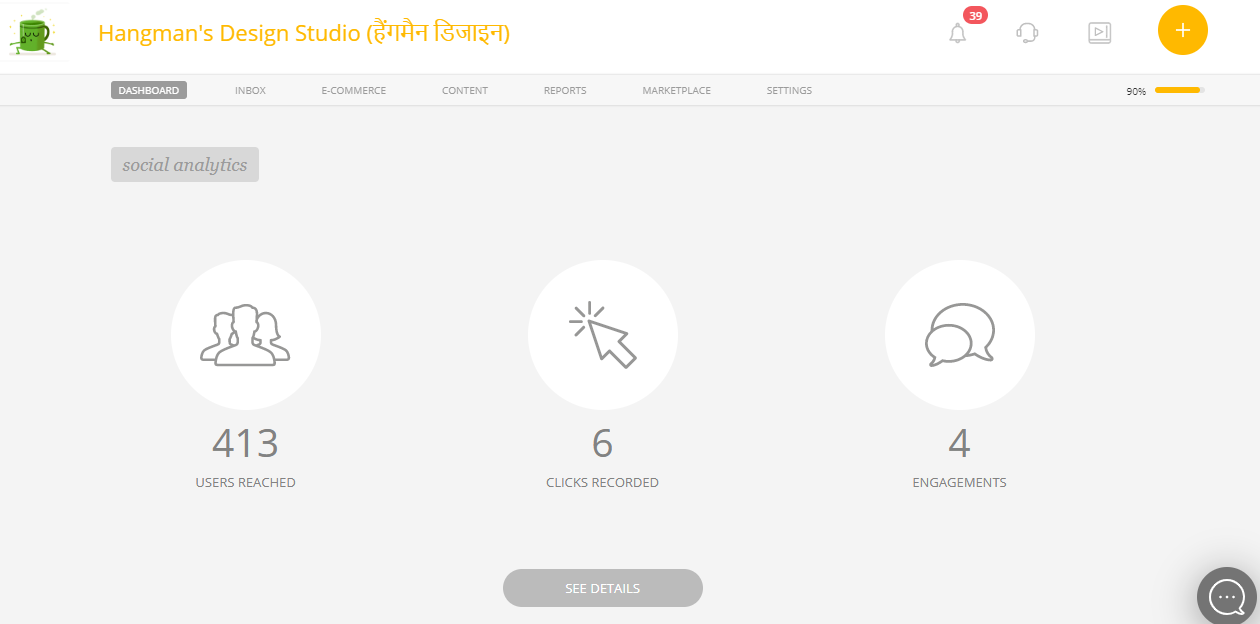
Step 4- This is the Facebook Analytics of your Page.Click on "See Details" to check more details.
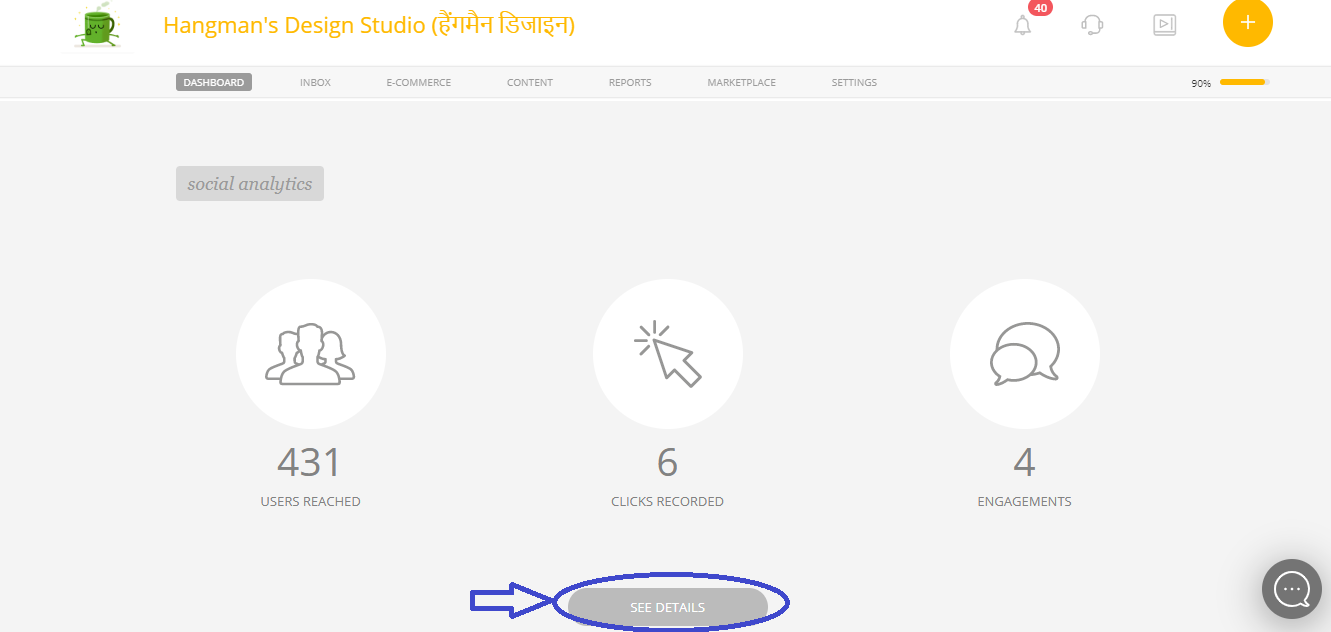
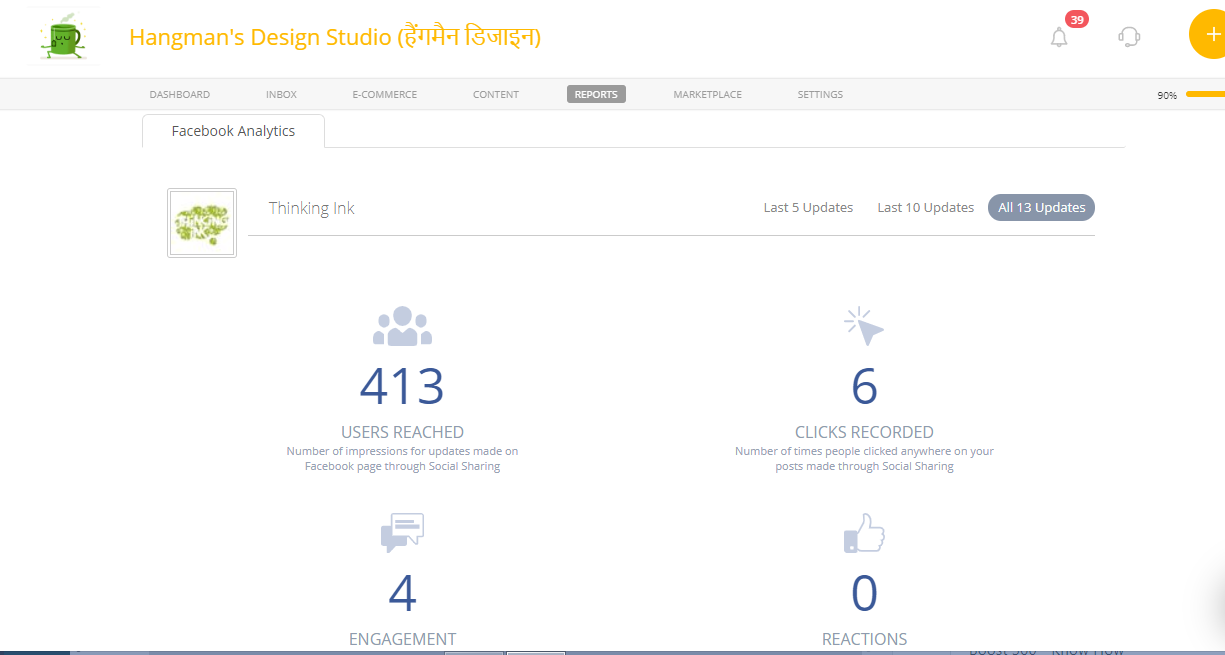
Step 5- You will be navigated to the "Facebook Analytics" which will give you detailed information.
Comments
0 comments
Please sign in to leave a comment.