
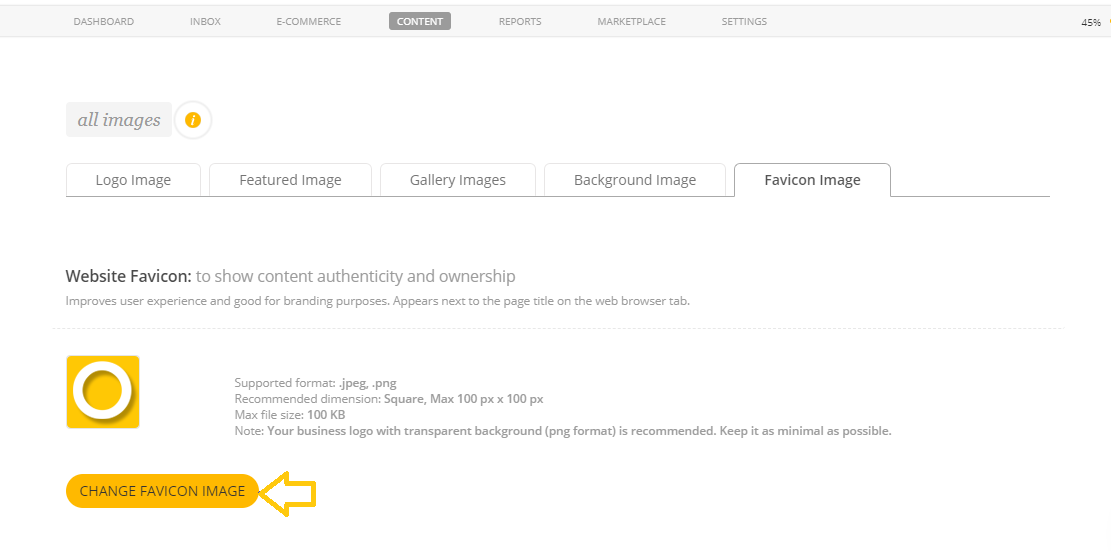
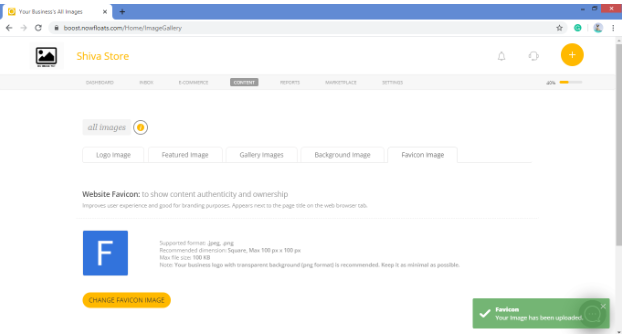
Website Favicon: To show content authenticity and ownership
Improves user experience and good for branding purposes. Appears next to the page title on the web browser tab.
To upload/change Favicon image of your website:
1. Go to Boost Login Page to login to Boost Web.
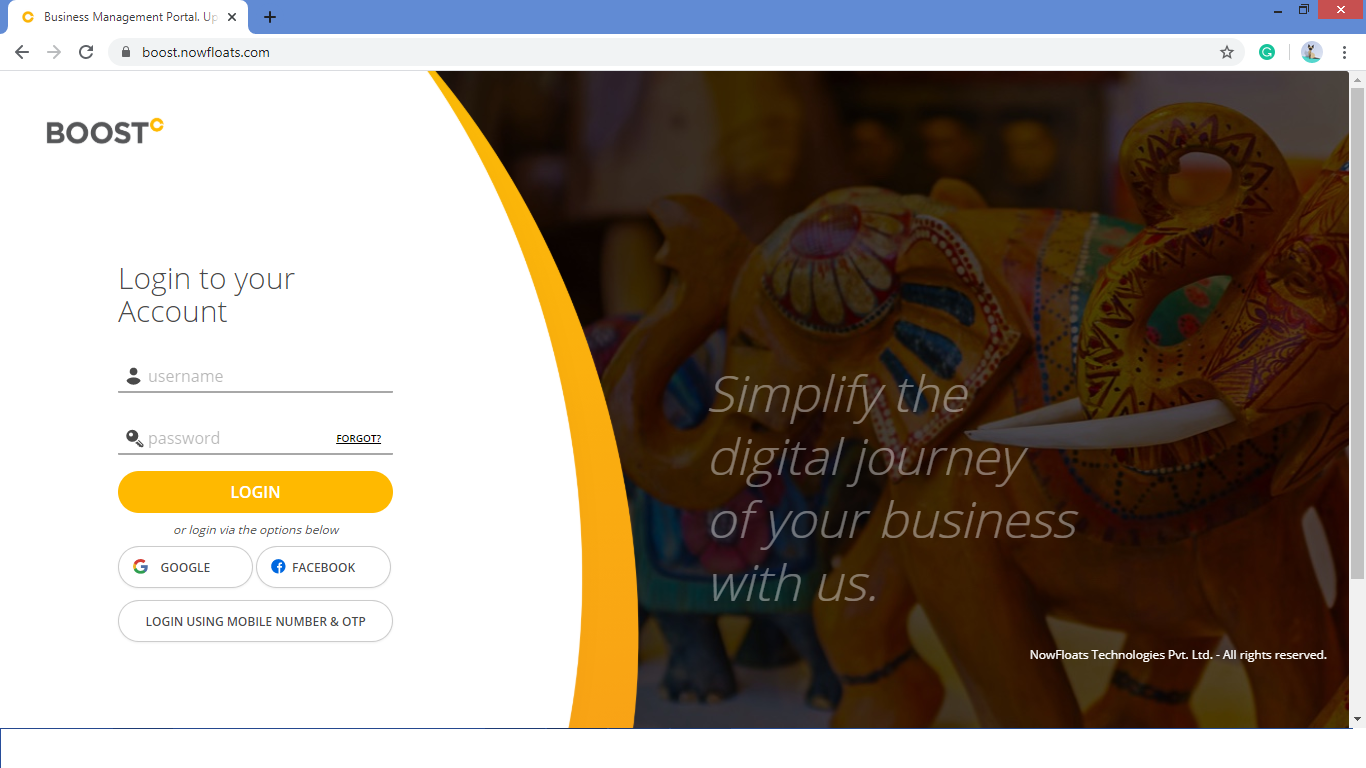
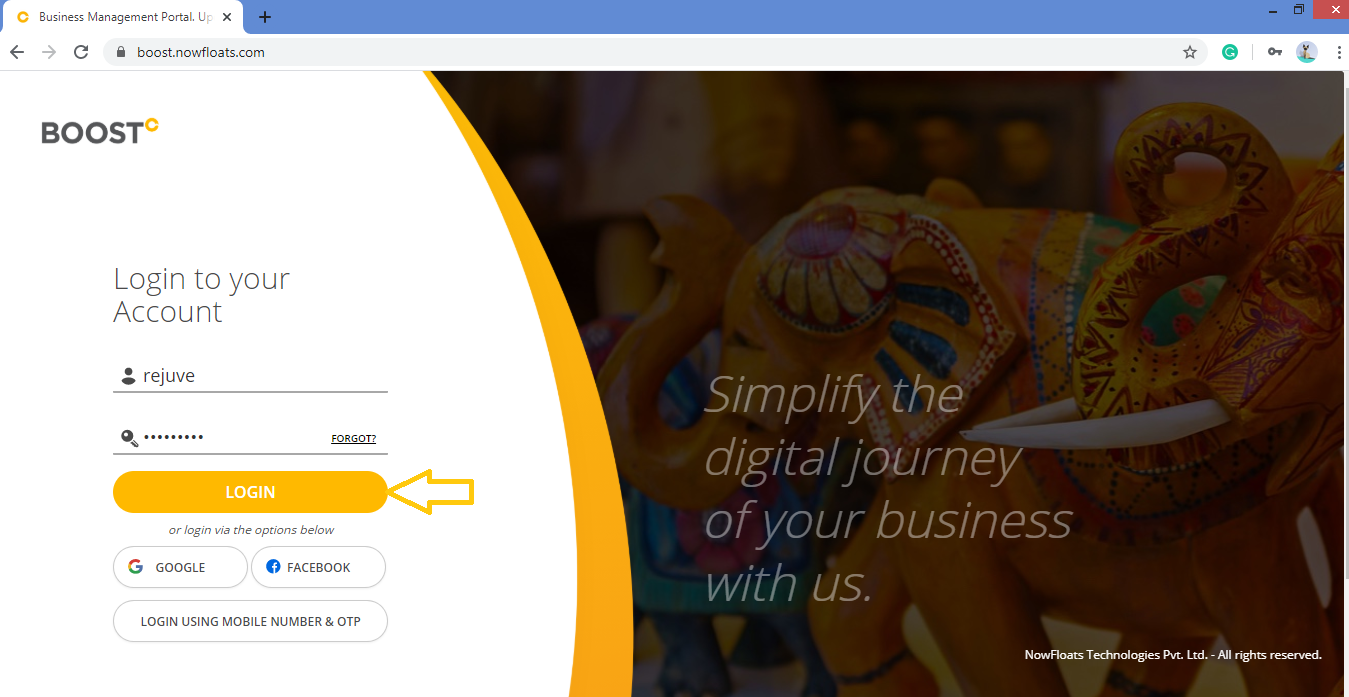
2. Enter your Username, Password and click Login.
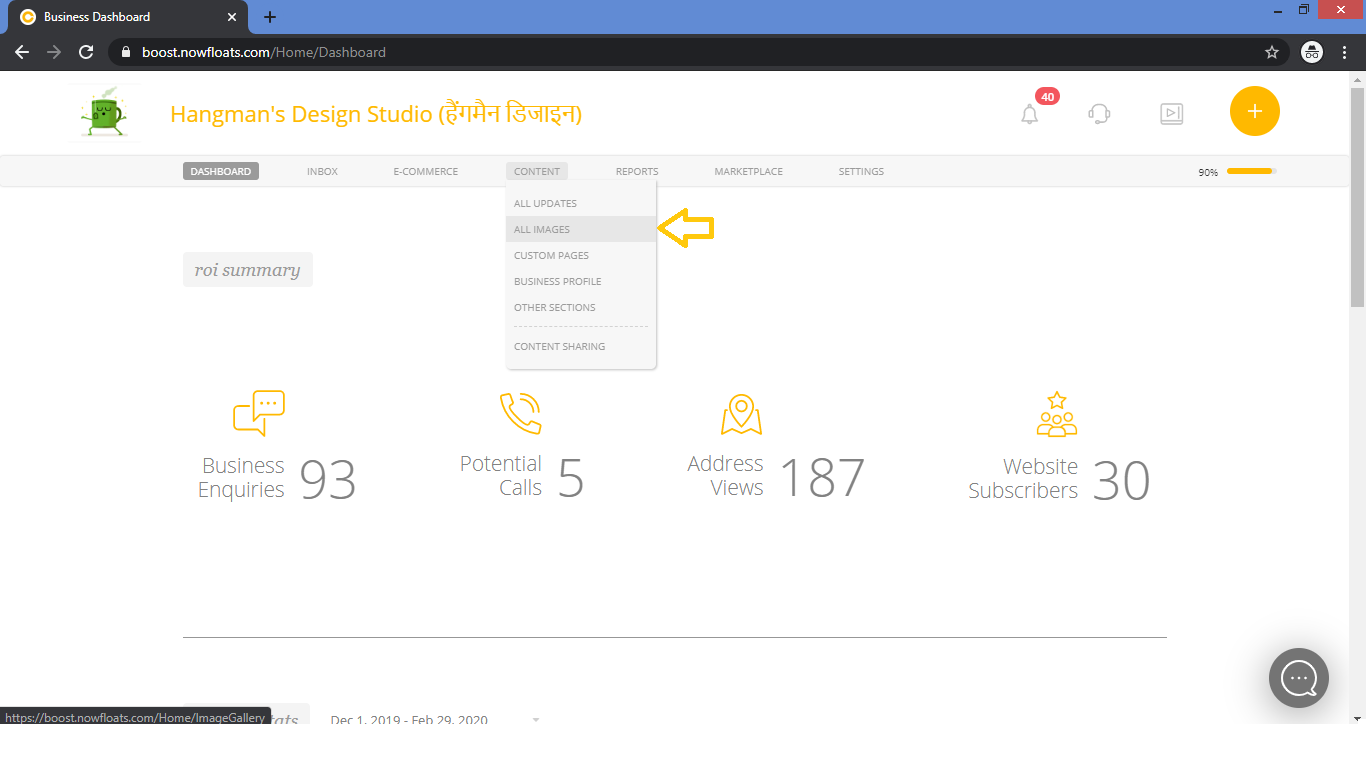
3. As soon as you log in, you can see the dashboard from where the entire business site can be managed.Go to Content in the header menu and click on ALL Images.
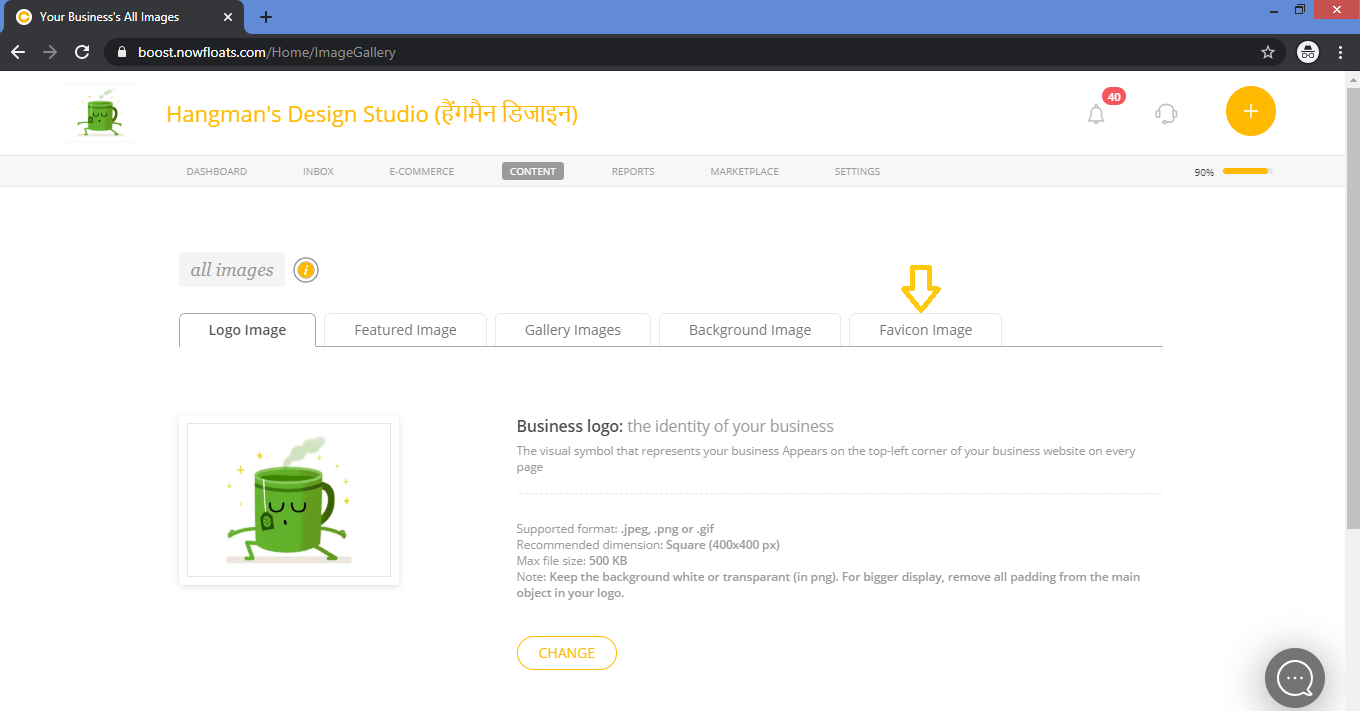
4. Click Favicon Image tab.
5. By default Favicon Image will be provided, Click Change Favicon Image to change it to new one.
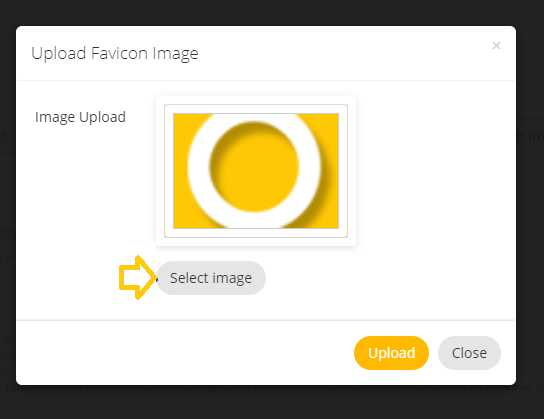
6. Click Select Image to upload one from computer.
Note: Your business Favicon with transparent background (png format) is recommended. Keep it as minimal as possible.
For best results use a 100 X 100 pixel image in .jpeg and .png format of size max 100KB.
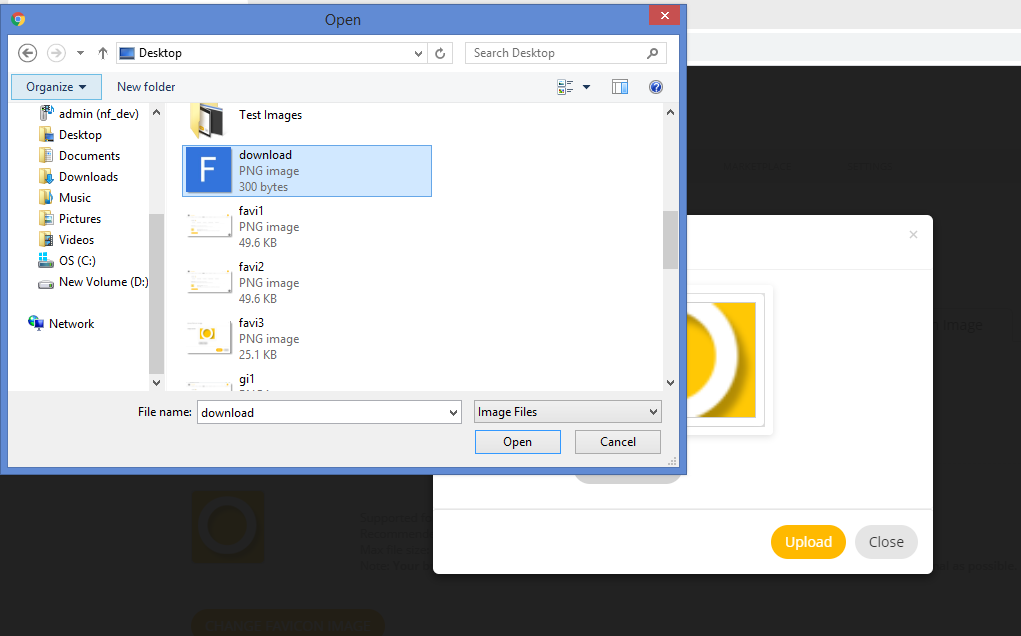
7. Select desired image from the desktop and click on Open.
8. Click Change to browse to a new photo on your computer to upload to your site.
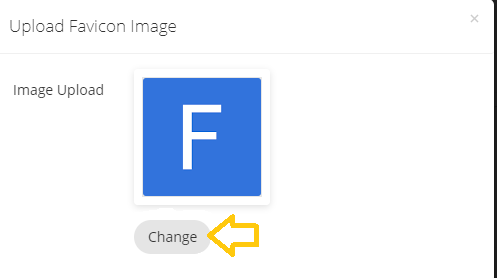
9. When you finish selecting image, click Upload.
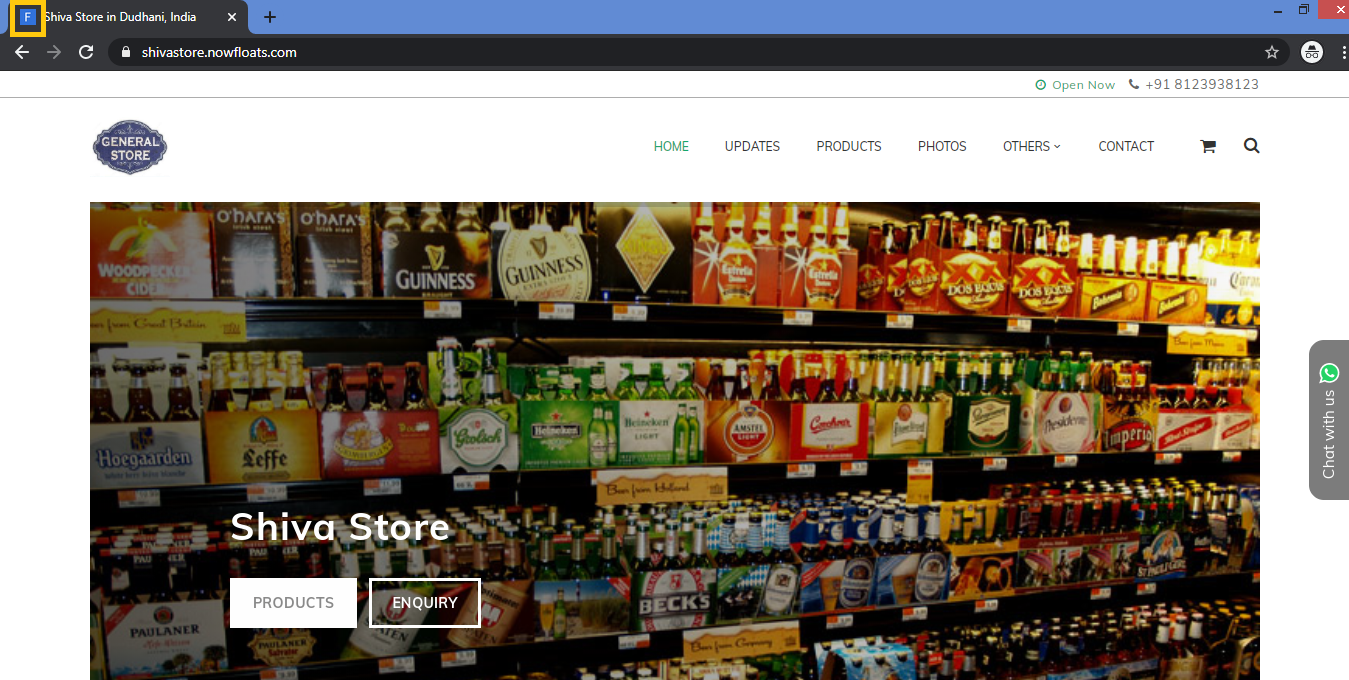
You can see the Favicon Image at left hand top corner of your webpage.
Comments
0 comments
Please sign in to leave a comment.