Logging Out from your Boost Account using Boost360 Mobile App Permanently deleted user July 31, 2020 12:33 Updated 1. Open the Boost360 Mobile App. 2. Tap hamburger icon at top left. 3. Tap Settings. 4. Tap Logout. Related articles Disconnecting Your Digital Channels using Boost360 App Deleting Product/ Service from your website using Boost360 App Comments 0 comments Please sign in to leave a comment.
 at top left.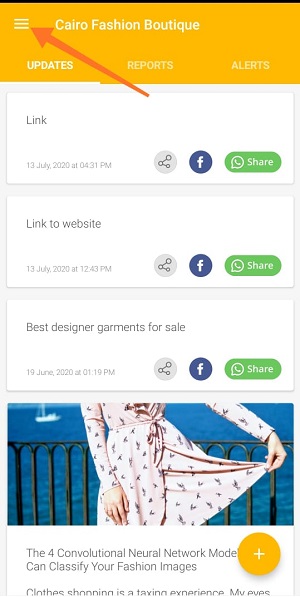
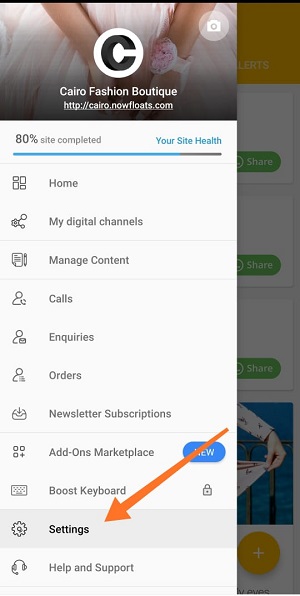
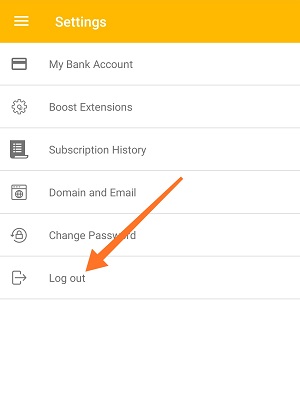
 at top left.
Comments
0 comments
Please sign in to leave a comment.